
Your Google Ads campaign is running.
The advertisements are getting clicks, the daily budget is being spent, and people are visiting your website.
But something doesn't look right.
Google Ads shows fewer conversions than expected. GA4 is reporting some traffic under Direct or Unassigned, and your CRM isn't recording the campaign details you need.
You haven't changed your keywords or bidding strategy.
The only recent change was adding tracking parameters to your Google Ads Final URL Suffix.
Could that be the problem?
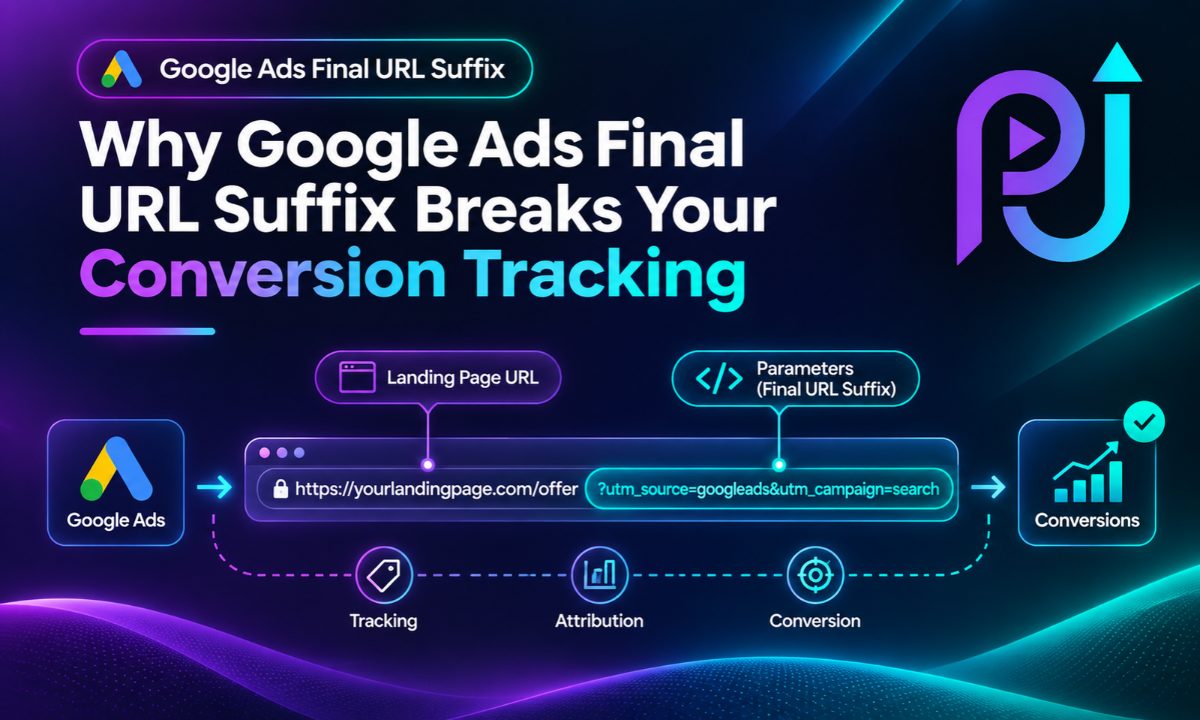
Google Ads Final URL Suffix is a feature that lets advertisers add tracking parameters to landing-page URLs without editing every advertisement's destination.
It can help you identify campaigns, ad groups, keywords, and other advertising details.
However, incorrect URL settings can cause problems with attribution, landing-page behavior, and conversion measurement.
For example, a website redirect might remove the Google Click Identifier (GCLID). A tracking template might append parameters that already exist in the suffix. Or a form integration might fail to capture campaign information from the landing-page URL.
These problems can make a campaign appear less effective than it actually is.
Before changing your bidding strategy, conduct a Google Ads Account Audit to identify whether the problem comes from campaign settings, conversion tracking, or the website.
In this guide, I'll explain how the Final URL Suffix works, why tracking problems happen, and how to fix 10 common URL configuration issues.
What Is Google Ads Final URL Suffix?
The Final URL Suffix is a field in Google Ads that allows you to append tracking parameters to the URL people visit after clicking your advertisement.
You can use it to pass information into GA4, CRM systems, and other marketing tools.
For example, imagine you're running Google Ads for a dental clinic.
Your advertisement sends people to:
https://example.com/dental-implants
You want to identify that traffic as coming from Google Ads.
Instead of editing the landing-page URL, you can enter the following in the Final URL Suffix field:
utm_source=google&utm_medium=cpc&utm_campaign={campaignid}
Google Ads can then generate a landing-page URL similar to:
https://example.com/dental-implants?utm_source=google&utm_medium=cpc&utm_campaign=123456789
The campaign ID in this example is illustrative.
When Google Ads processes the click, the ValueTrack parameter {campaignid} is replaced with the relevant campaign ID.
This helps your analytics tools identify the campaign associated with the website visit.
Google explains this feature in its official Final URL Suffix documentation.
Final URL vs Final URL Suffix vs Tracking Template
One of the most common sources of confusion is that Google Ads provides several URL-related fields.
These fields serve different purposes.
| Google Ads Setting | Purpose | Example |
|---|---|---|
| Final URL | Specifies the destination page | https://example.com/services |
| Final URL Suffix | Adds tracking parameters | utm_source=google&utm_medium=cpc |
| Tracking Template | Defines a tracking URL using placeholders | {lpurl}?device={device} |
| Custom Parameter | Defines a reusable tracking value | {_service}=cleaning |
| Auto-tagging | Adds Google's click identifier where applicable | gclid=... |
What Is a Final URL?
The Final URL is the page visitors reach after clicking your advertisement.
It should lead to a relevant page that matches the advertisement.
What Is a Final URL Suffix?
The Final URL Suffix contains parameters that Google Ads appends to the landing-page URL.
It is commonly used for UTM parameters and ValueTrack values.
What Is a Tracking Template?
A tracking template defines a tracking URL that can include the landing-page placeholder and additional parameters.
For example:
{lpurl}?utm_source=google&utm_medium=cpc
Here, {lpurl} represents the final landing-page URL.
Tracking templates are useful when a third-party measurement system or a more complex tracking setup requires them.
For simple landing-page UTM parameters, the Final URL Suffix is often easier to manage.
Important: A tracking template is not mandatory for every Google Ads campaign.
Does Google Ads Final URL Suffix Actually Break Conversion Tracking?
Not by itself.
Adding a valid Final URL Suffix does not disable a Google Ads conversion tag or prevent Google Tag Manager from firing.
The problem usually comes from how the URL is constructed, redirected, or processed.
To understand the difference, consider the customer journey.
Google Ad Click → Landing Page → Tracking Parameters → Google Tag → Conversion Event → Google Ads Reporting
Several things must work correctly.
The landing page must load.
Relevant click identifiers must survive redirects.
The tracking tags must execute according to the website's consent settings.
The conversion event must fire when the customer completes the intended action.
If one part fails, attribution or conversion reporting may be affected.
A URL problem can cause missing campaign information without preventing the actual conversion event from firing.
That distinction matters when troubleshooting.
10 Google Ads Final URL Suffix Errors and How to Fix Them
| # | Common Issue | Possible Result |
|---|---|---|
| 1 | Incorrect Suffix Formatting | Malformed tracking parameters |
| 2 | Duplicate UTM Parameters | Conflicting campaign attribution |
| 3 | Website Rejects Query Parameters | Landing-page errors |
| 4 | Redirects Remove GCLID | Lost Google Ads attribution |
| 5 | Broken Tracking Template | Incorrect landing-page URL |
| 6 | Conflicting URL Settings | Unexpected tracking values |
| 7 | Incorrect URL Encoding | Parameters interpreted incorrectly |
| 8 | Mobile URL Differences | Device-specific tracking problems |
| 9 | CRM or GTM Does Not Capture Parameters | Missing campaign information |
| 10 | Tracking Problems Misdiagnosed as URL Issues | Incorrect troubleshooting decisions |
Let's examine each one.
1. Adding Incorrect Characters to the Final URL Suffix
A Final URL Suffix should contain tracking parameters in the format Google Ads expects.
For example, a valid suffix is:
utm_source=google&utm_medium=cpc&utm_campaign={campaignid}
You should not normally start the suffix with a question mark.
Incorrect example:
?utm_source=google&utm_medium=cpc
The Final URL Suffix field is designed for parameters rather than a complete destination URL.
Google Ads handles how those parameters are appended to the final destination.
Why This Can Cause Problems
Incorrect syntax may produce an invalid setting or an unexpected expanded URL.
If your website cannot process the resulting URL, the visitor may encounter a page error.
If analytics tools receive malformed parameters, they may not interpret campaign details correctly.
How to Fix It
Open your Google Ads URL options.
Review the Final URL Suffix field.
Remove unnecessary leading characters.
Use parameter names followed by values, with ampersands separating parameters.
Save the changes and use Google's URL testing feature to inspect the result.
2. Adding the Same UTM Parameters in Multiple Places
Duplicate tracking parameters can make campaign attribution unreliable.
For example, imagine your Final URL already includes:
utm_source=google&utm_medium=cpc
Your Final URL Suffix also contains:
utm_source=google&utm_medium=paidsearch
Now the same parameter name may appear more than once with conflicting values.
Your analytics tools may not interpret those values the way you intended.
The same problem can occur when tracking parameters appear in both the suffix and a tracking template.
Example
Suppose your website receives this URL:
https://example.com/?utm_medium=cpc&utm_medium=paidsearch
Which medium should your CRM save?
Different applications may handle duplicate query parameters differently.
One might use the first value, while another uses the last.
That can lead to reporting inconsistencies.
How to Fix It
Review where tracking parameters are defined.
Check your Final URLs, Final URL Suffix, Tracking Templates, and third-party tracking configurations.
Assign each parameter one clear source.
For example, if you use the Final URL Suffix for UTM parameters, avoid adding those same parameters elsewhere unless your setup requires it.
3. Your Website Does Not Support Additional URL Parameters
Some websites are configured to accept only specific URL structures.
When Google Ads appends tracking parameters, the website may respond incorrectly.
For example, your normal landing page is:
https://example.com/contact
It loads successfully.
However, when you visit:
https://example.com/contact?utm_source=google
the website returns an error or redirects to another page.
This indicates a website-handling problem.
Why It Matters
If the page doesn't load, visitors cannot complete the intended action.
The issue may look like declining Google Ads performance when the actual problem is the website's URL handling.
How to Fix It
Open the final landing page with a harmless test parameter.
Confirm it loads the correct content.
If it fails, ask your developer to review routing rules, server configuration, and URL rewriting.
Your website should handle valid tracking parameters without breaking ordinary page navigation.
Google also notes that some websites do not accept arbitrary URL parameters when auto-tagging is enabled.
4. Website Redirects Remove the Google Click Identifier
This is one of the most important technical issues to investigate.
Google Ads auto-tagging uses a Google Click Identifier, commonly called GCLID, to help associate eligible advertising interactions with reporting and conversions.
When someone clicks an advertisement, Google may append a parameter such as:
?gclid=TEST123
Now imagine your landing page redirects the visitor.
Original URL:
https://example.com/service?gclid=TEST123
Redirected URL:
https://example.com/new-service
The GCLID has disappeared.
Google's measurement systems may no longer be able to associate the visit with the original advertising interaction.
Why GCLID Gets Removed
Possible causes include:
- Website URL rewriting
- Redirect configurations
- CMS or plugin redirects
- Custom landing-page scripts
- Third-party tracking systems
The problem is not necessarily the Final URL Suffix itself.
It may be the redirect behavior triggered or exposed by the expanded URL.
How to Fix It
Test your landing page with a harmless GCLID value.
For example:
https://example.com/service?gclid=TesTER-123
Follow the redirects.
Check whether the parameter reaches the final landing page unchanged.
If it disappears, review the redirect rules with your developer.
Do not use a fake GCLID to test actual conversion attribution. This method is only for checking whether the URL preserves the parameter.
Google provides a dedicated guide for Website Redirects Losing Click Data.
Also preserve other relevant Google advertising parameters, such as gbraid, wbraid, and gad_*, when they are present and required by your measurement setup.
5. Your Tracking Template Does Not Include the Correct Landing-Page Placeholder
A tracking template can cause serious destination problems when configured incorrectly.
Google Ads uses ValueTrack placeholders to insert information into tracking URLs.
One important placeholder is:
{lpurl}
It represents the final landing-page URL.
For example:
{lpurl}?device={device}&campaign={campaignid}
Google Ads replaces the placeholders with the corresponding values.
But if an account-level, campaign-level, or ad-group-level tracking template omits a required landing-page insertion parameter, the destination URL may break.
How to Fix It
Open the tracking template settings.
Check whether the template contains the appropriate landing-page placeholder.
Review the required format for any third-party tracking provider.
Do not assume {lpurl} and {unescapedlpurl} are interchangeable in every tracking configuration.
Their encoding behavior differs.
Use Google's ValueTrack Parameter Documentation to choose the appropriate placeholder.
Then test the expanded URL.
6. Conflicting URL Settings at Different Levels
Google Ads allows URL tracking options at several levels.
For example:
- Account
- Campaign
- Ad group
- Ad
- Keyword
- Certain assets
This flexibility is useful, but it can cause confusion.
You might configure campaign tracking at the account level and later add a different setting to an individual ad.
Google Ads applies its URL-setting precedence rules to determine which values are used.
Example
Your account has a UTM configuration intended for all campaigns.
A particular campaign also has its own tracking setup.
You update the account-level values, but the campaign continues using different values.
The campaign-specific settings may be taking precedence.
How to Fix It
Review URL options at every relevant level.
Identify which setting is actually applied.
Keep account-wide configurations consistent where possible.
Use lower-level overrides only when you need different tracking behavior.
Document the intended source of each tracking parameter so other account managers don't create conflicts.
7. Special Characters Are Not Encoded Correctly
Tracking URLs use special characters to separate parameters and values.
For example:
- ? begins a query string.
- & separates parameters.
- = separates a parameter name from its value.
Problems can happen when parameter values contain special characters that are not encoded correctly.
Imagine you want to pass a custom campaign label containing a space or an ampersand.
If the value is not encoded correctly, the website may interpret part of that label as another parameter.
Example
A custom value might contain:
Summer Sale & Clearance
The ampersand has a special meaning inside a URL query string.
If inserted without correct encoding, the value may be split incorrectly.
How to Fix It
Use supported ValueTrack and custom parameter syntax.
Encode special characters when required.
Avoid manually building complicated tracking URLs without testing.
Check the final expanded URL, not just the text entered into Google Ads.
Correct encoding matters most when using third-party tracking systems and redirect chains.
8. Mobile Visitors Reach a Different URL
Some Google Ads setups use different landing-page URLs for desktop and mobile users.
A campaign might send desktop visitors to:
https://example.com/consultation
And mobile visitors to:
https://m.example.com/consultation
If the mobile website uses different redirects or tracking code, the campaign may behave differently across devices.
For example, desktop conversions may be recorded correctly while mobile conversions appear under incorrect traffic sources.
How to Fix It
Review any mobile Final URL settings.
Test the expanded URL on both desktop and mobile.
Check whether the Google tag loads on both versions.
Confirm that click identifiers survive mobile redirects.
Also verify that the mobile conversion form works correctly.
A mobile tracking issue should not be mistaken for a bidding or audience problem.
If users land on the correct page but fail to convert, review the Landing Page Mistakes that may affect their experience.
What About Final URL Expansion?
Final URL Expansion in eligible Google Ads campaigns is a separate feature.
It can allow Google to select other relevant landing pages.
It does not simply add a tracking suffix.
If visitors reach the wrong page, check campaign features such as AI Max or Performance Max Final URL Expansion separately from your tracking parameters.
9. Google Tag Manager or Your CRM Does Not Capture URL Parameters
Sometimes the parameters arrive correctly, but your website does not store them.
For example, your landing page receives:
https://example.com/contact?utm_campaign=12345
The visitor submits a form.
Your CRM receives the customer's name, email, and phone number.
But the campaign ID is missing.
That doesn't necessarily mean the Final URL Suffix failed.
The website may not be passing the campaign information into the form or CRM.
How to Fix It With GTM
Open Google Tag Manager.
Review the URL variables used to capture parameters.
For example, create a URL variable with:
Variable Type: URL
Component Type: Query
Query Key: utm_campaign
Test the variable in GTM Preview Mode.
Confirm that it returns the expected value on the landing page.
If you need to preserve the original campaign information across multiple pages, implement a suitable first-party storage method that respects consent requirements.
Then pass the information to the form, CRM, or tracking system when appropriate.
Important Distinction
A missing UTM value in the CRM does not prove that Google Ads conversion tracking failed.
The Google Ads conversion tag might still record a valid lead.
Your CRM simply may not have captured its campaign metadata.
If your website also has event measurement problems, review GA4 Event Tracking to understand how tags and events should be configured.
10. You're Blaming URL Parameters for a Different Conversion Tracking Problem
This is another common troubleshooting mistake.
A conversion drop happens after someone changes the Final URL Suffix.
The advertiser assumes the suffix caused the problem.
But the conversion issue may come from something else.
For example:
- A new website form no longer triggers the conversion event.
- The thank-you page URL changed.
- The Google tag was removed during a website update.
- A cookie consent banner changed how tags fire.
- The conversion action was changed from Primary to Secondary.
- A CRM integration stopped sending qualified leads.
- A third-party booking tool moved the conversion to another domain.
These issues can occur at the same time as URL changes without being caused by them.
How to Identify the Real Cause
First, check whether the landing page loads correctly.
Second, confirm whether tracking parameters arrive intact.
Third, test the actual conversion event.
Then compare the findings.
If URL parameters are correct but the Google Ads conversion tag does not fire when a form is submitted successfully, investigate the tag configuration.
If the event fires but attribution is missing, investigate click identifiers, consent, and cross-domain measurement.
If tracking works but actual inquiries have declined, review the campaign and website.
My guide on Why Google Ads Is Not Converting explains how to distinguish traffic problems from conversion problems.
How to Set Up a Google Ads Final URL Suffix Correctly
For a standard campaign that needs UTM parameters, keep the configuration simple.
Step 1: Open Your Google Ads Account
Sign in and select the correct advertising account.
Step 2: Find URL Options
For an account-level suffix, open Admin → Account settings and locate the tracking settings.
For campaign-level settings, open Campaigns and review the relevant campaign's URL options.
The location of individual controls may differ by campaign type.
Step 3: Enter Your Final URL
For example:
https://example.com/contact
This should be the actual page you want visitors to reach.
Step 4: Add Your Final URL Suffix
A useful basic example is:
utm_source=google&utm_medium=cpc&utm_campaign={campaignid}&utm_content={creative}
This captures the source, medium, campaign ID, and creative ID where the parameters are supported.
You can adapt the suffix to your measurement requirements.
Step 5: Keep Auto-Tagging Enabled
If you use Google Ads with GA4 or Google Ads conversion tracking, auto-tagging is an important part of attribution.
It allows Google to append the relevant click identifier automatically.
Do not manually create or invent GCLID values inside the Final URL Suffix.
Step 6: Review Tracking Template Settings
If you do not use a third-party tracking URL, you may not need a tracking template.
If one is configured, check that it works with your Final URL and suffix.
Avoid assigning the same UTM parameters in multiple places.
Step 7: Test the URL
Use the Test option in Google Ads URL settings.
Check whether the destination is valid and the parameters are expanded correctly.
Step 8: Test in Your Browser
Open a representative expanded URL.
Confirm that the landing page loads.
Check that required parameters remain available after redirects.
Repeat the test on mobile if your setup uses a different destination.
Step 9: Verify GA4
Use GA4 DebugView and relevant traffic reports to check whether your measurement setup receives the expected events and campaign details.
Remember that a UTM parameter arriving in the browser does not, by itself, prove that GA4 is receiving it.
Step 10: Verify the Actual Conversion
Complete a controlled form submission or test purchase.
Use GTM Preview, Tag Assistant, and the relevant Google Ads conversion diagnostics.
Confirm that the event fires at the correct stage.
Allow for normal reporting delays before judging the final conversion count.
Example: Correct vs Incorrect URL Tracking
Consider a business running Google Ads for accounting services.
Base Final URL
https://example.com/accounting-services
Final URL Suffix
utm_source=google&utm_medium=cpc&utm_campaign={campaignid}
Illustrative Expanded URL
https://example.com/accounting-services?utm_source=google&utm_medium=cpc&utm_campaign=123456789
This is a straightforward structure.
Now consider a problematic implementation.
The same UTM campaign parameter is added through the Final URL, the suffix, and a tracking template.
The visitor is then redirected through a URL rewriting rule that removes some query parameters.
The website may still receive the visitor, but campaign metadata or a click identifier may not reach the final page.
The solution is to identify which part of the chain is responsible.
Removing every tracking parameter is not the right default response.
Correct the duplicated parameters or redirect behavior, then test the full journey.
How to Check If Your Final URL Suffix Is Affecting GA4 Attribution
A useful troubleshooting process is to compare the URL behavior with analytics data.
Begin in Google Ads.
Confirm that auto-tagging is enabled.
Check the Final URL, suffix, and tracking template.
Next, open the landing page with a harmless test parameter.
Follow all redirects and inspect the final URL.
Then use your browser's developer tools and Tag Assistant to confirm that the Google tag loads.
In GA4, review your acquisition reports for unexpected changes.
Look for changes in Google paid traffic, Direct, and Unassigned traffic around the date the URL settings were modified.
However, be careful when interpreting these changes.
A rise in Direct or Unassigned traffic is not proof that the Final URL Suffix caused it.
GA4 can classify traffic differently for several reasons, including missing identifiers, consent limits, unlinked accounts, or incomplete campaign data.
Confirm the technical cause before changing your reporting configuration.
Google Ads Final URL Suffix Audit Checklist
| Audit Area | What to Check | Priority |
|---|---|---|
| Final URL | Correct destination page | High |
| Final URL Suffix | Valid parameter structure | High |
| Tracking Template | Required placeholders and syntax | High |
| Duplicate UTMs | Conflicting parameter names | High |
| Auto-Tagging | Enabled where required | High |
| GCLID Preservation | Parameter survives redirects | High |
| Other Click IDs | Relevant identifiers are preserved | High |
| URL Inheritance | Account and campaign settings | High |
| URL Encoding | Special characters handled correctly | High |
| Mobile Destination | Correct page and tracking | Medium |
| URL Expansion | Suitable landing-page selection | Medium |
| Google Tag | Loads according to consent settings | High |
| GTM Variables | Read expected parameters | High |
| GA4 | Receives traffic and event data | High |
| CRM Tracking | Captures campaign details when needed | High |
| Conversion Action | Records genuine customer actions | High |
| Landing-Page Test | Correct expanded URL and page response | High |
When Should You Use a Tracking Template Instead of a Final URL Suffix?
A Final URL Suffix is usually suitable when you only need to add tracking parameters to the landing page.
For example:
utm_source=google&utm_medium=cpc&utm_campaign={campaignid}
A tracking template becomes useful when you need a more advanced tracking URL or a supported third-party click measurement system.
For example:
{lpurl}?device={device}&campaign={campaignid}
If you're using a third-party tracking provider, its required template may be more complex.
Follow the provider's supported implementation and Google's URL rules.
Google requires tracking templates at certain levels to contain an appropriate final URL insertion parameter.
Also note that Google Ads automatically handles some query-string joining scenarios in supported tracking templates. Do not assume that a Final URL containing ? will always result in a double-question-mark error.
The best approach is to use the simplest URL configuration that meets your measurement needs and passes testing.
Can Final URL Suffix Errors Affect Google Ads Bidding?
They can affect bidding indirectly when conversion measurement becomes unreliable.
For example, imagine your campaign uses Maximize Conversions.
Your business generates 30 qualified leads.
However, an attribution problem prevents Google Ads from associating some of those leads with the campaign.
Your bidding system may receive less complete conversion information than expected.
That can make optimization and performance evaluation more difficult.
It does not mean a Final URL Suffix automatically changes bids or disables Smart Bidding.
The actual impact depends on which conversion signals are missing and how the campaign is configured.
Before making major changes, review your Google Ads Bidding Strategy and confirm that your tracking accurately represents valuable customer actions.
Fix confirmed measurement problems before deciding that your bidding strategy is failing.
Best Practices for Google Ads URL Tracking
A reliable tracking setup starts with clear ownership.
Decide which URL field holds each parameter.
Use the Final URL Suffix for simple landing-page tracking parameters.
Use tracking templates when their additional features are needed.
Keep auto-tagging enabled where required.
Avoid unnecessary redirects.
Preserve Google click identifiers through supported navigation paths.
Test mobile and desktop destinations.
Check that the actual conversion event works rather than relying only on campaign attribution reports.
Document the configuration so developers and account managers know what should happen after each advertising click.
Finally, review the setup after website migrations, landing-page updates, new booking tools, or changes to third-party tracking integrations.
A short URL tracking audit can prevent larger reporting problems.
About Prem Jasuja
Prem Jasuja is a freelance digital marketing professional specializing in Google Ads, Meta Ads, Google Analytics 4, Google Tag Manager, conversion tracking, and landing-page optimization.
His work includes reviewing Google Ads campaign settings, conversion measurement, URL tracking, website tags, GA4 attribution, and lead-generation performance.
He focuses on helping businesses understand their advertising data and identify the technical problems that can affect reporting and campaign decisions.
Final Thoughts
The Google Ads Final URL Suffix is a useful feature for campaign tracking.
It does not automatically break conversion tracking.
Problems occur when the URL configuration or website implementation interferes with attribution, landing-page loading, or the collection of campaign information.
Duplicate UTM parameters can create inconsistent reporting.
Redirects that remove click identifiers can cause attribution problems.
Incorrect tracking templates can send visitors to invalid destinations.
And CRM or GTM configurations may fail to capture campaign details even when the Final URL Suffix is working correctly.
The solution is to test the entire journey.
Start with your Google Ads URL settings.
Inspect the expanded landing-page URL.
Check redirects, click identifiers, Google tags, and conversion events.
Then compare the results with GA4 and your actual business records.
Accurate conversion tracking depends on more than adding parameters to a URL. Every step between the advertising click and the completed conversion needs to work correctly.
Frequently Asked Questions
What Is Google Ads Final URL Suffix?
Google Ads Final URL Suffix is a field that lets advertisers append tracking parameters to landing-page URLs. It can be used for UTM parameters and supported ValueTrack values without changing the main destination URL.
Can Google Ads Final URL Suffix Break Conversion Tracking?
A correctly configured Final URL Suffix does not disable conversion tracking. However, malformed parameters, broken redirects, conflicting URL settings, or website handling problems can affect attribution and measurement.
What Is the Difference Between Final URL Suffix and Tracking Template?
A Final URL Suffix appends parameters to the landing-page URL. A tracking template defines a tracking URL and can use ValueTrack placeholders, including the final landing-page URL, for more advanced tracking requirements.
Should I Add a Question Mark to My Final URL Suffix?
Normally, no. Enter the parameters without a leading question mark, such as utm_source=google&utm_medium=cpc. Google Ads handles appending the suffix to the landing-page URL.
Can I Use UTM Parameters and GCLID Together?
Yes. UTM parameters can provide manual campaign information, while Google Ads auto-tagging supplies click identifiers such as GCLID where applicable. Avoid duplicate parameters and ensure your website preserves the required identifiers.
Why Is GCLID Missing After Clicking My Google Ad?
GCLID may disappear because a website redirect, URL rewriting rule, or third-party system removes query parameters. Test the landing-page URL and redirect chain to identify where the identifier is lost.
Can Duplicate UTM Parameters Cause GA4 Attribution Problems?
Yes. Duplicate parameters with conflicting values can cause inconsistent campaign information across analytics and CRM tools. Review the Final URL, suffix, tracking template, and other integrations to remove unnecessary duplication.
How Do I Test My Google Ads Final URL Suffix?
Use Google's URL testing feature to inspect the expanded landing-page URL. Then test the destination in a browser, check redirects and parameters, and verify relevant events through Tag Assistant, GTM Preview, and GA4.
Does Final URL Expansion Work the Same as Final URL Suffix?
No. Final URL Suffix adds tracking parameters, while Final URL Expansion allows eligible campaigns to select different relevant landing pages. They are separate features with different purposes and controls.
How Do I Fix Google Ads Conversion Tracking After Changing My Final URL Suffix?
Review the suffix syntax, remove conflicting parameters, confirm auto-tagging, test redirects, and check that click identifiers reach the landing page. Then verify the Google tag and conversion event. Fix the confirmed problem rather than removing tracking parameters without testing.