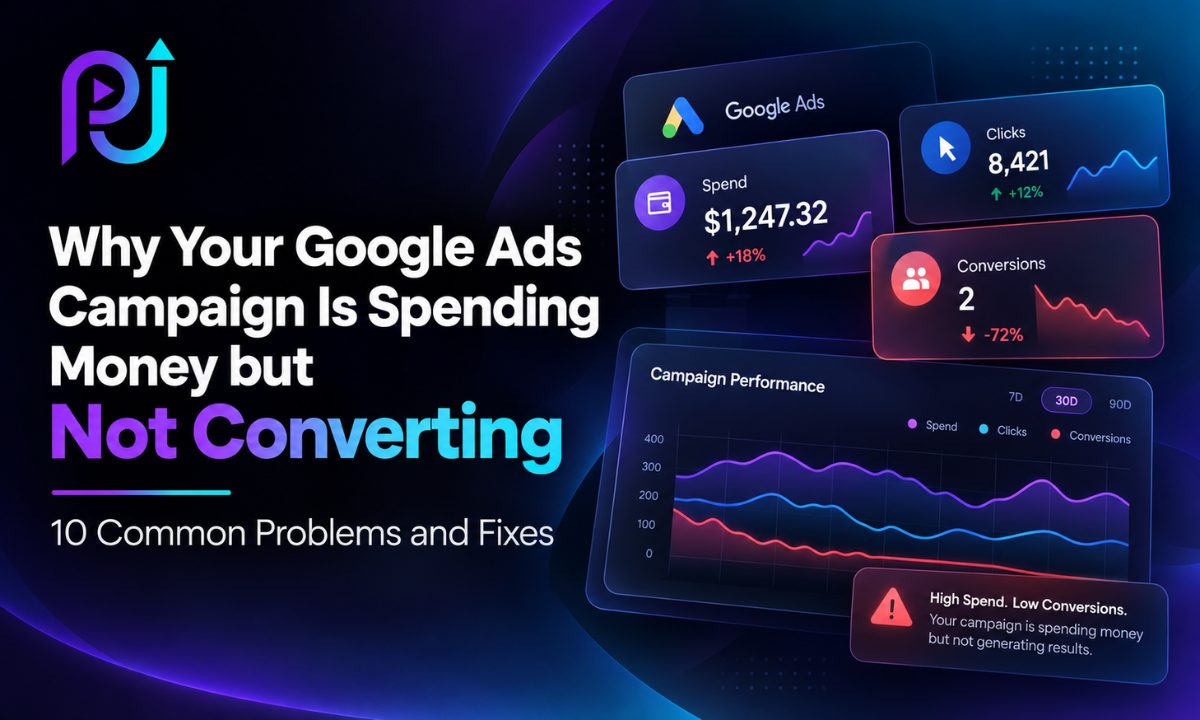
You open your Google Ads account and see that your campaigns are active. Your advertisements are receiving impressions, people are clicking, and your daily budget is being spent.
But there is one problem: those clicks are not turning into leads or sales.
Maybe you have spent $500 without receiving a single inquiry. Perhaps your campaigns generated hundreds of website visits, but nobody booked an appointment. Or Google Ads reports conversions, yet your business is not receiving genuine customers.
If this sounds familiar, you may be wondering why your Google Ads are not converting.
The problem is not necessarily that Google Ads does not work for your business. It could be that your advertisements are attracting the wrong audience, your landing page is not meeting customer expectations, or your conversion tracking is reporting inaccurate results.
If your Google Ads campaign is spending money but not converting, start by checking conversion tracking, search terms, landing page performance, and the quality of traffic you are purchasing.
These checks can help identify whether the problem comes from your campaign configuration, website experience, or sales process.
In this guide, we will explore ten common reasons Google Ads campaigns fail to convert, practical ways to improve performance, and how to make better advertising decisions without unnecessarily increasing your budget.
Why Is Google Ads Spending Money but Not Converting?
Google Ads charges advertisers for eligible interactions according to the campaign's bidding and payment model.
For most Search campaigns, businesses typically pay when someone clicks an advertisement.
However, a click does not guarantee that the visitor will contact your business or purchase a product.
Imagine a plumbing company advertising emergency repair services.
Its campaign generates 300 clicks, but many visitors are looking for plumbing tutorials, replacement parts, or jobs.
Although the advertisements receive traffic, much of that traffic is unlikely to generate service inquiries.
Now imagine the business improves keyword targeting and directs relevant visitors to a page explaining emergency plumbing services.
The campaign may begin generating more suitable inquiries because the advertising message and customer intent are better aligned.
The same principle applies to eCommerce, SaaS, and B2B businesses.
Google Ads performance depends on the entire customer journey, not only the initial click.
Google Ads Getting Clicks but No Conversions: What Should You Check First?
Before changing your bidding strategy or increasing your budget, review the following areas.
| What You Notice | What to Check First |
|---|---|
| Clicks but zero conversions | Conversion tracking and website forms |
| High traffic but few inquiries | Search terms, landing page, and offer |
| High CTR but low conversion rate | Search intent and ad messaging |
| Many form submissions but few customers | Lead quality and qualification |
| Conversions suddenly stopped | Tracking changes and website functionality |
| High CPC and few leads | Competition, bidding, and traffic quality |
| Purchases are reported incorrectly | Transaction tracking and conversion values |
Different symptoms require different solutions.
For example, changing your keywords will not fix a broken contact form.
Similarly, redesigning your landing page will not solve a campaign that attracts people searching for employment instead of services.
The objective is to identify the specific issue before implementing changes.
10 Reasons Your Google Ads Campaign Is Not Converting
1. Your Conversion Tracking Is Missing or Incorrect
One of the first things to check is whether your campaign is measuring conversions accurately.
A campaign can generate genuine leads while Google Ads reports zero conversions if tracking is broken.
The opposite can also happen.
Google Ads may report conversions that do not represent meaningful business outcomes.
For example, imagine your website tracks every contact form button click as a lead.
Someone clicks Submit but receives a validation error because a required field is missing.
If the tracking event fires anyway, Google Ads may record a conversion even though the business never received an inquiry.
This makes campaign performance difficult to evaluate.
How to identify the problem
Open Google Ads and navigate to Goals → Conversions → Summary.
Review your conversion actions and their statuses.
Check which conversions are primary goals and which are secondary observations.
Use Google Tag Manager Preview mode and Google Tag Assistant to test your tracking.
Compare recorded conversions with actual inquiries, appointments, or purchases.
How to fix it
Track completed actions rather than general interactions.
For lead generation, measure successful form submissions, confirmed bookings, and qualified phone calls where supported.
For eCommerce campaigns, track completed purchases with accurate transaction values.
Make sure a conversion does not fire multiple times for the same action because of duplicate tags or repeated success signals.
If you use both native Google Ads conversion tags and imported GA4 key events, review whether they represent the same business action and how they are used for bidding.
Accurate tracking is essential because conversion-based automated bidding relies on meaningful measurement.
Explore Conversion Tracking Services if your website needs a tracking review.
2. Your Keywords Are Attracting the Wrong Audience
A Google Ads campaign can receive many clicks without conversions when its keywords attract people who are unlikely to become customers.
This often happens when advertisers focus on search volume instead of customer intent.
For example, imagine a business offering professional Google Ads management.
Targeting very broad advertising-related terms could attract searches such as:
- Google Ads certification
- Google Ads jobs
- Free Google Ads course
- How to learn Google Ads
- Google Ads salary
These searchers may be interested in digital advertising, but they are not necessarily looking to hire a service provider.
The campaign may generate clicks without qualified inquiries.
How to identify the problem
Open your Search terms report.
Review what users searched for before interacting with your advertisements.
Look for recurring irrelevant searches and queries that consume substantial spending without generating valuable actions.
Consider whether each search reflects informational, commercial, or transactional intent.
How to fix it
Prioritize keywords related to your actual products and services.
For a local service company, searches containing service names, location terms, and commercial intent may be useful.
For example, "commercial cleaning company in Dallas" signals a different need from "how to clean an office."
Use appropriate keyword match types based on your goals.
Exact and phrase match can offer more focused targeting for particular keyword themes.
Broad match can also be useful when paired with appropriate bidding, measurement, and search-term reviews.
The best keyword strategy depends on your account data and business objectives.
3. You Are Not Using Negative Keywords Effectively
Negative keywords prevent advertisements from showing for selected irrelevant searches.
Without proper negative keyword management, your campaigns may spend money on users looking for services or information you do not offer.
For example, a business selling commercial gym equipment may appear for searches involving used equipment donations, equipment repair tutorials, or unrelated fitness products.
These clicks may not support the business's sales objectives.
How to identify the problem
Review your Search terms report regularly.
Look for patterns rather than reacting to every unusual search.
Identify recurring themes that are unrelated to your products, services, or target customers.
How to fix it
Add clearly irrelevant search terms as negative keywords.
For a professional service campaign, certain searches related to jobs, training, or tutorials may be appropriate exclusions.
However, use caution.
A keyword such as "free" may be irrelevant for a premium software subscription but highly relevant if your business offers a free trial.
Similarly, excluding "repair" would be inappropriate for a company advertising repair services.
Review negative keyword match types and ensure exclusions do not block valuable searches.
Negative keywords should improve relevance without unnecessarily restricting useful traffic.
What to monitor: Search-term quality, wasted spending, conversion rate, and qualified leads.
4. Your Advertisements Do Not Match Search Intent
Even with relevant keywords, your advertisements may fail to attract the right people if the messaging is too generic.
For example, imagine someone searches for:
"Power BI Dashboard Development Services"
Your advertisement says:
"Grow Your Business With Our Solutions"
The advertisement does not clearly explain the service.
A more relevant message would communicate Power BI consulting or dashboard development directly.
Specific advertising copy can help users decide whether your offer meets their needs before clicking.
How to identify the problem
Review Responsive Search Ad headlines and descriptions.
Compare them with the keywords and search terms in each ad group.
Check whether important information about the service appears clearly in the advertisement.
Also review available ad assets, including sitelinks, callouts, and structured snippets.
How to fix it
Write advertisements around the customer's actual problem and the service being offered.
Use specific language rather than generic promotional statements.
For example, a local repair business might mention its repair service and location.
A B2B consulting business might explain its target audience and main implementation services.
Include clear calls to action such as "Request a Quote," "Book a Consultation," or "Schedule a Demo" when appropriate.
Make sure claims and offers are accurate.
Relevant copy may improve traffic quality even when it does not generate the highest possible click-through rate.
5. Your Landing Page Is Not Designed to Convert
Sometimes your advertisements attract suitable customers, but the landing page fails to turn those visitors into leads or sales.
This can happen when the page is slow, confusing, or unrelated to the advertisement.
Imagine someone searching for car scratch repair in Ottawa.
They click an advertisement promoting scratch removal services.
Instead of reaching a relevant service page, they land on a general homepage discussing auto detailing, ceramic coatings, and window tinting.
The visitor may need to search through the website to find the service they originally wanted.
This creates unnecessary friction.
How to identify the problem
Open your landing page on desktop and mobile devices.
Check whether the headline matches the advertised service.
Confirm that the main CTA is visible and easy to understand.
Test the contact form, booking system, or checkout process.
Review website performance data for device-related problems.
How to fix it
Use a destination that clearly matches the advertisement.
A dedicated landing page can be useful for specific services or offers.
However, an existing service page may work equally well if it provides relevant information and a clear next step.
Improve page loading speed, mobile usability, and contact form functionality.
Use genuine reviews, service details, and customer proof where available.
Remove unnecessary distractions without hiding important business information.
Learn more about Landing Page Development Services.
6. Your Offer Is Not Compelling Enough
A visitor may understand your service but still decide not to contact your business.
Sometimes the problem is not targeting or website design.
It is the offer itself.
For example, a landing page with a generic "Contact Us" button may provide little information about what happens next.
A clearer CTA such as "Request a Website Development Quote" explains the action and what the visitor can expect.
Other factors that influence an offer include pricing, delivery expectations, available features, guarantees, and competition.
How to identify the problem
Review customer questions and objections.
Check whether your landing page explains the main benefits, service scope, and next step.
Compare your offer with alternatives available in the market.
Look at customer feedback, sales conversations, and reasons prospects do not proceed.
How to fix it
Explain what customers receive and how your business can help.
Provide important conditions clearly.
For example, an accounting service might offer a consultation to discuss bookkeeping requirements.
A SaaS business may promote an available product demonstration or free trial.
Do not invent discounts, guarantees, or urgency simply to increase clicks.
Test meaningful variations in offers and messaging when appropriate.
The objective is to help the right customers understand the value of taking action.
7. Your Bidding Strategy and Budget Are Not Aligned
Google Ads bidding determines how your campaign competes for advertising opportunities.
A strategy that works for one account may be unsuitable for another.
For example, a new campaign with limited conversion data may struggle when its Target CPA is far below the cost previously achieved in the market.
Conversely, a campaign focused only on maximizing clicks may generate traffic without prioritizing visitors most likely to convert.
How to identify the problem
Review the campaign's bidding strategy.
Check the bid strategy status and available recommendations.
Compare Target CPA or Target ROAS settings with actual performance.
Review conversion volume, average CPC, budget usage, and cost per conversion.
How to fix it
Select a bidding strategy based on your objective and measurement setup.
Maximize Conversions can be appropriate when you have reliable conversion tracking.
Target CPA settings should reflect realistic customer acquisition economics.
For eCommerce businesses, value-based bidding may be useful when accurate conversion values are available.
There is no universal rule requiring exactly 30 conversions before a business can use automated bidding.
Avoid overly restrictive targets and frequent strategy changes without evidence.
If your campaign is limited by budget, first determine whether its existing traffic is valuable.
Increasing the budget on an inefficient campaign may simply increase wasted spending.
8. Your Location and Audience Targeting Are Incorrect
Targeting problems can lead to irrelevant traffic, particularly for local service businesses.
For example, imagine a company providing home renovation services within a particular city.
If its advertisements reach people outside that service area, it may receive inquiries the business cannot fulfill.
Location targeting settings can distinguish between users physically present in an area and users showing interest in that area.
The most suitable configuration depends on the business.
How to identify the problem
Review your campaign's location targeting settings.
Check geographic performance reports.
Compare leads and conversions across locations.
Review excluded areas and audience settings.
How to fix it
Target locations that reflect where your business can realistically serve customers.
For local service businesses, presence-focused settings may be appropriate.
For travel, tourism, relocation, or destination-based services, targeting people interested in a location may also be valuable.
Use audience Observation when you want to gather performance insights without unnecessarily restricting eligible Search traffic.
Avoid narrowing audiences so aggressively that your campaign cannot reach suitable prospects.
What to monitor: Qualified leads by location, conversion rate, geographic spending, and customer acquisition costs.
9. You Are Optimizing for Cheap Leads Instead of Qualified Customers
A campaign can generate conversions and still produce poor business results.
This happens when reported conversions do not reflect customer quality.
For example, imagine two campaigns.
| Metric | Campaign A | Campaign B |
|---|---|---|
| Ad Spend | $1,000 | $1,000 |
| Leads | 50 | 25 |
| Cost Per Lead | $20 | $40 |
| Qualified Leads | 5 | 15 |
| Cost Per Qualified Lead | $200 | $66.67 |
Illustrative example only.
Campaign A appears better when looking only at cost per lead.
However, Campaign B produces more qualified leads at a lower cost per qualified lead.
This distinction is especially important for B2B services, high-value purchases, and businesses with longer sales cycles.
How to identify the problem
Review inquiries with your sales team.
Check whether prospects match your service requirements, locations, budgets, and customer profiles.
Connect lead data with the campaigns and keywords that generated them.
How to fix it
Improve the specificity of your keywords, advertisements, and landing page messaging.
Use qualification questions when appropriate.
Configure meaningful primary conversions.
Where practical, import qualified leads and customer outcomes into Google Ads.
This helps you evaluate campaigns based on business value instead of simply increasing form submissions.
10. Your Campaign Does Not Support the Complete Customer Journey
Not every customer purchases immediately after clicking an advertisement.
For example, someone researching enterprise software may need to compare several providers, request a demo, review pricing, and discuss the decision internally.
A single advertisement may introduce the business without producing an immediate sale.
This does not mean the campaign is necessarily ineffective.
However, your marketing strategy should support customers through the relevant stages of consideration.
How to identify the problem
Review how long customers typically take to purchase.
Analyze conversion delays and repeat visits.
Check whether visitors return through organic search, direct traffic, email, or remarketing.
Review lead follow-up activity and customer objections.
How to fix it
Provide helpful information throughout the customer journey.
Use relevant service pages, case studies, product demonstrations, and clear contact options.
Where appropriate and permitted, remarketing can help reconnect with previous visitors.
For leads that have already contacted your business, timely follow-up is important.
A campaign may generate suitable inquiries, but slow responses or ineffective sales processes can prevent those leads from becoming customers.
Google Ads optimization should therefore consider both marketing performance and the wider customer journey.
How to Diagnose Google Ads Not Converting in the Right Order
When a campaign is spending money without conversions, avoid changing everything simultaneously.
Use this troubleshooting sequence.
Step 1: Check Conversion Tracking
Confirm that completed forms, purchases, and appointments are recorded correctly.
A tracking error can make campaign performance appear worse or better than reality.
Step 2: Review Search Terms
Identify irrelevant searches and evaluate whether your keywords reflect commercial intent.
Check how much budget goes toward searches unlikely to generate customers.
Step 3: Review the Advertisements
Make sure your headlines, descriptions, and assets clearly explain the offer.
Check whether the advertising message matches what users are searching for.
Step 4: Test the Landing Page
Open the page on mobile and desktop.
Complete the contact form or checkout process.
Verify that the advertised offer is easy to find.
Step 5: Review Bidding and Budgets
Determine whether your bidding strategy matches your conversion goals.
Check whether budget limitations or aggressive targets affect performance.
Step 6: Evaluate Lead Quality
Compare reported conversions with genuine inquiries and customers.
Identify whether particular campaigns or keywords generate irrelevant leads.
Step 7: Make Focused Changes
Prioritize the most important problems.
Avoid changing every keyword, ad, bid, and landing page simultaneously.
Measure the impact of completed improvements over an appropriate period.
How to Calculate Whether Your Google Ads Are Profitable
A campaign receiving conversions is not automatically profitable.
You need to understand how much it costs to acquire customers and how much those customers are worth.
Cost Per Lead
Cost Per Lead = Advertising Spend ÷ Total Leads
For example, spending $1,000 to generate 25 leads produces a $40 CPL.
Cost Per Qualified Lead
Cost Per Qualified Lead = Advertising Spend ÷ Qualified Leads
If only ten of those 25 leads match your business requirements, your cost per qualified lead is $100.
Customer Acquisition Cost
Advertising-Only CAC = Advertising Spend ÷ New Customers Acquired
If those leads produce five new customers, the advertising-only acquisition cost is $200 per customer.
A more complete CAC calculation should include relevant sales and marketing costs.
Return on Ad Spend
For eCommerce businesses:
ROAS = Attributed Conversion Value ÷ Advertising Spend
If a campaign generates $6,000 in attributed revenue from $1,500 of advertising spending, its ROAS is 4x.
However, ROAS does not directly measure profit.
Consider product costs, fulfillment expenses, refunds, and other business costs when evaluating overall performance.
These examples are hypothetical and do not represent guaranteed results.
Google Ads Conversion Optimization Checklist
Before increasing your advertising budget, review these areas:
- Conversion tracking records successful business actions.
- Primary conversion goals reflect leads, sales, or other important outcomes.
- Duplicate conversions have been checked.
- Search terms are relevant to your services.
- Negative keyword lists are reviewed.
- Keywords reflect customer intent.
- Ads clearly explain the advertised offer.
- Ad assets provide useful information.
- Landing pages match the advertisements.
- Contact forms and booking systems work.
- Mobile visitors can complete conversions easily.
- Page loading performance is acceptable.
- Bidding targets reflect realistic business goals.
- Location targeting matches your service area.
- Qualified leads are measured.
- Customer follow-up processes are working.
- Major changes are evaluated using sufficient data.
A structured checklist makes optimization more consistent and reduces the chance of overlooking important problems.
Should You Increase Your Google Ads Budget When Conversions Are Low?
Increasing your budget may help when a campaign already generates valuable conversions and is constrained by available spending.
However, it is rarely the first solution for a campaign receiving clicks without customers.
For example, if 40% of your spending goes toward irrelevant searches, increasing the budget does not address the targeting problem.
Likewise, additional visitors will not solve a broken contact form.
Before increasing spending, review traffic quality, conversion tracking, and landing page performance.
If those areas are functioning well and your campaign has room to capture additional relevant traffic, increasing the budget may be a reasonable next step.
Evaluate potential growth based on conversion value, customer acquisition costs, and available demand.
How Long Does It Take to Improve Google Ads Conversions?
There is no fixed timeline for improving Google Ads conversion performance.
Some technical problems can be corrected quickly.
For example, a broken form tracking event can be repaired and retested once the issue is identified.
However, meaningful campaign performance improvements often require additional data.
Changes to targeting, advertising copy, bidding strategies, and landing pages may need sufficient traffic and conversion cycles before their impact becomes clear.
Google's automated bidding systems can also require time to adjust after significant changes.
Avoid judging campaign performance from a single day.
Consider conversion delays, customer buying cycles, and the amount of data available.
The goal is to make improvements that produce reliable results rather than constantly reacting to short-term fluctuations.
When Should You Hire a Google Ads Specialist?
Some Google Ads problems can be resolved internally.
You may be able to correct an irrelevant keyword, update an advertisement, or fix a landing page headline yourself.
However, professional help may be valuable when your campaigns continue spending money without generating enough qualified leads or sales.
Consider working with a Google Ads specialist when conversion tracking is unreliable, bidding strategies are difficult to evaluate, search traffic is irrelevant, or the account has become difficult to manage.
An experienced specialist should review the complete customer journey.
This includes keyword intent, advertising copy, bidding, targeting, landing page performance, conversion measurement, and lead quality.
A useful audit should explain where advertising performance may be limited and which improvements deserve priority.
Why Work With Prem Jasuja?
Prem Jasuja is a freelance digital marketing professional with experience in Google Ads, Meta Ads, SEO, conversion tracking, and landing page development.
His work includes SaaS companies, eCommerce businesses, and local service providers.
Different businesses require different advertising objectives.
For an eCommerce store, conversion value and return on ad spend may be important.
For a local service provider, the priority may be qualified calls, bookings, and quote requests.
For a B2B company, the focus may include qualified opportunities rather than large volumes of low-value inquiries.
Prem's approach focuses on aligning campaign targeting, advertising messages, conversion tracking, and landing page experience with business goals.
Explore Google Ads Management Services to learn more about campaign setup, optimization, and performance measurement.
You can also review previous projects for examples of businesses and campaigns supported.
Final Thoughts
If your Google Ads are not converting, increasing your budget or changing every advertisement is not necessarily the solution.
The first step is identifying where the customer journey breaks.
Start by verifying conversion tracking and examining the searches that generate your traffic.
Then review your advertisements, landing pages, offers, targeting, and bidding strategy.
Most importantly, determine whether your campaigns are attracting genuinely qualified customers.
A campaign that generates inexpensive clicks without meaningful business outcomes is not necessarily successful.
Good Google Ads optimization focuses on improving the relevance and value of the traffic you purchase.
With accurate tracking, focused targeting, useful landing pages, and ongoing performance reviews, you can make more informed decisions about how your advertising budget is used.
The goal is not simply to make Google Ads spend less money.
It is to make your advertising investment contribute to valuable leads, sales, and sustainable business growth.
Need Help Fixing Google Ads Campaigns That Are Not Converting?
If your campaigns are spending money without generating enough qualified inquiries or purchases, Prem Jasuja can help review your account, conversion tracking, landing pages, and optimization opportunities.
Contact Prem Jasuja to discuss your advertising challenges and business goals.
Frequently Asked Questions
Why Is My Google Ads Campaign Spending Money but Not Converting?
Your campaign may be targeting irrelevant searches, using ineffective advertisements, sending visitors to weak landing pages, or measuring conversions incorrectly. Review tracking, search terms, website functionality, and lead quality before making changes.
Why Are My Google Ads Getting Clicks but No Conversions?
Clicks without conversions can indicate poor search intent, landing page problems, an unclear offer, or broken tracking. Test the complete visitor journey from advertisement to successful form submission or purchase.
Can Google Ads Generate Leads Without Conversion Tracking?
Yes. Your business can receive leads without conversion tracking, but Google Ads may not report them correctly. Accurate measurement is important for performance analysis and conversion-based bidding.
Should I Increase My Budget if Google Ads Are Not Converting?
Not immediately. First review keyword relevance, conversion tracking, landing pages, and bidding. Increasing the budget on an inefficient campaign can increase unnecessary spending.
What Is a Good Google Ads Conversion Rate?
There is no universal conversion rate that applies to every business. Results depend on industry, customer intent, pricing, competition, and conversion goals. Compare conversion rates alongside lead quality and customer acquisition costs.
Can Negative Keywords Reduce Wasted Google Ads Spending?
Yes. Negative keywords can prevent advertisements from appearing for selected irrelevant searches. Review the Search terms report and add exclusions carefully to avoid blocking valuable traffic.
Can a Poor Landing Page Cause Google Ads Not to Convert?
Yes. A landing page with irrelevant messaging, slow loading, complicated forms, or unclear CTAs can reduce conversions. The destination should closely match the advertisement and make the intended action easy.
Does Bidding Strategy Affect Google Ads Conversions?
Yes. Bidding strategies influence which auctions your campaigns enter and how they prioritize clicks, conversions, or conversion value. Choose a strategy appropriate for your objectives and available tracking data.
How Long Does It Take to Fix Google Ads Conversion Problems?
Some issues, such as broken tracking or incorrect URLs, can be fixed and tested quickly. Other improvements require enough traffic and conversion data to evaluate. The timeline depends on the problem and the customer's buying cycle.
How Can I Improve Google Ads Conversions Without Increasing Spend?
Start by improving search-term relevance, adding appropriate negative keywords, verifying conversion tracking, strengthening landing pages, and measuring qualified leads. These changes may help existing advertising spending produce more valuable results.
_____________________________________________________________________