
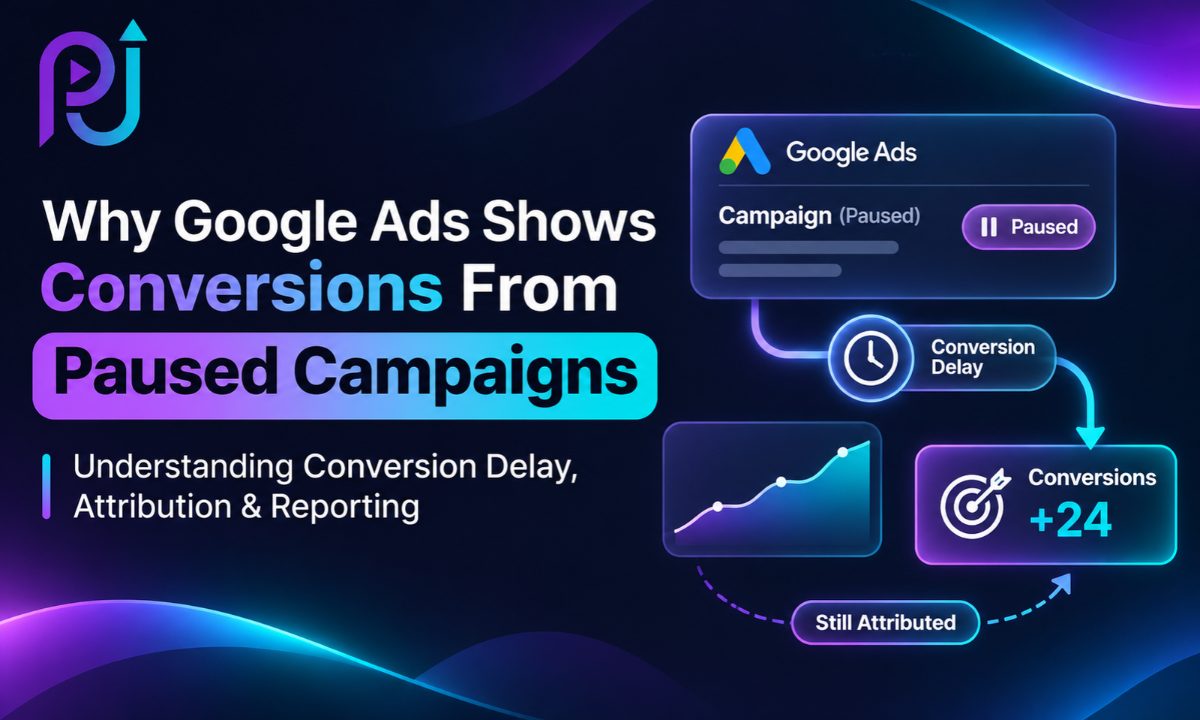
You paused a Google Ads campaign three days ago.
The campaign is no longer running. It isn't receiving new clicks, and you've stopped spending money on it.
But when you open Google Ads, something looks strange.
The campaign's conversion count has increased.
Yesterday, it showed 24 conversions. Today, it shows 28.
How can a campaign generate four additional conversions when it hasn't been running?
Did Google restart your advertisements? Is conversion tracking broken? Or are you looking at conversions from earlier clicks?
Paused Campaign Conversions are often explained by the time between an ad interaction and the customer's final action.
A customer might click your advertisement on Monday but wait until Friday to complete a purchase. If you pause the campaign on Wednesday, Google Ads can still attribute Friday's purchase to the earlier interaction.
This is normal behavior when the conversion falls within the applicable conversion window.
However, conversion delays are not the only reason the numbers might change.
Google Ads also uses different reporting dates, attribution models, offline conversion imports, and conversion adjustments. These can affect how results appear after a campaign stops running.
Understanding Google Ads Bidding Strategies is useful because accurate conversion reporting helps you evaluate which campaigns and bidding decisions produce valuable results.
In this guide, I'll explain why Google Ads shows conversions from paused campaigns, how to check whether the data is accurate, and when unexpected conversions should be investigated.
Can Paused Google Ads Campaigns Still Get Conversions?
Yes. A paused campaign can receive additional conversion credit from eligible ad interactions that occurred before the pause.
Pausing a campaign stops its advertisements from serving.
It does not cancel customer journeys that began while the campaign was active.
For example, imagine you're advertising home renovation services.
A potential customer clicks your advertisement on November 10.
They visit your website, compare your services, and save your contact information.
You pause the campaign on November 12.
On November 15, the customer returns to your website and submits an inquiry form.
That conversion may still be attributed to the paused campaign because the original advertising interaction happened before the campaign stopped.
The important distinction is between when the advertisement was clicked and when the customer converted.
Google explains this in its official Conversion Tracking Data documentation.
How Google Ads Records Conversions After a Campaign Is Paused
Consider this example:
| Date | Customer Activity | Campaign Status |
|---|---|---|
| November 10 | Customer clicks your advertisement | Active |
| November 11 | Customer explores your website | Active |
| November 12 | You pause the campaign | Paused |
| November 15 | Customer completes a purchase | Paused |
| November 16 | Google Ads processes the conversion | Paused |
The purchase happened after the campaign was paused.
But the advertisement click happened while the campaign was active.
If the conversion is eligible under the configured attribution and conversion-window settings, Google Ads may credit it to that earlier advertising interaction.
That doesn't mean the campaign served a new advertisement on November 15.
A conversion reported after a pause is not the same as an advertisement delivered after a pause.
8 Reasons Google Ads Shows Conversions From Paused Campaigns
| Reason | What Happens | What to Check |
|---|---|---|
| 1. Conversion Delay | Customers convert after earlier clicks | Days to Conversion |
| 2. Click-Date Reporting | Conversions are credited to past interactions | Conversion Time Columns |
| 3. Offline Conversion Imports | CRM sales or leads arrive later | Import History |
| 4. Attribution Models | Earlier ad interactions receive conversion credit | Attribution Reports |
| 5. Imported Analytics Data | Conversion data becomes available after processing | Conversion Action Source |
| 6. Different Conversion Columns | Different metrics include different conversion types | Conversions vs All Conversions |
| 7. Conversion Adjustments | Historical results are updated | Conversion Adjustments |
| 8. Historical Performance Data | Paused campaigns retain earlier results | Date Range and Status |
Let's examine each reason.
1. Customers Are Converting After Their Original Advertisement Clicks
This is one of the most straightforward explanations for conversions appearing after a campaign is paused.
Customers don't always make decisions immediately.
Someone shopping for a low-cost product might buy within minutes.
Someone looking for accounting software, property services, or professional consulting might need several days to decide.
A typical customer journey could look like this:
- The customer clicks your advertisement.
- They visit your website.
- They compare your offer with competitors.
- They discuss the purchase with someone.
- They return and convert later.
If you pause the campaign during this process, the customer can still complete the conversion.
How to Check Conversion Delay
Open Google Ads.
Go to Campaigns and select an appropriate historical date range.
Click Segment → Conversions → Days to conversion, where available.
This report helps you understand how long customers take to convert after interacting with your advertisements.
Google notes that eligible conversions can be reported up to 90 days after a click, depending on the selected conversion window.
What Should You Do?
Review your typical customer decision cycle.
If most customers convert within seven days, evaluate recent performance with that delay in mind.
If your business has a longer sales cycle, use a wider historical period before judging final campaign results.
A campaign paused yesterday may not have received all the conversion credit from its earlier clicks yet.
2. Google Ads Uses the Click Date for Its Standard Conversion Reports
This is where many advertisers become confused.
Google Ads generally reports conversions in its standard conversion columns using the date of the associated ad interaction.
That is different from the date the customer completed the conversion.
Consider another example.
A customer clicks your ad on November 5.
You pause the campaign on November 7.
The customer purchases on November 10.
Google processes the conversion afterward.
In the standard Conversions column, the conversion is normally credited to the earlier interaction date.
In Conversions (by conv. time), it appears based on the date the conversion occurred.
Difference Between Conversion Reporting Columns
| Google Ads Metric | Reporting Basis |
|---|---|
| Conversions | Date of the attributed ad interaction |
| All Conversions | Date of the attributed interaction, including a broader set of conversion actions |
| Conversions (by conv. time) | Date the conversion happened |
| All conv. (by conv. time) | Date the included conversions happened |
| Conversion Value | Value attributed to the interaction date |
| Conv. value (by conv. time) | Value reported by conversion date |
This distinction explains why historical campaign conversion totals may increase after the campaign has stopped running.
It also explains why a conversion that occurred after the pause may appear in a report for an earlier date.
How to Compare the Two
Open your Campaigns report.
Select Columns → Modify columns.
Find the conversion-related metrics and add:
- Conversions
- Conversions (by conv. time)
- All conv.
- All conv. (by conv. time)
Apply the changes.
Compare the same campaign across the same reporting period.
If the numbers differ, investigate whether the difference comes from conversion timing or which conversion actions are included.
3. Offline Conversions Are Imported After the Campaign Stops
Offline conversion tracking allows advertisers to connect later business outcomes with earlier Google Ads interactions.
This is common for businesses that generate leads rather than immediate online purchases.
For example, a roofing company might receive a form submission today but close the job two weeks later.
The customer journey could be:
Advertisement Click → Form Submission → Sales Call → Proposal → Closed Deal
The campaign may be paused before the deal closes.
However, the business can still report the later qualified lead or sale to Google Ads if the event meets the import requirements.
Example
Imagine your business pauses a campaign on November 12.
Your CRM records three sales on November 17.
Those customers originally clicked the campaign's advertisements before November 12.
If your offline conversion tracking is set up correctly, the imported sales may still be attributed to the paused campaign.
This can make the campaign's conversion totals increase after the pause.
How to Check Offline Conversions
Open Goals → Conversions → Summary.
Identify any conversion actions imported from a CRM or another external data source.
Review the relevant import or Data Manager diagnostics.
Check the conversion timestamps and the associated advertising interactions.
Compare the reported conversions with your CRM.
Google's official Offline Conversion Import Guidelines explain how imported conversions are processed.
Important Detail
Google Ads does not provide a normal campaign reporting dimension based on the date an offline conversion file was uploaded.
An imported conversion may be processed today while being attributed to an earlier click.
That is why upload date, conversion date, and advertisement interaction date should not be treated as the same thing.
4. Attribution Models Can Credit Earlier Advertising Interactions
Google Ads attribution models determine how conversion credit is assigned to eligible advertising interactions.
A customer might interact with your advertisements more than once before converting.
For example:
- November 2: Clicks a non-brand Search ad
- November 5: Clicks a branded Search ad
- November 7: You pause the non-brand campaign
- November 10: Completes a purchase
Depending on the attribution model and eligible interactions, the earlier non-brand campaign may receive some credit for the purchase.
Under data-driven attribution, conversion credit can be distributed across contributing ad interactions.
This is why some Google Ads reports contain fractional conversions, such as 0.35 or 0.65.
Does This Mean a Paused Campaign Is Still Running?
No.
Attribution reflects past eligible interactions.
It does not mean Google has resumed the campaign or served new advertisements after the pause.
How to Check
Review the conversion action's attribution settings.
Open the available Attribution reports.
Compare relevant campaign paths and conversion credit.
Remember that attribution reports may not provide the full journey of every individual customer.
The objective is to understand how credit is assigned, not to assume that every credited campaign delivered the final advertisement.
5. Imported Analytics Conversions Appear After Processing Delays
Some advertisers import key events from Google Analytics 4 into Google Ads.
Others use Google Ads conversion tags directly.
The source of your conversion data matters because the platforms use different processing and attribution systems.
For example, your website may record a completed purchase through GA4.
That conversion can become available in Google Ads after processing.
If the campaign was paused during that period, the conversion may appear later even though the customer's advertising interaction happened earlier.
What Should You Check?
Open your Google Ads conversion actions.
Identify which conversions come from GA4 and which use Google Ads website tracking.
Review the event or conversion status.
Compare reporting dates and attribution settings.
If you're measuring purchases, confirm that transactions are recorded only when orders are completed.
Your GA4 Event Tracking setup should reflect actual customer actions rather than unrelated events.
Why the Numbers May Differ
Google Ads and GA4 can report different totals because they use different attribution settings, reporting dates, and processing methods.
For example, comparing Google Ads conversions by interaction date with GA4 purchases by event date is not a like-for-like comparison.
Use compatible reporting dates and definitions before assuming tracking is broken.
6. You're Comparing Different Conversion Columns
Sometimes the confusion comes from the column being viewed.
Google Ads offers several conversion metrics.
The Conversions column generally focuses on conversion actions used for reporting and bidding according to the account's goal settings.
The All conversions column includes a broader set of conversion actions, including secondary actions and certain other conversion types.
For example, a campaign might track:
- Completed purchases
- Contact form submissions
- Newsletter registrations
- Phone calls
Not every action has the same business value.
If you're comparing the standard Conversions column with All conversions, you may see different totals.
This can happen for active and paused campaigns alike.
View-Through Conversions
View-through conversions are another important distinction.
For eligible campaign types, a person may see an advertisement, not click it, and later convert.
These conversions are reported separately and can contribute to the All conversions metric.
When analyzing a paused campaign, check whether you're viewing click-based conversions, view-through conversions, or a broader total.
What Should You Do?
Segment your results by conversion action.
Review which actions are primary and which are secondary.
Make sure you are evaluating valuable outcomes rather than treating every tracked event as a sale or qualified lead.
If your account has conversion numbers but no corresponding customer activity, see Why Google Ads Is Not Converting.
7. Conversion Adjustments Change Historical Reporting
Google Ads supports conversion adjustments for certain conversion tracking setups.
These allow advertisers to update conversion information after the original event.
For example, an ecommerce business may need to account for a returned purchase.
A lead-generation company may update conversion values based on later sales information.
Adjustments can change historical conversion numbers or values.
This means an older campaign report may look different when you revisit it.
Example
A campaign records 20 purchases before being paused.
Later, the business refunds two orders and reports the eligible adjustments to Google Ads.
The reported conversion totals or values may change depending on the adjustment type and configuration.
The campaign did not need to become active for those historical records to change.
How to Check
Review the conversion actions that support adjustments.
Check whether your business uses conversion restatements or retractions.
Review related CRM, ecommerce, and import records.
Compare the affected conversion values with your actual business data.
Do not assume every change in a paused campaign's conversion count is caused by new customer activity.
Sometimes existing conversion records are being updated.
8. Paused Campaigns Still Display Historical Performance
A campaign's current status does not determine whether its historical results remain visible.
If a campaign generated 100 conversions before being paused, those conversions do not disappear from its performance report.
The campaign remains marked Paused while its historical statistics remain available.
This can confuse advertisers who open the Campaigns report without checking the selected date range.
For example:
| Campaign | Current Status | Reporting Period | Conversions |
|---|---|---|---|
| Search Campaign A | Paused | Previous 30 days | 24 |
| Search Campaign B | Enabled | Previous 30 days | 38 |
Campaign A may show 24 conversions even though it has been paused for several days.
Those numbers can represent activity from before the pause.
How to Check
Look at the date range in the upper-right corner of Google Ads.
Compare the campaign's performance before and after its pause date.
Review the Change History entry for the pause.
Then examine conversion-date reporting.
The combination will help you separate historical results from conversions that happened after the pause.
What If a Paused Campaign Shows Conversions but Zero Clicks?
This can be normal, depending on the date range and conversion metric.
Imagine you paused a campaign on November 10.
You select November 11 through November 17.
The campaign records:
| Metric | Result |
|---|---|
| Impressions | 0 |
| Clicks | 0 |
| Cost | $0 |
| Conversions (by conv. time) | 5 |
This example is possible because five customers may have converted during the selected period after interacting with the campaign before November 10.
The absence of new clicks does not prevent earlier visitors from completing purchases or lead forms.
However, if the standard Conversions column shows new interaction-date conversions during a period when the campaign was continuously paused, that deserves further investigation.
Review the exact pause time, campaign status history, conversion source, and reporting date settings.
How to Check Whether Your Paused Campaign Is Actually Running
Before investigating attribution, confirm that the campaign is paused.
Step 1: Open Campaigns
Sign in to Google Ads.
Select the relevant account and navigate to Campaigns.
Step 2: Check Campaign Status
Find the Status column.
Confirm the campaign shows Paused.
According to Google's campaign status documentation, a paused campaign stops serving ads and accumulating new advertising costs until it is resumed.
Step 3: Open Change History
Review when the campaign was paused.
Check whether another user, automated rule, script, or connected tool later changed the status.
Step 4: Review Impressions and Clicks
Select the reporting period after the pause.
Check whether the campaign received new advertising activity.
Step 5: Check Advertising Costs
Review cost during the same period.
If clicks or costs are recorded after the reported pause time, investigate the campaign's actual status history, date boundaries, and any reporting delays.
Step 6: Compare Conversion Dates
Add Conversions (by conv. time) to identify conversions that occurred after the campaign stopped.
This helps distinguish later customer actions from new advertisement delivery.
Can Smart Bidding Restart a Paused Campaign?
Smart Bidding does not independently restart a manually paused campaign simply because it predicts that the campaign will perform well.
This is an important distinction.
Smart Bidding automatically manages eligible bids to pursue your campaign objectives.
It does not override the paused status of a campaign as part of ordinary auction-time bidding.
Likewise, broad match can expand search matching for eligible keywords, but it does not mean a paused campaign has resumed.
If a campaign or keyword becomes enabled unexpectedly, check:
- Change History
- Auto-applied recommendation history
- Automated rules
- Google Ads scripts
- API integrations
- Account user access
A separate automation or authorized account edit may explain the status change.
Do not assume that conversion reporting itself proves the campaign has restarted.
What Is the Google Ads Conversion Window?
A conversion window is the period after an eligible advertising interaction during which Google Ads can record an attributed conversion.
For example, imagine your conversion action uses a 30-day click-through conversion window.
A customer clicks your advertisement on November 1.
If the customer converts on November 20 and the event meets the attribution requirements, the conversion may be counted.
If you paused the campaign on November 10, the later conversion can still qualify.
Example Conversion Windows
| Configured Window | Example Customer Behavior |
|---|---|
| 7 days | Customer converts within one week of the interaction |
| 30 days | Customer converts within 30 days |
| 60 days | Customer converts within 60 days |
| 90 days | Customer converts within 90 days |
These are examples of possible configured windows, not a claim that every Google Ads conversion action supports every option.
Actual availability and defaults depend on the conversion type.
How to Check Your Conversion Window
Open Google Ads.
Go to Goals → Conversions → Summary.
Select the relevant conversion action.
Review its settings and click-through conversion window.
Check any additional windows relevant to the conversion source, such as engaged-view or view-through conversion windows.
Google provides further details in its Conversion Window documentation.
How to Investigate Paused Campaign Conversions Step by Step
When reviewing a paused campaign, I recommend the following process.
Step 1: Find the Exact Pause Date
Open Change History.
Identify when the campaign status changed to Paused.
Check whether the campaign was resumed at any point.
Step 2: Select a Relevant Date Range
Review the period before and after the pause.
Use complete days when possible.
Remember that Google Ads reporting uses your account's configured time zone.
Step 3: Compare Conversion Reporting Columns
Add both standard Conversions and Conversions (by conv. time).
Look for conversions credited to earlier advertising interactions.
Step 4: Check Conversion Actions
Segment by conversion action.
Determine whether the conversions represent purchases, forms, phone calls, offline sales, or other events.
Step 5: Review Conversion Delay
Use Days to conversion reporting.
Find out whether your customers usually convert after several days or weeks.
Step 6: Review Offline Imports
Check whether a CRM, booking platform, or other tool is importing conversion data.
Look at event timestamps and import diagnostics.
Step 7: Compare With Actual Business Activity
Review Shopify orders, CRM leads, payment records, or appointment bookings.
Confirm whether the conversions correspond to genuine customer actions.
Step 8: Investigate Tracking if the Numbers Still Don't Make Sense
Test the actual conversion process.
Check for duplicate events, incorrect triggers, or conversion actions that fire before a real lead or purchase is completed.
If you discover a larger measurement issue, use a Google Ads Audit to review the campaign and conversion setup.
What If Google Ads Shows More Conversions Than Your CRM?
A paused campaign showing more conversions than your CRM does not automatically indicate invalid advertising activity.
Several factors can explain differences.
Google Ads and your CRM may use different reporting dates.
A Google Ads conversion might represent an initial form submission while the CRM records only qualified leads.
Some conversion actions may include phone calls or other events that are not entered into the CRM.
Duplicate tracking can also inflate reported activity.
Example
Imagine Google Ads shows 15 lead conversions.
Your CRM contains 11 leads.
The difference could include:
- Four phone-call conversions that were not entered as CRM leads
- Multiple tracked actions completed by the same customer
- Different date ranges
- Tracking errors
You need to identify the conversion action associated with each reported total before drawing conclusions.
The right approach is to reconcile conversion data with actual business outcomes rather than assuming every reported conversion represents a new customer.
Should You Change Conversion Tracking After Pausing a Campaign?
Not simply because conversions continue appearing.
Late conversion reporting is often normal.
Changing the conversion window, attribution settings, or conversion actions without a clear reason can make future comparisons more difficult.
If you find a genuine tracking problem, fix that issue.
For example, if your purchase tag fires when someone clicks the checkout button rather than when the order succeeds, correct the tracking event.
If a CRM import sends incorrect conversion timestamps, fix the import process.
If reporting is accurate, leave the tracking configuration alone.
Accurate data matters more than making paused campaigns show zero conversions.
Google Ads Paused Campaign Conversion Audit Checklist
| Audit Area | What to Check | Priority |
|---|---|---|
| Campaign Status | Confirm campaign is Paused | High |
| Change History | Find exact pause date and later changes | High |
| Impressions | Check for post-pause ad delivery | High |
| Clicks | Check for post-pause interactions | High |
| Advertising Cost | Review spend after the pause | High |
| Conversion Time Columns | Compare interaction date and conversion date | High |
| Conversion Window | Review eligible attribution period | High |
| Days to Conversion | Check customer conversion delay | High |
| Attribution Model | Review how credit is assigned | High |
| Conversion Source | Website tag, GA4, offline import, or calls | High |
| CRM Imports | Review conversion timestamps | High |
| Primary and Secondary Goals | Confirm which actions are included | Medium |
| View-Through Conversions | Check eligible impression-based attribution | Medium |
| Conversion Adjustments | Review updated or retracted conversions | Medium |
| GTM and GA4 Tracking | Test event accuracy | High |
| CRM or Store Orders | Match recorded conversions with actual activity | High |
Common Mistakes When Reviewing Paused Campaigns
One common mistake is assuming that a new conversion means an advertisement was shown after the campaign was paused.
Another is comparing conversion-date figures against click-date figures without understanding the difference.
Some advertisers also conclude that paused keywords must have been reactivated because the related campaign gained conversion credit.
That conclusion is not supported by conversion reporting alone.
A separate mistake is changing attribution windows or conversion tracking to remove late conversions from reports.
Those changes can hide useful information about how customers make buying decisions.
Finally, advertisers sometimes delete paused campaigns to stop seeing their conversion data.
Deleting or removing a campaign is not necessary to stop advertising delivery. Pausing already stops it.
If your campaign shows unexpected clicks or advertising costs, investigate the status history instead.
About Prem Jasuja
Prem Jasuja is a freelance digital marketing professional specializing in Google Ads, Meta Ads, SEO, Google Analytics 4, Google Tag Manager, conversion tracking, and landing page optimization.
His Google Ads work includes campaign audits, bidding strategy reviews, lead and purchase tracking, offline conversion measurement, and advertising performance analysis.
He focuses on helping businesses understand campaign data and make decisions based on real customer outcomes rather than misleading reporting figures.
Final Thoughts
Seeing Paused Campaign Conversions in Google Ads does not necessarily mean your campaign is running again.
In many cases, customers are completing actions after interacting with advertisements before the campaign was paused.
Google Ads can credit those later actions to earlier clicks, depending on conversion windows, attribution settings, and the source of conversion data.
Offline imports, reporting delays, and conversion adjustments can also update campaign results after advertising stops.
Start by checking the campaign status and Change History.
Then compare Conversions with Conversions (by conv. time).
Review conversion delay, attribution, and imported data before deciding that something is wrong.
If you find genuine post-pause advertising activity, investigate the account settings and status changes.
A paused campaign can stop generating new advertising traffic while still receiving conversion credit from customers it reached earlier.
Understanding that difference helps you interpret Google Ads reports without making unnecessary changes.
Frequently Asked Questions
Why Does Google Ads Show Conversions From Paused Campaigns?
Google Ads may show conversions from paused campaigns because customers convert after interacting with advertisements while the campaign was active. Eligible conversions can still be attributed to those earlier interactions within the configured conversion window.
Can a Paused Google Ads Campaign Still Generate Conversions?
Yes. A paused campaign can receive conversion credit from eligible interactions that happened before it was paused. However, pausing a campaign stops its advertisements from serving until the campaign is resumed.
Does Google Ads Continue Charging Money After a Campaign Is Paused?
A paused campaign does not serve new ads or accumulate new advertising costs while it remains paused. If you notice unexpected charges or clicks, review Change History, campaign status, and reporting dates.
How Long Can Google Ads Record Conversions After a Campaign Is Paused?
The timeframe depends on the conversion window and conversion source. Eligible conversions may be reported up to 90 days after an ad click for supported conversion types and settings. Check the actual window configured for each conversion action.
What Is the Difference Between Conversions and Conversions by Conversion Time?
The standard Conversions column reports conversions based on the attributed ad interaction date. Conversions (by conv. time) reports them based on when the conversion occurred. This difference can explain changing historical totals.
Can Offline Conversion Imports Appear After a Campaign Is Paused?
Yes. Offline sales or qualified leads can be imported after a campaign is paused if they are connected to eligible earlier advertising interactions and meet Google's import requirements.
Can Smart Bidding Automatically Restart a Paused Campaign?
Ordinary Smart Bidding does not restart a manually paused campaign simply to pursue more conversions. If a campaign becomes enabled unexpectedly, review Change History, automated rules, scripts, recommendations, and account access.
Why Does My Paused Campaign Show Conversions but No Clicks?
Customers may have clicked before the campaign was paused and converted during the selected reporting period. Check the conversion-date columns, conversion window, and campaign's earlier advertising activity.
How Can I Check Whether Paused Campaign Conversions Are Accurate?
Confirm the pause date, compare conversion reporting columns, review conversion actions and attribution, inspect offline imports, and reconcile the results with actual CRM leads, purchases, or bookings.
Should I Delete a Paused Campaign to Stop Conversions From Appearing?
No. Deleting a campaign is not necessary to stop its advertisements. Pausing already stops serving. Historical and delayed conversion data may remain relevant for evaluating past campaign performance.