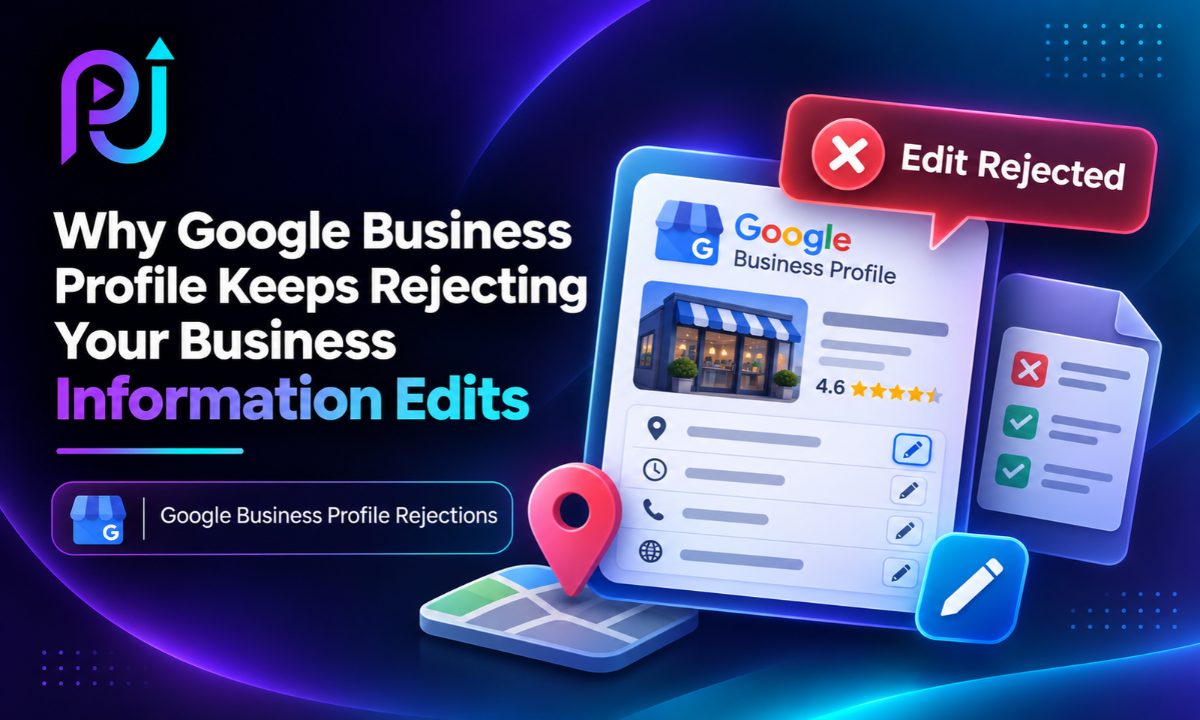
You update your Google Business Profile with your new business address, phone number, or opening hours.
Everything looks correct.
You save the changes and expect them to appear on Google Search and Maps.
But instead, Google shows a message:
"Not approved."
You try again. The same thing happens.
For a small business that depends on local customers, this can become a serious problem. People may see your old address, call the wrong number, or visit your shop when it's closed.
The frustrating part is that Google may reject changes even when the information is accurate.
Google Business Profile Rejections happen when Google cannot confirm a proposed change or determines that the information does not meet its guidelines.
Sometimes the issue involves your business name or address. Other times, your website contains outdated details, your verification status has changed, or Google needs stronger evidence that the business operates at the claimed location.
Understanding how Local SEO works can help you see why accurate business information matters for customers finding and contacting your company.
In this guide, I'll explain why Google Business Profile edits get rejected, how to investigate the issue, and what steps you can take to get your correct information published.
What Does "Google Business Profile Edit Not Approved" Mean?
Google reviews changes made to Business Profiles to help keep business information accurate.
When you edit your business name, address, category, phone number, or other details, Google may check whether the change follows its guidelines.
An edit can have three statuses:
| Edit Status | Meaning |
|---|---|
| Accepted | Google approved the change, and the updated information appears on your profile. |
| Pending | Google is reviewing the change. |
| Not approved | Google did not approve the change, which may be because it could not confirm the information. |
According to Google's official guidance, most edits are reviewed within about 10 minutes.
However, some reviews can take up to 30 days.
You can check the latest requirements in Google's Business Profile edit documentation.
If Google rejects your edit, it does not automatically mean your entire Business Profile is suspended.
It means the particular change was not approved.
The next step is to identify which information Google could not verify.
10 Reasons Google Business Profile Keeps Rejecting Your Edits
Several issues can prevent business information from being accepted.
| Reason | Possible Problem | Recommended Action |
|---|---|---|
| 1. Business Name Mismatch | Name differs from real-world branding | Use the actual business name |
| 2. Incorrect Address | Location does not match business operations | Verify the correct address |
| 3. Inconsistent Online Information | Website and listings show old details | Correct outdated information |
| 4. Verification Problems | Google needs proof of the business | Complete the required verification |
| 5. Incorrect Category | Category does not represent the business | Select the most accurate category |
| 6. Phone Number Issues | Google cannot confirm the number | Verify ownership and accuracy |
| 7. Website URL Problems | Website does not match the business | Use an accessible, relevant URL |
| 8. Duplicate Profiles | Multiple profiles represent one business | Resolve duplicate listing issues |
| 9. Policy Violations | Details contain misleading information | Follow Google's profile guidelines |
| 10. Repeated Edits | Changes are submitted without resolving the cause | Review evidence before resubmitting |
Let's examine these issues.
1. Your Business Name Does Not Match Your Real Business Name
One common issue to investigate is a mismatch between your Business Profile name and the name your business uses in the real world.
Google expects your business name to represent how customers recognize your company.
For example, imagine your storefront signage says:
Bright Smile Dental Clinic
But you enter:
Bright Smile Dental Clinic | Best Dentist in Delhi | Affordable Dental Implants
The additional promotional keywords may not represent the business's real name.
Google's naming guidelines do not allow businesses to add unnecessary marketing phrases or location keywords unless they are part of the actual business name.
How to Fix It
Use the name shown on your real business signage, branding, and official documentation.
Remove unnecessary services, slogans, and location terms.
If you recently changed your legal or trading name, update relevant business records and website information.
Keep proof of the new name available if Google requests it.
Important: Changing your business name can also trigger a new verification requirement.
2. Your Business Address Is Incorrect or Cannot Be Verified
Address changes can be difficult when Google cannot confirm that the business operates at the submitted location.
For example, you may have moved from one commercial building to another.
Your new address is correct, but your website and older directory listings still show the previous location.
Google may need more evidence before approving the new information.
Another issue involves businesses that serve customers at their homes rather than receiving customers at a storefront.
How to Fix It
Confirm that the address represents your genuine business location.
If customers visit your location, make sure it meets Google's requirements for customer-facing businesses.
If you operate a service-area business and do not receive customers at your business address, hide the address and specify your service area as required.
Check that the address is written correctly and that the map pin is accurate.
Prepare supporting documentation where needed.
Do not use a virtual office or mailbox address that fails Google's eligibility rules.
3. Your Website and Other Online Listings Show Different Details
Google uses information from multiple sources to help maintain accurate business profiles.
If your website and other online listings contain conflicting details, Google may have difficulty confirming an edit.
Imagine your Business Profile says:
Phone: 98765 43210
But your website footer displays:
Phone: 91234 56789
If the old number is no longer associated with the business, the mismatch can create confusion for customers and may complicate Google's checks.
How to Fix It
Review the following information across your online presence:
- Business name
- Address
- Phone number
- Website URL
- Opening hours
Update outdated details on your website and important directory listings.
Make sure social profiles also reflect the current business information.
This is commonly called NAP consistency, meaning Name, Address, and Phone Number.
You don't need identical punctuation everywhere. What matters is that the details accurately identify the same business.
A consistent online presence can help support the information you submit, although it does not guarantee edit approval.
4. Your Business Profile Needs Verification or Reverification
Some changes to important business details may require Google to verify the business again.
For example, changing your business name or moving to a new location can trigger additional checks.
Google offers verification methods based on the business and its circumstances.
A business might be asked to submit a video recording.
Others may receive different verification options.
How to Fix It
Open your Business Profile and review its verification status.
Follow the verification method Google makes available.
If video verification is required, follow the instructions shown during the verification process.
Do not assume that submitting a verification video automatically approves every pending business information edit.
Verification and edit approval are separate processes.
5. Your Business Category Does Not Accurately Describe Your Services
Your primary business category helps Google understand what your business does.
For example, a business that operates as a dental clinic should select a category that accurately describes its primary activity.
Choosing an unrelated category simply because it may attract more searches can cause problems.
Google's guidelines require categories to describe the business rather than act as a list of target keywords.
How to Fix It
Choose the most specific available category that accurately represents your main business.
Add secondary categories only when they describe additional genuine business activities.
Review your website to make sure your services are explained.
Do not change categories repeatedly in an attempt to improve local rankings.
If you are working on your broader website strategy, focus on High-Intent SEO Keywords that reflect the services customers are searching for.
6. Google Cannot Confirm Your Business Phone Number
Phone number edits may be reviewed when Google cannot confirm that the number belongs to the business.
This is especially important when changing an established phone number.
Your old number may still appear on directories, advertisements, or previous website pages.
Google may also apply additional phone-number checks in certain regions, including India.
How to Fix It
Confirm that the submitted number works and connects customers to your business.
Update old contact information on your website and major listings.
Make sure the business controls the number.
If Google rejects or holds the phone-number edit, use the relevant verification or support process offered for that field.
Avoid repeatedly submitting the same number without checking why the change was rejected.
7. Your Website URL Does Not Match Your Business
Your Google Business Profile website link should lead to a page that represents your business accurately.
For example, if your Business Profile represents a local cleaning company, the linked website should clearly identify that company.
A website that shows unrelated branding, outdated contact information, or a different business may be harder to associate with your profile.
How to Fix It
Use your business's actual website.
Check that the page loads and is accessible.
Display your business name, services, contact information, and relevant location details clearly.
If you operate multiple locations, use an appropriate location page when possible.
A well-structured website can also make it easier for customers to understand your services.
My article on Landing Page Mistakes explains common website problems that can confuse visitors and reduce inquiries.
A website is not mandatory for every eligible Business Profile, and having one does not guarantee that Google will accept an edit.
8. Duplicate Google Business Profiles Are Creating Confusion
Duplicate profiles can make business information harder to manage.
For example, your company may have:
- An older profile at a previous address
- A second profile created by another manager
- A listing that represents the same business under a slightly different name
Customers may continue finding the old listing even after you edit the correct one.
This can make it appear that your updates are not working.
How to Fix It
Search Google Maps for your business name and older addresses.
Check whether more than one profile represents the same business.
Identify the profile that should remain active.
Use Google's supported ownership or duplicate-resolution process where appropriate.
Do not create a new listing simply because an existing profile edit was rejected.
9. Your Business Information Violates Google's Guidelines
Google may reject information that conflicts with its Business Profile policies.
Possible issues include misleading business names, inaccurate locations, unsuitable business categories, or prohibited content.
For example, a business might enter a category that does not describe its actual operations.
Another might include promotional phrases in a field intended for factual information.
How to Fix It
Review Google's official Guidelines for Representing Your Business.
Check the requirements for your business name, category, location, and other relevant details.
Remove unsupported claims and inaccurate information.
Use factual descriptions that reflect what the business actually offers.
If the edit complies with the guidelines but is still rejected, consider the available appeal process.
10. You Keep Resubmitting Changes Without Resolving the Issue
When an important edit is rejected, it can be tempting to submit the same information repeatedly.
However, doing so without addressing the reason for rejection is unlikely to help.
It can also make the sequence of changes difficult to track.
A better approach is to identify the exact field that failed, review its accuracy, and collect evidence.
How to Fix It
Record which information you submitted and when.
Check its current status.
Compare the information against your real business details and Google's guidelines.
If the edit is still pending, avoid unnecessary changes while the review is underway.
If the edit is rejected, correct any identified problem or use the appropriate appeal route.
Google Business Profile Video Verification Keeps Getting Rejected: What Should You Do?
One of the examples you shared involved a business owner who had changed business information and repeatedly submitted verification videos.
The business owner reported showing nearby landmarks, neighboring businesses, and business signage, but the verification attempts continued to fail.
This raises an important distinction.
A rejected verification video does not necessarily mean that the business information itself is incorrect.
Google may reject the video if it does not provide all the required evidence.
What Google Wants in a Verification Video
For a storefront business, Google generally expects evidence of:
- The business location, such as nearby street signs or recognizable surroundings.
- The business's existence, including permanent signage that matches its profile name.
- Your authority to manage the business, demonstrated through access to business-only areas or equipment.
For a service-area business, the evidence may include business equipment, vehicles, workspaces, or relevant business documents.
The video must be recorded live through the Business Profile verification process, in one unedited recording of at least 30 seconds.
How to Fix Rejected Video Verification
Before recording again, check the issues Google identified with the previous attempt.
Plan the footage so all required details are shown.
Record from the location relevant to your business.
Follow the instructions for the verification method provided in your profile.
Google states that video verification reviews can take up to five business days.
For the full process, see Google's Official Video Verification Guide.
Do not include private personal information, identity numbers, or other sensitive details in the recording.
How to Fix Google Business Profile Rejected Edits Step by Step
If your business information keeps getting rejected, follow this process.
Step 1: Open Your Business Profile
Sign in to the Google account that manages your profile.
Find your business through Google Search or Google Maps.
Step 2: Check the Edit Status
Open the relevant business information field.
Confirm whether the change shows Accepted, Pending, or Not approved.
Do not treat a pending edit as a rejection.
Step 3: Identify the Exact Field
Determine whether the issue involves your business name, address, phone number, category, website, or another item.
Step 4: Review Google's Guidelines
Check the requirements that apply to the field.
Step 5: Compare Your Online Information
Review your website and other important listings.
Correct outdated or inaccurate information.
Step 6: Check Your Verification Status
Determine whether Google requires verification or reverification.
Step 7: Prepare Supporting Evidence
Collect documents or other proof that establishes the correct business details.
Step 8: Submit an Appropriate Correction or Appeal
If the edit was rejected and you believe it follows Google's rules, use the available appeal or support process.
Step 9: Monitor the Review
Keep track of the edit status and any response from Google.
Step 10: Verify the Public Information
After approval, open your Business Profile on Google Search and Maps.
Check that customers can see the correct information.
What Documents Help With Google Business Profile Rejections?
The appropriate evidence depends on the information being changed.
| Business Information | Useful Supporting Evidence |
|---|---|
| Business Name | Business registration, license, permanent signage |
| Business Address | Utility bill, official business document, location evidence |
| Phone Number | Evidence that the business controls the number |
| Business Category | Official business activity and relevant website content |
| Website URL | Website showing the correct business identity |
| Verification | Evidence required by the offered verification method |
Google lists documents such as business registration records, licenses, tax certificates, and utility bills as possible evidence for eligible appeals.
The business name and address on supporting documents should match the relevant profile information.
Only submit documents through Google's official support or appeal channels.
How to Appeal Rejected Google Business Profile Edits
If Google rejects accurate business information, an appeal may be available.
The process depends on your location and the type of restriction.
Businesses in the UK or EEA
Eligible rejected business information edits can be appealed using Google's Business Profile appeals tool.
Businesses Outside the UK and EEA
For rejected business information edits, Google directs businesses to Business Profile support.
This includes businesses in India, the United States, Canada, and Australia.
Appeal Process
Prepare the details of the rejected edit.
Gather supporting documents.
Use the correct official support or appeal route.
Explain what you changed and why the new information accurately represents the business.
Submit the appeal with the available evidence.
Google states that appeal reviews and decisions can take up to five business days.
Avoid submitting multiple appeals for the same issue before receiving a decision.
Official resource: Google Business Profile Appeal Guidelines.
If your entire profile is suspended or disabled, resolve that status before attempting to appeal separate content restrictions.
Why Does Google Keep Changing Your Business Information Back?
Sometimes Google accepts an edit, but the business information later returns to an older value.
This is different from an immediate rejection.
Google can update Business Profiles when it receives information suggesting that existing details are incorrect.
For example, your website might still show an old phone number or business address.
Another source may also contain outdated details.
Google may use those sources when updating its information.
How to Fix It
Check your website and major business listings.
Review who has access to the profile.
Look for Google updates in the profile editor.
Correct inaccurate sources of business information.
Then confirm that your intended details remain visible.
Do not assume another person has changed your profile without checking.
Can Rejected Google Business Profile Edits Affect Local SEO?
Rejected edits can affect your local marketing efforts when they prevent customers from seeing accurate business information.
For example, an outdated address can make it difficult for customers to find your store.
An incorrect phone number can prevent potential customers from contacting you.
Wrong opening hours can cause customers to visit when your business is closed.
These problems can reduce the value you receive from local search visibility.
However, Google does not state that receiving a rejected edit automatically causes a direct ranking penalty.
The practical priority is ensuring that customers see correct, useful information.
Strong local SEO also depends on your website, business relevance, reviews, and other factors.
For broader expectations, see How Long Does SEO Take?.
How to Prevent Future Google Business Profile Rejections
You cannot guarantee that Google will approve every change.
However, you can reduce avoidable problems.
Before changing important details, confirm that the information represents your business accurately.
Update your website and relevant directories when the business genuinely changes its name, address, phone number, or hours.
Keep documents that support the business's identity and location.
Review access permissions and remove former managers who no longer need control.
Check profile updates and notifications so you notice pending changes.
When Google requests verification, follow the requirements for the verification method provided.
If an edit is rejected, identify the issue before submitting the same change again.
For businesses that depend on local customers, a Local SEO Audit can help identify incorrect business details, website problems, and inconsistencies across online listings.
Google Business Profile Rejection Audit Checklist
| Audit Area | What to Check | Priority |
|---|---|---|
| Edit Status | Accepted, Pending, or Not approved | High |
| Business Name | Matches real branding | High |
| Address | Accurate and eligible location | High |
| Phone Number | Working and business-controlled | High |
| Website | Correct business information | High |
| Category | Matches primary business activity | High |
| Verification | Required process completed | High |
| Duplicate Listings | No conflicting profiles | High |
| Online Citations | Current business details | Medium |
| Google Guidelines | No misleading information | High |
| Supporting Documents | Evidence matches profile details | High |
| Profile Access | Authorized owners and managers | High |
| Appeal Status | Correct route and documentation | High |
| Public Visibility | Updated information displays correctly | High |
About Prem Jasuja
Prem Jasuja is a freelance digital marketing professional specializing in local SEO, technical SEO, Google Ads, Meta Ads, Google Analytics 4, Google Tag Manager, and conversion tracking.
His work includes reviewing website performance, optimizing Google Business Profiles, improving local search visibility, and helping businesses identify problems that affect leads and customer inquiries.
He focuses on practical improvements that help businesses connect with customers searching for their services.
Final Thoughts
Google Business Profile Rejections can happen even when a business owner believes the submitted information is correct.
The issue may involve business-name guidelines, address eligibility, inconsistent online information, verification requirements, or missing evidence.
The best first step is to identify what Google rejected.
Check whether the edit is pending or not approved, then review the requirements for that specific information.
If verification is needed, complete the process Google provides.
If accurate information is rejected, prepare suitable evidence and use the official appeal route for your region.
Avoid repeatedly submitting changes without resolving the cause.
Keeping your business information accurate, consistent, and supported by genuine evidence gives customers a better chance of finding the correct details on Google Search and Maps.
Frequently Asked Questions
Why Does Google Business Profile Keep Rejecting My Edits?
Google may reject business information edits when it cannot confirm their accuracy or when the changes do not meet its guidelines. Common issues include incorrect names, address problems, unsuitable categories, and inconsistent online information.
What Does "Not Approved" Mean on Google Business Profile?
Not approved means Google did not accept the submitted edit. It does not automatically mean the entire Business Profile is suspended. You may be able to correct the issue or appeal the rejection.
How Long Does Google Business Profile Take to Approve Edits?
Google states that most business information edits are reviewed within about 10 minutes. Some reviews can take up to 30 days, depending on the change and the review required.
Can I Appeal a Rejected Google Business Profile Edit?
Yes, eligible rejected edits may be appealed. Businesses in the UK or EEA can use Google's appeals tool, while businesses outside those regions should use Business Profile support for rejected business information edits.
Why Is Google Rejecting My Business Address Change?
Google may be unable to confirm the new address or determine whether it meets location eligibility requirements. Check your business location, supporting documents, website details, and verification status.
Why Does My Google Business Profile Verification Video Keep Getting Rejected?
A video may be rejected if it does not show the required location evidence, business identity, or proof that you manage the business. Review Google's stated issues and follow the video verification requirements before recording again.
Does My Website Affect Google Business Profile Edit Approval?
Your website can help Google confirm business information. Keeping your business name, address, phone number, and other details accurate may support verification, but having a website does not guarantee approval.
Will Rejected Google Business Profile Edits Hurt My Rankings?
Google does not state that a rejected edit automatically causes a ranking penalty. However, incorrect business information can make it harder for customers to find your location, contact your business, or trust the details displayed.
Why Does Google Keep Changing My Business Information Back?
Google may update business information using reports or other public sources. Outdated website details, directory listings, or suggestions from users may contribute. Review the sources and correct inaccurate information.
How Can I Stop Google Business Profile Edits From Being Rejected?
Use accurate business information, follow Google's guidelines, maintain consistent online details, complete required verification, and prepare supporting evidence. If an edit is rejected, investigate the specific cause before resubmitting or appealing.