
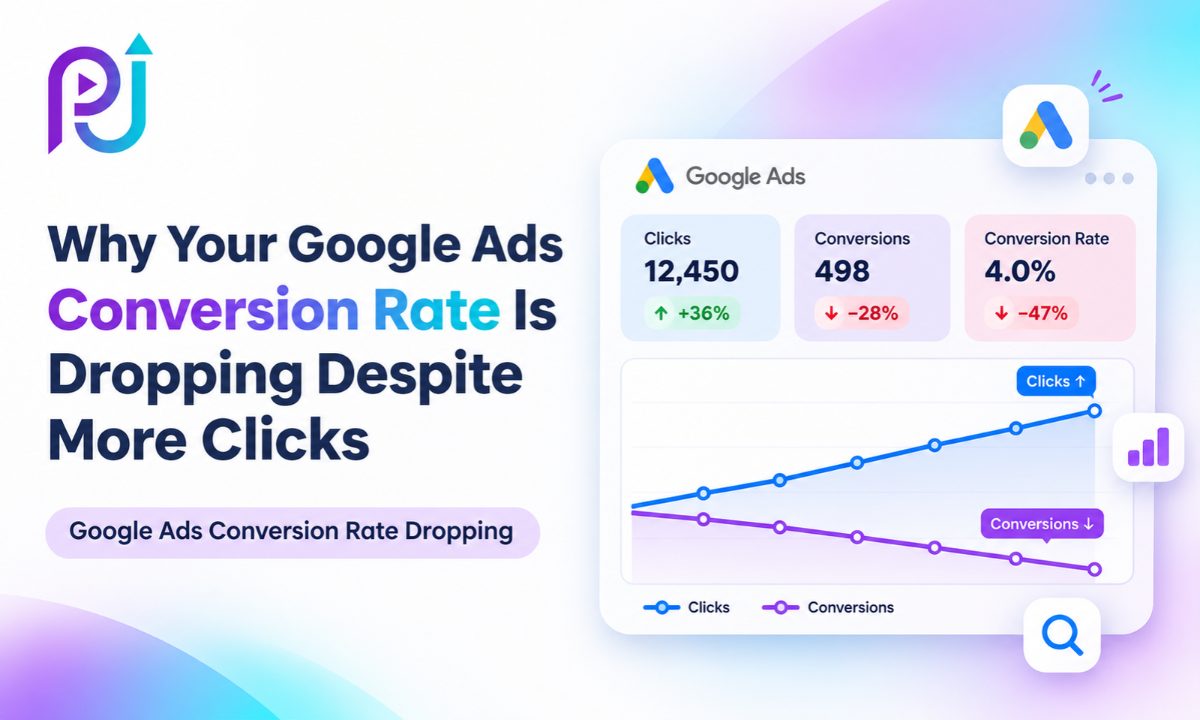
Your Google Ads campaign is getting more clicks than last month. Website traffic is increasing, and your ads are attracting attention.
At first glance, everything looks positive.
But when you check conversions, the results tell a different story.
Form submissions are down. Phone calls have slowed. Purchases are not keeping up with the increase in traffic.
You're spending more money to bring visitors to your website, but fewer of them are becoming customers.
This is where many advertisers make mistakes. They assume that because clicks are increasing, their Google Ads campaign must be improving.
That isn't always true.
Google Ads Conversion Rate Dropping is a problem that can happen when your campaign attracts less relevant visitors, your landing page stops converting, or your tracking no longer records results correctly.
Sometimes, the decline is connected to recent campaign changes. Other times, it happens because of competition, seasonality, or conversion reporting delays.
In this guide, I'll explain why Google Ads conversion rates decrease despite higher click volume, how to identify the actual problem, and what you can do to improve results.
What Does It Mean When Your Google Ads Conversion Rate Drops?
Conversion rate measures how often an eligible advertising interaction leads to a recorded conversion.
In Google Ads, a conversion might be a purchase, form submission, phone call, appointment booking, or another valuable action.
The basic formula is:
Conversion Rate = (Conversions ÷ Eligible Ad Interactions) × 100
For a standard Search campaign where clicks are the relevant interactions, this can often be understood as conversions divided by clicks.
Example: More Clicks but Fewer Conversions
Imagine a business running Google Search Ads.
| Metric | Previous Month | Current Month |
|---|---|---|
| Ad Clicks | 1,000 | 1,500 |
| Conversions | 60 | 45 |
| Conversion Rate | 6% | 3% |
| Average CPC | $2.00 | $2.00 |
| Ad Spend | $2,000 | $3,000 |
| Cost Per Conversion | $33.33 | $66.67 |
In this hypothetical example, clicks increased by 50%.
However, conversions dropped by 25%, and the conversion rate fell from 6% to 3%.
The business spent an additional $1,000 but received fewer conversions.
This is why clicks alone cannot determine campaign success.
The real question is whether those clicks lead to valuable customer actions.
Why Are Google Ads Clicks Increasing but Conversions Decreasing?
Several issues can produce this situation.
Your campaign may start appearing for searches with lower purchase intent. A new bidding strategy might change the audience or search terms receiving traffic.
Your landing page may also become slower, less relevant, or difficult to use.
In some cases, actual leads remain steady, but conversion tracking stops recording them.
Google's advertising system operates through changing auctions. Competition, targeting, budgets, and customer demand can affect campaign results even when you have not made major changes.
Before making adjustments, identify which part of the customer journey has changed.
10 Reasons Your Google Ads Conversion Rate Is Dropping
| Possible Cause | What You May Notice | What to Check |
|---|---|---|
| Irrelevant Search Terms | More clicks, fewer qualified leads | Search Terms Report |
| Keyword Match Types | Broad traffic expands | Keyword performance |
| Conversion Tracking Issues | Recorded conversions fall suddenly | Conversion diagnostics |
| Landing Page Problems | Clicks remain strong, leads decline | Forms and page usability |
| Bidding Strategy Changes | Results change after campaign edits | Change History |
| Conversion Reporting Delay | Recent days appear weaker | Conversion lag |
| Wrong Audience or Locations | Traffic comes from unsuitable users | Geographic and device reports |
| Competition and Market Changes | CPC or conversion rate changes | Auction Insights |
| Weak Offer or Ad Message | Visitors leave without converting | Ad-to-page relevance |
| Limited Conversion Data | Unstable results | Conversion volume and goals |
Let's look at each cause and how to investigate it.
1. Your Ads Are Attracting Irrelevant Search Terms
One of the first things I would check when clicks increase but conversions decline is the Search Terms Report.
Google Ads keywords determine which searches your ads may be eligible to appear for.
However, the actual searches people enter can differ from your keyword list.
For example, imagine a company offering professional website design services.
Its target keyword is:
Website Design Services
But the campaign begins receiving traffic from searches such as:
- Free website design templates
- How to design a website
- Website design courses
- Website design jobs
These searches may generate clicks, but many users are not looking to hire a website designer.
As a result, traffic increases without producing more customers.
How to Fix It
Open Google Ads and navigate to your Search campaign.
Select Search Terms under the relevant insights or keyword reporting section.
Compare the search terms from your previous strong period with the current period.
Identify queries that generate spending but do not match your business offering.
Add suitable negative keywords to exclude irrelevant searches.
Be careful not to block valuable queries based only on their wording.
If a search term has generated qualified leads or sales, review that evidence before excluding it.
For more information, read my guide on Finding High-Intent SEO Keywords. Although it focuses on organic search, the principles of understanding search intent also apply to paid advertising.
2. Your Keyword Match Types Are Bringing Lower-Intent Traffic
Google Ads supports different keyword match types, including broad match, phrase match, and exact match.
These options affect which searches may match your keywords.
Broad match can help advertisers discover additional relevant queries, particularly when combined with Smart Bidding.
However, broader matching may also introduce searches that are less likely to convert if the campaign's signals, goals, or keyword strategy are not aligned with the business.
Example
A roofing company uses the keyword:
Roof Repair
The campaign could attract users searching for local roof repair services, but it might also match research-oriented searches about repair methods or materials.
Not every searcher has the same intent.
Someone looking for roof repair instructions is different from someone requesting an estimate from a contractor.
How to Fix It
Compare conversion performance by keyword and match type.
Review the actual search terms generating clicks.
Identify which queries produce qualified leads.
Test more focused keyword targeting where appropriate.
Use negative keywords to reduce irrelevant traffic.
Do not assume exact match is always better than broad match. Evaluate conversions, lead quality, and cost per acquisition rather than match type alone.
3. Your Google Ads Conversion Tracking Is Not Working Correctly
Sometimes your conversion rate appears to decline because Google Ads is no longer measuring conversions accurately.
This can happen after website changes, Google Tag Manager updates, checkout modifications, or changes to conversion actions.
Imagine your website still receives 20 lead form submissions per week.
However, Google Ads records only eight conversions.
Your campaign may not have lost as many actual leads as the report suggests.
The measurement setup may be incomplete or broken.
Common Conversion Tracking Problems
A conversion tag may stop firing.
A website form may change without updating its tracking trigger.
A purchase event may send the wrong transaction information.
A conversion action may be changed from primary to secondary.
Consent settings may also affect which measurement signals are available.
How to Fix It
Open Google Ads and go to Goals, then Conversions.
Review the status of the affected conversion actions.
Use Google Tag Assistant to test the actual form submission or purchase event.
If your website uses Google Tag Manager, verify that the correct container version is published.
Compare conversion results with GA4 and your CRM, while accounting for differences in attribution and reporting.
You can also read my guide, Why GTM Works in Preview Mode but Not Live, if that article has been published at the suggested URL.
Always verify tracking before changing your bidding strategy in response to a sudden reported conversion decline.
4. Your Landing Page Is No Longer Converting Visitors
Your Google Ads campaign can attract relevant traffic and still struggle to produce results if the landing page has problems.
A visitor clicks because your advertisement promises something useful.
But after arriving on your website, the visitor may encounter a slow page, unclear information, broken form, or confusing call to action.
The advertisement did its job by attracting interest.
The website failed to turn that interest into an action.
Common Landing Page Problems
- Slow loading on mobile devices
- Broken contact forms
- Unclear service information
- Too many competing buttons
- Missing trust signals
- Difficult checkout steps
- Offers that do not match the advertisement
- Unexpected fees or conditions
How to Fix It
Open the exact landing page used by your Google Ads campaign.
Test it on desktop and mobile.
Complete the form yourself.
Check whether submitted inquiries reach the correct destination.
Review the page using PageSpeed Insights.
Make sure the headline, offer, and primary call to action match the advertisement.
For additional guidance, read How to Improve Landing Page Conversion Rate.
Improving the website experience may increase conversions without requiring additional advertising spending.
5. Your Bidding Strategy or Campaign Settings Changed
Google Ads bidding strategies influence how the platform bids and which opportunities it prioritizes.
A change from Maximize Clicks to Maximize Conversions, for example, shifts the optimization objective.
Adjusting Target CPA or Target ROAS may also change bidding behavior.
Other settings can affect performance, including campaign budgets, audience restrictions, keywords, locations, and ad schedules.
How to Identify Recent Changes
Open Google Ads and review Change History.
Compare the date your conversion rate began declining with the dates of recent changes.
Look for adjustments involving:
- Bid strategies and targets
- Campaign budgets
- Keywords and negative keywords
- Location targeting
- Ad copy
- Conversion goals
- Landing page URLs
A change occurring before a decline does not prove that it caused the problem.
However, the timing can help narrow your investigation.
How to Fix It
Identify the settings most likely to have affected traffic quality or conversion measurement.
Review the results before and after those changes.
If the evidence supports a correction, adjust the relevant setting rather than rebuilding the entire campaign.
For guidance on choosing a suitable bidding strategy, read How to Choose the Right Google Ads Bidding Strategy.
6. Your Conversions Are Being Reported Later Than Clicks
Not every customer converts immediately after clicking an advertisement.
Some users compare products, read reviews, request information, or return later to complete a purchase.
This creates a delay between the ad interaction and the conversion.
Google Ads reporting can assign conversions to the date of the advertising interaction.
As a result, recent days may initially show fewer conversions than they will after more time has passed.
Example
A customer clicks an advertisement on Monday.
They visit your website again on Thursday and complete a purchase.
Depending on the campaign and attribution settings, Google Ads may attribute that conversion to Monday's interaction.
This can make recent reporting periods appear weaker than they are.
How to Fix It
Review conversion lag reporting in Google Ads.
Compare complete reporting periods rather than relying on today's results.
Check the Conversions (by conv. time) column when you need to examine when conversions occurred.
Consider your typical customer buying cycle.
A local emergency service may receive inquiries quickly, while a business selling expensive services may have a longer conversion cycle.
Make sure your reporting window reflects how customers actually make decisions.
7. Your Ads Are Reaching the Wrong Locations or Devices
An increase in clicks may result from a change in where your advertisements appear or which devices generate traffic.
For example, a local service business may begin attracting more visitors outside its practical service area.
Those users may click the advertisement but never become qualified leads.
Another possibility is that mobile traffic increases while the mobile website has a poor conversion experience.
How to Check Location Performance
In Google Ads, review geographic performance using the available location reports.
Compare clicks, conversions, and cost per conversion across locations.
Check your location targeting options.
For businesses serving specific geographic areas, consider whether the Presence setting better fits your campaign goals.
How to Check Device Performance
Segment campaign performance by device.
Compare mobile, desktop, and tablet conversion rates.
If mobile clicks increase while mobile conversion rates decline, test your mobile landing page and form experience.
Do not exclude a device or location based only on one weak day.
Look for meaningful patterns and evaluate the quality of the resulting leads.
8. Competition and Customer Demand Have Changed
Your Google Ads campaign competes with other advertisers for relevant advertising opportunities.
Competitors may increase bids, change promotional offers, launch new campaigns, or improve their landing pages.
Customer behavior can also change because of seasons, economic conditions, or shifts in demand.
For example, a home improvement company might receive more research-oriented traffic during one period and more immediate service inquiries during another.
The click volume may increase while the percentage of people ready to purchase decreases.
How to Investigate Competition
Review Auction Insights where available.
Compare impression share and top-of-page visibility.
Check whether cost per click has changed.
Review competitors' current advertisements and offers.
Use Google Trends to investigate changes in interest for your main services or products.
Remember that Auction Insights can show competitive visibility, but it cannot directly explain why an individual visitor decided not to convert.
For a related discussion, read Why Your Competitors Appear Above You in Google Ads, if that blog is live.
9. Your Advertisement Attracts Clicks but Sets the Wrong Expectations
An advertisement can generate strong engagement without attracting suitable customers.
Consider this headline:
Affordable Website Design
A visitor may expect a very low-cost website.
If the landing page offers premium custom development packages, some visitors may leave once they see the actual pricing.
The click was genuine, but the advertisement did not communicate the offer clearly enough.
A similar mismatch can happen when an ad mentions a discount, financing option, or free consultation without explaining important conditions.
How to Fix It
Review your highest-clicked advertisements.
Check whether their messaging matches your landing pages.
Make pricing and eligibility information clear when relevant.
Avoid headlines that create expectations your business cannot meet.
Test advertisements that communicate more specific benefits, services, and customer requirements.
The objective is not simply to increase clicks.
It is to attract people who are likely to become valuable customers.
10. Your Campaign Is Making Decisions With Limited Conversion Data
Campaigns with low conversion volume can show large percentage changes from relatively small differences in results.
Imagine a campaign generates eight conversions during one week.
The following week, it generates five.
That represents a 37.5% decline.
However, the difference is only three conversions.
For a low-volume campaign, short-term variation can make performance appear unstable.
This is especially important when automated bidding relies on relatively few conversion signals.
How to Fix It
Review conversion volume before making major campaign decisions.
Compare longer reporting periods when necessary.
Avoid splitting a limited budget across too many similar campaigns and ad groups.
Check whether your primary conversion goals reflect valuable customer actions.
If appropriate, consolidate campaign structures so bidding has access to more relevant conversion information.
However, do not add low-value events as primary conversions simply to increase the conversion count.
How to Diagnose a Google Ads Conversion Rate Drop Step by Step
When a campaign receives more clicks but fewer conversions, I recommend investigating the problem in a consistent order.
Step 1: Compare Equivalent Reporting Periods
Compare the last seven complete days with the previous seven complete days, or use longer periods when conversion volume is low.
Review spending, impressions, clicks, CTR, CPC, conversions, conversion rate, and cost per conversion.
Step 2: Confirm Actual Business Results
Check whether CRM leads, purchases, appointments, or phone calls have also declined.
This helps distinguish a real performance problem from a reporting issue.
Step 3: Verify Conversion Tracking
Test the conversion action.
Review Google Ads conversion diagnostics, GTM, and GA4 as appropriate.
Step 4: Review Search Terms
Identify which searches gained clicks.
Compare their conversion performance and relevance with the previous period.
Step 5: Check Recent Changes
Review Change History and Google Ads Explanations where available.
Look for changes affecting bidding, budgets, conversion goals, targeting, or creative assets.
Step 6: Test Landing Pages
Complete the conversion journey on desktop and mobile.
Check form submissions, loading speed, buttons, and checkout steps.
Step 7: Review Conversion Lag
Determine whether recent conversions may still be pending in reporting.
Step 8: Investigate External Conditions
Review competition, demand, geography, devices, and changing customer expectations.
Only after identifying a likely cause should you decide which adjustment to make.
Quick Google Ads Troubleshooting Table
| Performance Pattern | Possible Explanation | First Action |
|---|---|---|
| Clicks increase, conversion rate drops | Lower-intent traffic | Review search terms |
| Clicks remain steady, conversions disappear | Tracking or landing page issue | Test conversion events |
| Only mobile conversion rate declines | Mobile website problem | Test mobile landing page |
| Conversion rate drops after bid changes | Different optimization behavior | Review Change History |
| CPC rises and conversions fall | Competition or traffic changes | Review Auction Insights |
| Google Ads leads decline, CRM leads remain stable | Measurement discrepancy | Audit conversion tracking |
| Only recent days look weak | Conversion delay | Review conversion lag |
| Leads increase but sales decline | Lead quality problem | Review CRM outcomes |
Example: How a Business Can Lose Conversions Despite More Traffic
Consider a local home renovation company.
During its first month, the business receives 800 clicks and 48 leads.
Its conversion rate is 6%.
The following month, clicks increase to 1,200, but leads fall to 36.
The conversion rate drops to 3%.
After reviewing its campaign, the company finds that additional clicks are coming from broader informational searches.
Its landing page has also become slower after a recent website update.
These are two issues worth addressing.
The company reviews its search terms and excludes clearly irrelevant queries.
It also corrects the website performance problem and tests its form submissions.
Rather than increasing the budget, the business focuses on attracting more suitable traffic and improving the website experience.
This example is hypothetical and does not represent a claimed client result.
Should You Increase Your Google Ads Budget When Conversion Rate Drops?
Increasing the budget is not always the right solution.
If your campaign is already attracting irrelevant traffic, additional spending may produce more clicks without improving conversions.
Similarly, increasing your budget will not repair a broken form or conversion tracking setup.
However, additional budget may make sense when a campaign is limited by budget, generates valuable conversions, and has opportunities to capture more relevant demand.
Before increasing spending, review the cost per acquisition, lead quality, conversion rate, and available demand.
The goal should be profitable growth, not simply more traffic.
When Should You Consider a Google Ads Audit?
A Google Ads audit can help when conversion rates decline without an obvious explanation.
It is useful when campaign spending increases while lead quality falls, conversion tracking no longer matches business results, or recent changes produce unexpected performance.
A proper review should examine search terms, keyword performance, bidding strategies, conversion goals, targeting, landing pages, and actual customer outcomes.
It should also distinguish between a campaign that produces fewer conversions and one that simply reports fewer conversions.
Read my guide on 10 Signs Your Google Ads Account Needs a Professional Audit to understand when a detailed review may be necessary.
About Prem Jasuja
Prem Jasuja is a freelance digital marketing professional working with businesses on Google Ads, Meta Ads, SEO, conversion tracking, and landing page optimization.
His work includes campaign analysis, keyword research, conversion measurement, and identifying issues that affect lead generation.
Rather than focusing only on clicks or impressions, the goal is to connect advertising performance with customer inquiries, sales, and business outcomes.
Learn more about his background on the About Prem Jasuja page.
Final Thoughts
Google Ads Conversion Rate Dropping despite higher click volume does not automatically mean your advertising campaign has stopped working.
Your ads may be reaching people with lower purchase intent. Your landing page may have developed technical problems. Conversion tracking may also be missing results.
Recent bidding changes, auction competition, and conversion delays can make the situation harder to understand.
The best approach is to investigate what changed before adjusting your budget or campaign structure.
Start with conversion tracking, search terms, and landing pages. Then review bidding, targeting, and competition.
Remember, more clicks are useful only when they bring the right visitors to your website.
A successful Google Ads campaign should generate valuable business outcomes, not just traffic.
If your Google Ads are attracting clicks but generating fewer leads, explore my Digital Marketing Services for help reviewing campaign performance and conversion tracking.
Frequently Asked Questions
Why Is My Google Ads Conversion Rate Dropping Despite More Clicks?
Your conversion rate may decline because of irrelevant search terms, lower-intent traffic, landing page problems, conversion tracking errors, bidding changes, or conversion reporting delays. Compare actual business results with Google Ads data to identify the cause.
Can Google Ads Clicks Increase While Conversions Decrease?
Yes. A campaign may attract more clicks from people who are researching rather than buying. Technical website problems or incomplete conversion tracking can also cause conversions to decrease while click volume rises.
How Do I Fix a Low Google Ads Conversion Rate?
Start by reviewing search terms, conversion tracking, and landing page performance. Check recent campaign changes, targeting, devices, and conversion delays. Make changes based on the evidence rather than adjusting everything at once.
Can Broad Match Keywords Lower Google Ads Conversion Rates?
Broad match can introduce additional search queries, some of which may have lower conversion intent. However, broad match can also perform well when campaign goals and bidding signals are suitable. Review actual search terms and results before changing match types.
Why Are My Google Ads Getting Clicks but No Leads?
Possible causes include poor search intent, unqualified visitors, weak offers, broken contact forms, slow landing pages, or missing conversion tracking. Test the full customer journey to determine where the problem occurs.
Does Changing Google Ads Bidding Strategy Affect Conversion Rate?
Yes. Bidding strategy changes can affect auction participation and which advertising opportunities receive priority. Performance may fluctuate after significant changes, so review the campaign's bidding status, conversion data, and historical results.
Can Conversion Tracking Issues Make My Google Ads Conversion Rate Look Lower?
Yes. If conversion tags stop working or conversion actions are incorrectly configured, Google Ads may report fewer conversions than your business receives. Verify tracking against actual purchases, leads, and appointments.
How Long Should I Wait Before Making Changes to a Google Ads Campaign?
There is no universal waiting period. Consider your conversion volume, buying cycle, campaign history, and the nature of the change. Fix confirmed technical problems promptly, but avoid reacting to small short-term fluctuations without enough evidence.
Should I Increase My Google Ads Budget When Conversion Rate Drops?
Not automatically. Increasing spending may worsen costs if your campaign attracts irrelevant traffic or your landing page is not working correctly. First identify the cause and assess whether additional budget can generate profitable conversions.
What Is a Good Google Ads Conversion Rate?
A good conversion rate depends on your industry, campaign type, product, service, and conversion definition. Compare performance with your own historical results and business targets. Cost per qualified lead, customer acquisition cost, and revenue are also important measures.