
You review your Google Ads Search Terms Report and notice several searches that don't seem relevant to your business.
To reduce wasted spending, you add those terms as negative keywords.
The next few days, something unexpected happens.
Your impressions decline. Clicks decrease. Conversions slow down, and your cost per lead starts increasing.
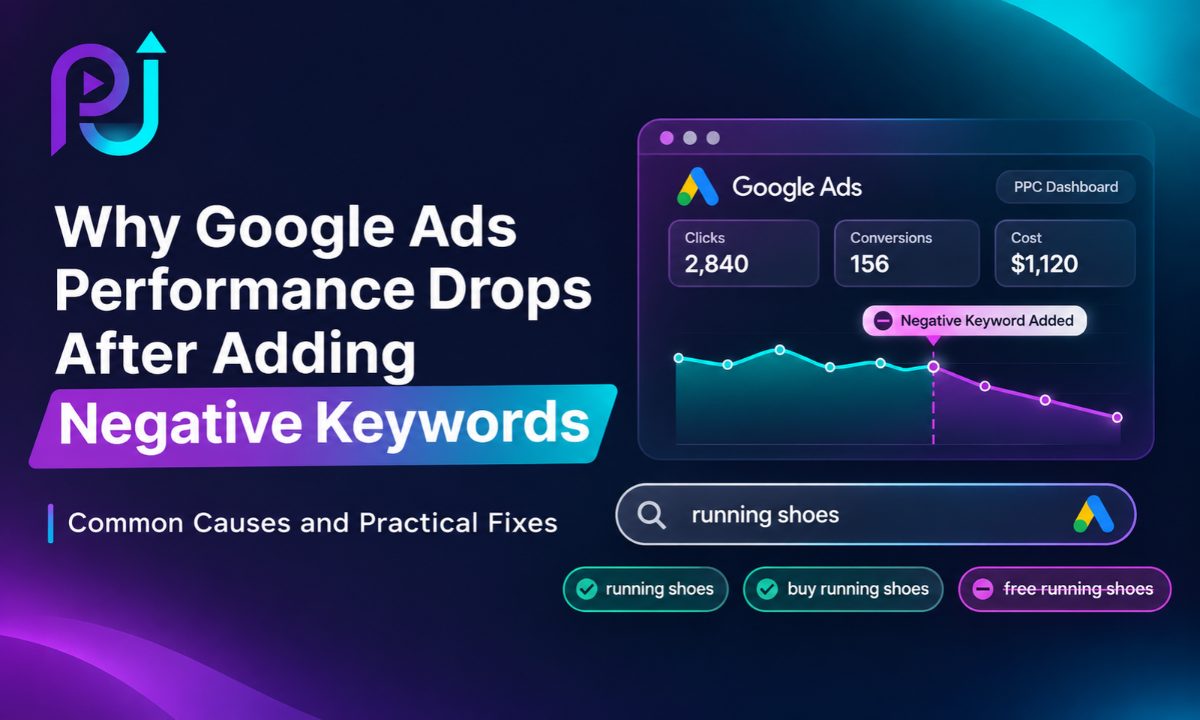
You added negative keywords to improve performance, so why are your results getting worse?
This is a common problem when advertisers exclude searches without checking how those terms affect their campaigns.
A Negative Keywords Performance Drop can happen when important search queries get blocked, negative match types are used incorrectly, or shared negative keyword lists restrict more campaigns than intended.
Negative keywords are useful for controlling irrelevant traffic. However, adding more exclusions does not automatically create better results.
In this guide, I'll explain why Google Ads performance can decline after adding negative keywords, how negative match types work, and how to identify and fix exclusions that may be blocking valuable customers.
What Are Negative Keywords in Google Ads?
Negative keywords prevent your advertisements from showing for searches that match specific excluded terms.
Unlike regular keywords, which help your ads become eligible for relevant searches, negative keywords remove certain searches from your campaign's eligible traffic.
For example, imagine you manage Google Ads for a company that sells professional website design services.
Your campaign targets:
Website Design Services
However, you notice searches such as:
- Free website design courses
- Website designer jobs
- Website design tutorials
- Website design salary
These users may not be looking to hire a website design company.
Adding suitable negative keywords can help reduce irrelevant advertising clicks.
The problem begins when exclusions also block people who might become customers.
Why Can Negative Keywords Reduce Google Ads Performance?
Negative keywords limit the searches your campaign can participate in.
That is their purpose.
However, Google Ads campaigns depend on reaching people who are interested in your products or services.
If your negative keyword settings exclude valuable searches, your campaign can lose access to potential conversions.
This may affect:
- Search impressions
- Website clicks
- Conversion volume
- Cost per conversion
- Qualified lead volume
- Revenue from advertising
For example, an advertiser might exclude the word "cheap" because they sell premium products.
However, some customers searching for affordable options may still purchase higher-priced products after comparing quality and features.
By excluding the word across the entire account, the advertiser may prevent those potential customers from seeing the ads.
This does not mean negative keywords are bad.
It means exclusions should reflect actual business goals and search intent.
How Negative Keyword Match Types Work
Before investigating a performance decline, you need to understand Google's three negative keyword match types.
They are not identical to positive keyword match types.
1. Negative Broad Match
Negative broad match prevents your advertisement from appearing when a search includes all the terms in your negative keyword, even when the word order changes.
For example:
Negative Keyword: free website design
This may block searches such as:
- Free website design
- Website design free
- Best free website design
However, a search containing only some of those words may remain eligible.
Negative broad match does not automatically exclude every synonym or close variant.
2. Negative Phrase Match
Negative phrase match blocks searches containing the specified words in the same order.
For example:
Negative Keyword: "free website design"
This can block:
- Free website design
- Best free website design course
- Free website design online
However, it does not necessarily block searches where the words appear in a different order.
3. Negative Exact Match
Negative exact match blocks searches matching the specified terms without additional words.
For example:
Negative Keyword: [free website design]
This blocks the matching search, but longer queries may still be eligible.
Negative Keyword Match Types Comparison
| Match Type | Example | How It Works |
|---|---|---|
| Broad Negative | free website design | Blocks searches containing all three terms, regardless of order |
| Phrase Negative | "free website design" | Blocks searches containing the phrase in that order |
| Exact Negative | [free website design] | Blocks the specified query without additional words |
Google also accounts for capitalization and misspellings, but negative keywords do not cover every singular, plural, synonym, or other close variant.
Understanding these differences helps prevent accidental traffic restrictions.
10 Reasons Google Ads Performance Drops After Adding Negative Keywords
Several problems can occur after you update negative keyword settings.
| Possible Cause | What Happens | Recommended Action |
|---|---|---|
| Overusing negative keywords | Valuable search traffic gets blocked | Review exclusions |
| Wrong match type | More searches are excluded than intended | Adjust match types |
| Negative keyword conflicts | Positive keywords become restricted | Check keyword conflicts |
| Shared list mistakes | Multiple campaigns lose traffic | Review list assignments |
| Blocking converting searches | Conversion volume declines | Review historical results |
| Excluding broad terms | Commercial queries become ineligible | Use more specific negatives |
| Account-level exclusions | Restrictions affect multiple campaigns | Check account settings |
| Limited conversion data | Decisions rely on weak evidence | Review longer periods |
| Outdated exclusions | Current services remain blocked | Audit existing lists |
| Other campaign changes | Decline is attributed to the wrong cause | Review Change History |
Let's examine each problem.
1. You Added Too Many Negative Keywords
One of the biggest mistakes in Google Ads management is assuming that every search term without a conversion should become a negative keyword.
Imagine your campaign receives 10 clicks from a search term but generates no conversions.
You immediately exclude it.
The next week, another term receives 12 clicks without converting, so you exclude that one too.
Over time, your negative keyword list becomes increasingly restrictive.
The problem is that a small number of clicks may not provide enough information to judge whether a query can generate profitable customers.
Some search terms need more data before you can assess their performance.
How to Fix It
Review negative keywords added during the period before performance declined.
Identify exclusions based only on low click volume or short-term results.
Compare those search terms against historical conversion data.
Restore terms that appear relevant and may have been excluded prematurely.
Do not remove all negative keywords at once. Focus on exclusions that are most likely to have restricted useful traffic.
2. You Used the Wrong Negative Keyword Match Type
A match type mistake can restrict more searches than you intended.
For example, a business selling website design services wants to exclude people searching for free website design courses.
Instead of excluding the specific phrase, it adds:
free
As a broad match negative.
This can prevent ads from appearing for searches that contain the word "free," including potentially valuable searches related to free consultations.
How to Fix It
Review your negative keywords and their match types.
Use exact match when you want to exclude one particular query.
Use phrase match when you want to block a specific phrase with possible extra words before or after it.
Use broad match when all the terms together represent an unwanted search pattern.
For single-word negative keywords, consider whether the word could appear in valuable searches.
The best match type depends on what you want to exclude, not on a fixed rule that one match type is always superior.
3. Your Negative Keywords Are Conflicting With Positive Keywords
A negative keyword conflict occurs when an exclusion prevents searches targeted by one of your positive keywords from triggering ads.
For example, your campaign includes the positive keyword:
emergency plumbing repair
However, your negative keyword list contains:
repair
The campaign may become ineligible for searches containing that excluded word.
This can prevent an important service keyword from generating traffic.
How to Fix It
Review your positive and negative keyword lists together.
Use Google Ads keyword diagnostics and relevant conflict warnings.
Identify excluded terms that overlap with your intended search queries.
Check campaign-level, ad group-level, and account-level exclusions.
Remove or narrow negative keywords that conflict with valuable targeting.
A positive keyword does not override an applicable negative keyword.
4. You Applied a Shared Negative Keyword List to the Wrong Campaign
Shared negative keyword lists help advertisers manage exclusions across multiple campaigns.
However, they can cause problems when the same list is used for campaigns with different objectives.
Imagine an automotive dealership runs separate campaigns for:
- New vehicles
- Used vehicles
- Vehicle servicing
The dealership creates a shared negative keyword list containing:
used
That exclusion might make sense for a campaign focused only on new vehicles.
But if the same list is applied to the used vehicle campaign, it can block relevant searches.
How to Fix It
Open the negative keyword list settings in Google Ads.
Review which campaigns are using each shared list.
Separate universal exclusions from campaign-specific exclusions.
For example, an irrelevant employment-related term might apply across several sales campaigns.
However, terms such as "used," "repair," or "financing" can have different meanings depending on the campaign.
Do not apply the same list to every campaign without reviewing its purpose.
5. You Accidentally Blocked Search Terms That Were Generating Conversions
A search term may look irrelevant at first glance but still produce qualified customers.
Imagine a software company notices conversions from a query that includes the word "alternative."
The advertiser assumes these users are only comparing competing products and adds the term as a negative.
However, those searches may come from people who are dissatisfied with their current software and ready to switch providers.
The exclusion removes a potentially valuable source of conversions.
How to Fix It
Before adding a search term as a negative keyword, review:
- Historical conversions
- Cost per conversion
- Conversion value
- Lead quality
- Customer acquisition cost
- Business relevance
For lead generation campaigns, compare Google Ads conversions with qualified leads recorded in your CRM.
A search term should not be judged only by whether its wording looks relevant.
Its actual performance and customer intent matter.
6. Your Negative Keywords Are Too Broad
Broad exclusions can accidentally affect more commercial searches than expected.
Consider a business that offers paid marketing consultations.
The advertiser adds:
consultation
As a negative keyword because several searches for free consultations did not generate revenue.
This could block searches from users who want paid consulting services.
How to Fix It
Identify whether single-word negatives overlap with your products, services, and offers.
Replace overly broad exclusions with more precise terms where appropriate.
For example, excluding a specific unwanted search phrase may be safer than excluding an important service word.
Review the resulting search eligibility before applying the revised list.
The objective is to remove irrelevant intent without eliminating valuable demand.
7. Account-Level Negative Keywords Are Restricting Multiple Campaigns
Google Ads supports account-level negative keywords for eligible Search and Shopping inventory.
These exclusions can affect multiple campaigns.
That makes them useful for terms that are never relevant to the business.
However, an incorrect account-level exclusion may cause a broader performance problem.
Imagine a company offers both paid software and free trials.
If "free" is added as an account-level negative keyword, campaigns promoting free trials may lose relevant traffic.
How to Fix It
Navigate to Admin and review Account Settings.
Open the Negative Keywords section.
Examine the exclusions applied at the account level.
Check whether each term is irrelevant across every affected campaign.
Move campaign-specific exclusions to the appropriate level when necessary.
Keep account-level exclusions limited to terms that the business genuinely does not want to target across eligible campaigns.
8. You Made Decisions Using Too Little Conversion Data
A search term receiving five clicks without conversions is not automatically an unprofitable search term.
Conversion performance can fluctuate, particularly when campaigns have small budgets or long buying cycles.
For example, a business may generate only a few qualified inquiries each week.
Removing search terms after one weak day can eliminate future opportunities without providing meaningful evidence.
How to Fix It
Use reporting periods that reflect your conversion volume and buying cycle.
Consider whether the search term is genuinely unrelated to your services.
Review conversion lag before drawing conclusions.
For low-volume campaigns, group similar search terms and review broader patterns rather than judging each query from only a few clicks.
There is no universal minimum number of clicks that makes a negative keyword decision correct.
Obvious irrelevant terms can be excluded immediately. Borderline commercial searches require more careful analysis.
9. Your Negative Keyword Lists Are Outdated
Businesses change their products, services, pricing, and target customers over time.
A term that was irrelevant last year may now be useful.
For example, a company that originally sold only expensive enterprise software might have excluded:
small business
Later, it launches a product designed for smaller companies.
If the negative keyword remains active, the new product may struggle to reach its intended customers.
How to Fix It
Review old negative keyword lists when you launch new products, change services, or enter new markets.
Identify terms that no longer reflect your business offering.
Check historical exclusions before creating new campaigns.
Remove outdated restrictions when they conflict with current goals.
Negative keyword lists should evolve with the business.
10. Another Campaign Change Caused the Performance Decline
Not every performance drop following a negative keyword update is caused by negative keywords.
The decline may have occurred because of another change made around the same time.
Potential causes include bidding adjustments, budget restrictions, conversion tracking problems, landing page issues, changing customer demand, or increased competition.
How to Fix It
Open Google Ads Change History.
Identify when the performance decline began.
Review all changes during that period, not just negative keyword additions.
Compare impressions, clicks, CPC, conversions, and conversion rate.
Check whether the decline affected one campaign or the entire account.
Where available, use Google Ads Explanations to investigate significant performance changes.
If the negative keyword additions coincide with the decline, test a targeted correction and monitor the results.
Avoid assuming a correlation proves the cause.
Why Are Negative Keywords Not Blocking Certain Searches?
Sometimes advertisers experience the opposite problem.
They add a negative keyword, but ads continue appearing for searches that seem related.
Google identifies several reasons this may happen.
Negative Keywords Do Not Cover Every Close Variant
Negative keywords do not automatically block all singular, plural, or synonymous versions.
For example, excluding:
house
Does not necessarily exclude:
houses
You may need to add additional variations where relevant.
Searches Containing More Than 16 Words
Google explains that negative keywords may not prevent an ad from showing when the excluded term appears after the 16th word in a search query.
This is an unusual situation, but it can explain why a particular long search was not excluded.
The Negative Keyword List Is Not Applied Correctly
Creating a shared list does not mean every intended campaign is using it.
Check the list's campaign assignments.
The Reporting Date Range Is Incorrect
If you review a date range that includes traffic from before you added the negative keyword, the Search Terms Report may still show those searches.
Compare the actual date the exclusion was applied with the reporting period.
Understanding these limitations can help prevent unnecessary changes to your keyword strategy.
How to Check Whether Negative Keywords Caused a Performance Drop
A structured review can help you identify whether your negative keywords are responsible for declining campaign results.
Step 1: Identify the Date Performance Changed
Open Google Ads and compare performance before and after the decline.
Review impressions, clicks, conversions, cost per conversion, and spending.
Try to use equivalent reporting periods.
Step 2: Open Change History
Check the dates when negative keywords were added, removed, or changed.
Review other account modifications during the same period.
Step 3: Review Negative Keyword Lists
Check exclusions at the account, campaign, and ad group levels.
Identify newly applied shared lists.
Step 4: Compare Historical Search Terms
Review searches that generated conversions before the exclusions were applied.
Check whether any new negative keywords could prevent those searches from matching.
Step 5: Check Keyword Eligibility
Use keyword diagnostic information and the campaign's current targeting settings.
Look for positive keywords affected by negative keyword conflicts.
Step 6: Review Conversion Tracking
Confirm that your conversion actions still record actual leads or purchases.
A tracking issue can produce a performance decline that looks unrelated to keyword eligibility.
Step 7: Make Targeted Corrections
Remove or narrow exclusions supported by your findings.
Keep clearly irrelevant terms excluded.
Step 8: Monitor Results
Compare performance using enough data to account for conversion delays and normal fluctuations.
Avoid making several unrelated campaign changes at the same time.
Example: How Negative Keywords Can Reduce Conversions
Imagine a local digital marketing agency running Google Search campaigns.
The agency wants to remove irrelevant traffic, so it adds several negative keywords related to free services and learning resources.
One of the exclusions is:
consultation
However, the agency also advertises paid marketing consultations.
After adding the negative keyword, the campaign begins receiving fewer impressions and leads.
The agency reviews Change History and discovers that the exclusion overlaps with an important group of commercial searches.
It removes the overly broad exclusion and replaces it with a more precise phrase targeting an unwanted type of inquiry.
The team then monitors search terms, qualified leads, and cost per conversion.
This hypothetical example illustrates why negative keyword selection should consider the full range of services a business offers.
Should You Remove All Negative Keywords to Restore Performance?
No.
Removing every negative keyword can expose your campaign to searches that are completely unrelated to your business.
For example, a plumbing company may not want traffic from people searching for plumbing jobs or training courses.
Those exclusions can remain useful even if another negative keyword causes problems.
The better approach is to identify which terms are restricting relevant searches.
Remove or adjust those specific exclusions while keeping legitimate protections in place.
This allows you to restore useful targeting without unnecessarily increasing irrelevant traffic.
Are Negative Keywords Still Important With Google Ads Smart Bidding?
Yes.
Smart Bidding uses available signals to help optimize bids toward your campaign goals.
However, Smart Bidding does not replace the purpose of negative keywords.
Negative keywords are still useful when a business needs to exclude searches that are unrelated to its products or services.
For example, a company that sells new office furniture may not want to appear for searches about used furniture.
If those searches are outside the company's offering, negative keywords can help enforce that distinction.
The important point is to combine appropriate exclusions with accurate conversion tracking, suitable bidding goals, and useful landing pages.
For more information, read my guide on Google Ads Bidding Strategy.
How to Build a Better Negative Keyword Strategy
A useful negative keyword strategy should be based on relevance, historical performance, and the purpose of each campaign.
Review Search Terms Regularly
Identify searches that clearly do not match your products or services.
Protect Valuable Queries
Before excluding a query, review whether it has generated qualified leads, sales, or valuable customer activity.
Use Appropriate Match Types
Choose broad, phrase, or exact negative match based on the searches you want to prevent.
Separate Campaign-Specific Exclusions
Do not apply a restriction across every campaign if it is relevant to only one.
Review Old Lists
Reassess exclusions when your business offering changes.
Measure Business Outcomes
Monitor qualified leads, sales, cost per acquisition, and conversion value.
A smaller negative keyword list is not automatically better, just as a larger list is not automatically worse.
What matters is whether the exclusions support your business goals.
When Should You Audit Your Google Ads Negative Keywords?
A negative keyword audit is useful when impressions or conversions decline after a large set of exclusions is added.
It is also worth reviewing your lists when you launch a new product, expand into a new market, change campaign structure, or notice that important keywords are no longer serving.
A detailed review should examine negative keyword match types, historical search terms, shared lists, keyword conflicts, campaign settings, and conversion quality.
If performance issues extend beyond negative keywords, my article on Google Ads Audit Warning Signs explains other areas that may need attention.
About Prem Jasuja
Prem Jasuja is a freelance digital marketing professional specializing in Google Ads, Meta Ads, SEO, conversion tracking, and landing page optimization.
His Google Ads work includes keyword research, search term analysis, negative keyword management, campaign optimization, and performance reporting.
The goal is to help businesses attract relevant visitors and measure the leads or sales their advertising produces.
Learn more on the About Prem Jasuja page or explore his Digital Marketing Services.
Final Thoughts
A Negative Keywords Performance Drop does not mean you should stop using negative keywords.
It means you need to review whether your exclusions are blocking searches that matter to your business.
Negative keywords are an important part of Google Ads management, but they work best when used with care.
Adding too many exclusions, choosing the wrong match type, or applying shared lists to unsuitable campaigns can reduce valuable traffic.
Before removing or adding more negative keywords, review your historical search terms, conversion data, campaign settings, and business goals.
The purpose of negative keywords is not to eliminate every search that fails to convert. It is to prevent irrelevant traffic while preserving opportunities to reach potential customers.
If your Google Ads performance has declined after recent changes, a detailed campaign review can help identify which adjustments are worth keeping and which should be corrected.
Frequently Asked Questions
Why Did My Google Ads Performance Drop After Adding Negative Keywords?
Your performance may decline if negative keywords block valuable search terms, conflict with positive keywords, or restrict multiple campaigns through shared lists. Compare historical search terms and recent account changes to identify the cause.
Can Too Many Negative Keywords Hurt Google Ads Performance?
Yes. Excessive or poorly chosen negative keywords can prevent relevant searches from triggering your ads. The problem depends on which searches are excluded, not simply the number of negative keywords.
Can Negative Keywords Reduce Google Ads Conversions?
Yes. If a negative keyword blocks searches that previously generated leads or purchases, conversion volume may decline. Review historical conversion performance before excluding commercial search terms.
What Is the Difference Between Negative Broad Match and Negative Exact Match?
Negative broad match blocks searches containing all the excluded terms, regardless of their order. Negative exact match blocks searches matching the specified terms without additional words. Both differ from their positive keyword counterparts.
How Can I Find Negative Keyword Conflicts in Google Ads?
Review positive keywords alongside account-level, campaign-level, and ad group-level exclusions. Check keyword diagnostics and identify negative keywords that prevent your intended searches from matching.
Should I Remove Negative Keywords When Campaign Performance Drops?
Not automatically. First identify which exclusions may be restricting valuable traffic. Keep negative keywords that clearly block irrelevant searches and adjust the ones causing conflicts.
Why Are My Google Ads Still Showing for Negative Keywords?
Negative keywords do not cover every close variant, synonym, or singular and plural variation. Other reasons include incorrect list assignments, reporting dates, and certain long search queries.
Do Negative Keywords Affect Google Ads Smart Bidding?
Negative keywords determine which searches remain eligible for advertising. By changing the eligible traffic, they can affect the opportunities available to Smart Bidding. Accurate conversion data and appropriate exclusions both matter.
How Often Should I Review Negative Keywords?
Review search terms regularly, with frequency based on campaign spending and traffic volume. Also audit existing negative keyword lists when you launch new products, change services, or notice unexpected performance declines.
What Is the Best Way to Recover Google Ads Performance After Adding Wrong Negative Keywords?
Identify the exclusions added before the decline, check historical converting searches, review match types and shared lists, and remove or narrow the problematic terms. Monitor results while accounting for conversion delays and other campaign changes.