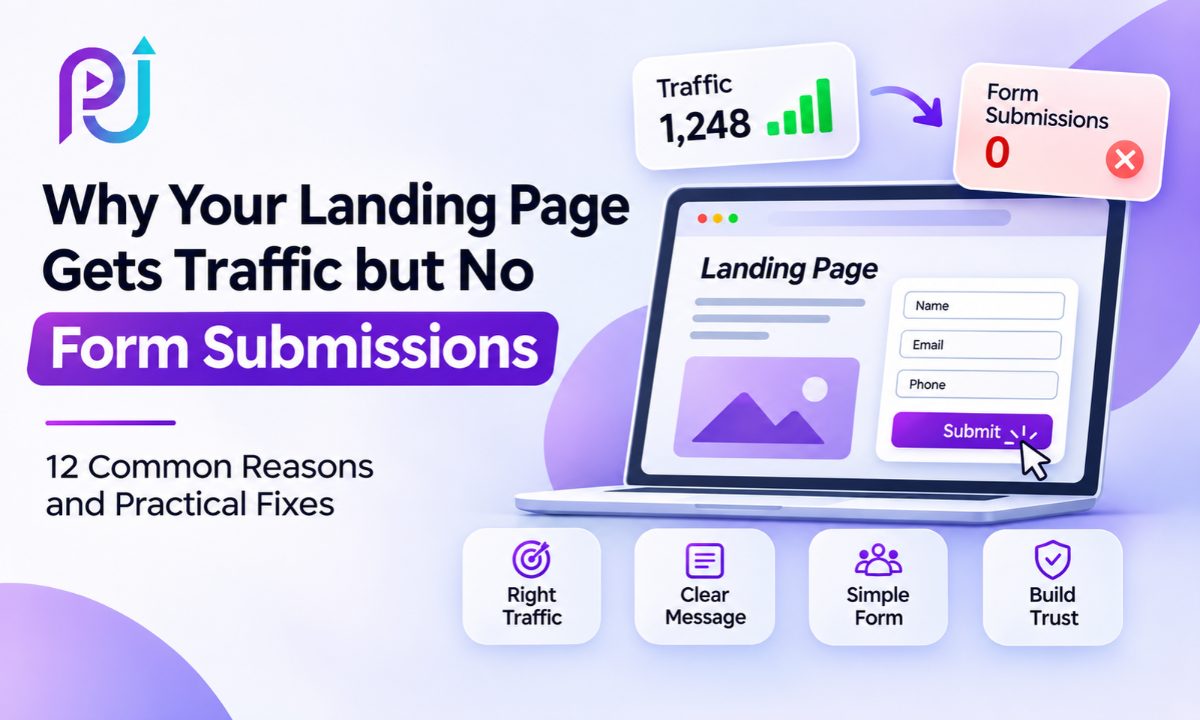
Your Google Ads campaign is getting clicks. People are visiting your landing page, and your advertising budget is being spent.
But when you check your leads, there's nothing.
No contact form submissions. No quote requests. No new appointments.
You might assume that your advertising campaign is targeting the wrong audience. Or perhaps you think the landing page needs a complete redesign.
Sometimes that's true. But there are several other reasons why this happens.
A Landing Page Not Converting doesn't always mean your advertising strategy has failed. Visitors may be interested in your services but leave because the page doesn't answer their questions, the form is difficult to complete, or they don't trust the business enough to share their details.
In other cases, people may be submitting forms successfully, but those submissions aren't being delivered or recorded.
The important part is finding where the problem begins.
In this guide, I'll explain why landing pages get traffic but no form submissions, how to identify the actual cause, and what changes can help turn more visitors into qualified leads.
What Does It Mean When a Landing Page Gets Traffic but No Conversions?
A landing page is designed to encourage visitors to complete a specific action.
For a service business, that action might be requesting a quote, booking a consultation, or submitting a contact form.
For a SaaS company, it could be starting a free trial or scheduling a product demonstration.
When visitors arrive but don't complete the intended action, there's a gap between traffic and conversions.
For example, imagine a business receives 1,000 landing page visits in one month.
The page gets 30 form submissions.
Its visit-to-submission conversion rate is 3%.
But another business could receive the same 1,000 visits and generate only five submissions.
That would be a 0.5% conversion rate.
The difference could come from traffic quality, messaging, page design, form usability, or the offer itself.
There is no single conversion rate that every landing page should achieve. Results vary by industry, source of traffic, offer, and customer intent.
Before making changes, you need to understand what visitors are doing after they arrive.
12 Common Reasons Your Landing Page Is Not Converting
| Problem | What Happens | Recommended Fix |
|---|---|---|
| Wrong Traffic | Visitors aren't interested in the service | Review targeting and search intent |
| Message Mismatch | The page doesn't match the advertisement | Align ad copy and page headlines |
| Unclear Offer | Visitors don't understand the benefit | Improve the value proposition |
| Weak CTA | Visitors don't know what to do next | Use specific action-based buttons |
| Long Form | Too many fields discourage submissions | Ask only necessary questions |
| Poor Mobile Experience | Forms are difficult to complete | Test and simplify mobile layouts |
| Slow Page Speed | Visitors leave before engaging | Improve page loading |
| Missing Trust Signals | Visitors hesitate to share details | Add genuine reviews and proof |
| Missing Information | Important questions remain unanswered | Explain pricing, process, and expectations |
| Too Many Distractions | Visitors leave the intended conversion path | Simplify the page layout |
| Broken Form | Submission fails or never reaches the business | Test the complete form process |
| Incorrect Tracking | Real submissions aren't recorded | Verify GA4 and GTM events |
Let's examine how to identify and address each issue.
1. Your Landing Page Is Attracting the Wrong Traffic
More traffic doesn't always mean more potential customers.
A landing page may attract people who are researching a topic rather than looking to purchase a product or service.
For example, imagine a company offering professional SEO services.
Its Google Ads campaign appears for searches about free SEO courses or beginner tutorials.
People may click because the advertisement looks relevant to their interests.
However, they aren't looking to hire an SEO professional.
They leave without completing the contact form.
How to Identify the Problem
Review the traffic coming from different campaigns, keywords, and audience segments.
For Google Ads Search campaigns, examine actual search terms.
Look at the difference between informational and commercial intent.
For example:
- "What is SEO?" suggests someone wants information.
- "SEO consultant for small business" suggests stronger service intent.
- "Hire SEO specialist" suggests someone may be ready to contact a provider.
These are tendencies, not guarantees about individual visitors.
How to Fix It
Improve keyword relevance and review negative keywords where appropriate.
Make sure your campaign targets the audience your business can serve.
For paid search campaigns, effective Google Ads Management includes reviewing search intent, traffic quality, and the relationship between advertisements and landing pages.
Sending fewer qualified visitors may produce better results than attracting large volumes of irrelevant traffic.
2. Your Landing Page Headline Doesn't Match Your Advertisement
One of the most common conversion problems is a mismatch between the advertisement and the landing page.
Imagine someone clicks an advertisement that says:
"Get a Free Google Ads Account Audit."
But the landing page opens with:
"Welcome to Our Digital Marketing Agency."
The visitor expected information about an account audit.
Instead, the page describes several unrelated services.
Even if the business provides the advertised service, the connection isn't clear.
Why This Matters
People click advertisements because they expect a specific result.
When the landing page changes that promise, visitors may question whether they've reached the right place.
How to Fix It
Compare your advertisement's headline, description, and offer with the landing page's main heading.
They don't need identical wording, but they should communicate the same promise.
For example:
Advertisement: Get a Google Ads Audit for Your Business
Landing Page: Google Ads Account Audit to Find Wasted Spend and Tracking Issues
CTA: Request an Account Review
The visitor should understand the connection without searching through several paragraphs.
This consistency is an important part of effective landing page design.
3. Your Offer Is Not Clear Enough
A landing page can look professional and still fail to explain what the visitor will receive.
Consider a headline such as:
"Grow Your Business With Better Digital Solutions."
It sounds positive, but it doesn't explain the service, audience, or outcome.
Visitors may need to scroll through the page to understand what the business offers.
Some won't make that effort.
How to Fix It
Make the headline specific.
A useful landing page headline should explain what you're offering and why it's relevant.
For example:
"Google Ads Management for Local Businesses That Need More Qualified Leads."
This tells visitors what the service is and who it's designed for.
You can then use a short supporting paragraph to explain the process or main benefits.
Avoid unsupported claims such as guaranteed rankings, guaranteed leads, or fixed performance improvements.
Clear, accurate information builds stronger expectations.
4. Your Call-to-Action Is Difficult to Find
Your landing page needs to guide visitors toward the next action.
If the contact form is difficult to locate or the CTA is unclear, visitors may leave even when they're interested.
Generic buttons such as "Submit" or "Click Here" don't explain what happens next.
How to Fix It
Use descriptive CTA text.
For example:
- Request a Free Quote
- Book a Consultation
- Get a Pricing Estimate
- Schedule a Demo
- Request a Callback
Choose the wording that matches your actual offer.
Place the primary CTA where visitors can find it.
For longer landing pages, consider repeating the CTA after key sections.
If the button opens a form, make sure the form loads correctly.
A strong Landing Page Optimization approach connects the offer, page content, and CTA into one clear conversion path.
5. Your Contact Form Has Too Many Fields
A complicated contact form can discourage visitors from completing it.
For example, a marketing agency might ask for a full name, email address, phone number, business name, website, industry, monthly advertising budget, location, service requirements, and a detailed message.
Some of those questions may be useful.
But asking for everything before the first conversation can create unnecessary friction.
How to Fix It
Start with the information required to respond to the inquiry.
For a simple service request, that could include:
- Name
- Email or phone number
- Service required
- Short message, if needed
Some businesses need additional details to provide a useful quote.
The goal isn't always to use the fewest possible fields.
It's to remove questions that don't need to be answered at the first stage.
Should You Use a Multi-Step Form?
A multi-step form can help when you need to collect more information.
For example, the first step might ask about the requested service.
The second step could collect contact details.
However, multi-step forms introduce additional actions, so they should be tested rather than assumed to perform better.
Measure both submission rate and lead quality.
6. Your Landing Page Doesn't Work Well on Mobile
A landing page may look excellent on a desktop but become difficult to use on a smartphone.
A form could extend beyond the screen, the keyboard might hide the submit button, or a popup might cover important content.
These issues can interrupt the conversion process.
How to Fix It
Open your landing page on a real mobile device.
Try completing the entire form.
Check whether:
- Text is readable without zooming.
- Buttons are easy to tap.
- Form fields fit the screen.
- Dropdown menus work.
- Error messages appear clearly.
- The submit button remains accessible.
Also test both Android and iPhone devices where practical.
Use Google Analytics to compare landing page performance by device category.
If mobile receives most of your traffic but produces very few leads, investigate mobile usability before redesigning the whole page.
7. Your Landing Page Loads Too Slowly
Page speed affects how visitors experience your landing page.
If the page takes too long to display its main content, some visitors may leave before reading the offer.
This problem can be more noticeable on mobile devices or slower connections.
Common Causes
Large images, unnecessary JavaScript, slow hosting, third-party scripts, and render-blocking resources can affect loading performance.
Marketing websites may also load multiple tracking scripts, chat widgets, and advertising integrations.
How to Fix It
Test the page using PageSpeed Insights.
Review the Largest Contentful Paint metric and loading waterfall.
Compress oversized images and use suitable modern formats.
Reduce unnecessary JavaScript.
Improve server response time where needed.
Avoid loading nonessential resources before the main content.
However, don't remove necessary tracking without checking the consequences.
Speed improvements should preserve form functionality and conversion measurement.
8. Your Landing Page Doesn't Build Enough Trust
A contact form asks visitors to share personal or business information.
Before submitting it, they may want reassurance that the company is credible.
A landing page without reviews, business details, or examples of past work can leave visitors uncertain.
How to Fix It
Use genuine trust signals where they support a purchasing decision.
These may include customer reviews, relevant certifications, case studies, business contact information, and examples of completed projects.
Place the most relevant proof near the service description or contact form.
For example, a website development company could show screenshots of real projects.
A digital marketing consultant could explain the type of campaigns managed and link to verified work.
An Advertising Portfolio can help potential clients understand the scope of previous projects and the services involved.
Avoid fake testimonials or unsupported performance figures.
9. Your Page Doesn't Answer Important Customer Questions
Visitors may be interested in a service but hesitate because they don't understand the next step.
For example, someone considering a website redesign may want to know how the process works, how long the project takes, and whether support is included after launch.
If the landing page doesn't explain these details, the visitor may leave to compare other providers.
How to Fix It
Review the questions customers ask during sales calls.
Use those questions to improve landing page content.
Common topics include pricing, turnaround time, service inclusions, process, and support.
You don't always need to publish a fixed price.
If pricing depends on the project, explain what affects the cost or how a quote is prepared.
A short FAQ section can answer important objections without making visitors contact the business for basic information.
Keep answers direct and avoid repeating the same claims across the page.
10. Your Landing Page Has Too Many Distractions
A landing page should make the next action clear.
However, some landing pages include several competing offers, large navigation menus, unrelated promotions, and links to other services.
This can divide visitors' attention.
How to Fix It
Identify the main conversion goal.
For example, if the goal is to book a consultation, organize the page around that action.
You may not need every link from your main website.
However, removing navigation is not automatically the best choice.
Some visitors need to review company information, policies, or past work before submitting a form.
Test a focused layout while keeping essential trust and information accessible.
The right balance depends on the audience and the type of service.
11. Your Form Is Broken or Submissions Aren't Being Delivered
Before making major design changes, confirm that the form works.
A landing page may generate submissions, but the business never receives them.
This can happen because of form plugin problems, email delivery issues, incorrect integrations, or failed API requests.
How to Test Your Form
Open the page in a private browser window.
Complete the form using valid test information.
Check whether a success message appears.
Then verify that the submission reaches the intended inbox, CRM, or database.
Repeat the test on mobile.
Also check what happens when required fields are left blank or incorrect information is entered.
A form that displays a success message but doesn't save the lead is a serious problem.
Likewise, a working form can fail to record an analytics event.
These need separate checks.
12. Your Conversion Tracking Is Not Recording Form Submissions
Sometimes a business receives leads, but its advertising reports show zero conversions.
This is a measurement problem rather than necessarily a landing page problem.
For example, a website may use a form that submits through AJAX without reloading the page.
If tracking depends only on a thank-you page visit, it may miss successful submissions.
Or a conversion event may fire when someone clicks the submit button, even if the form fails.
Both situations produce unreliable reporting.
How to Fix It
Start with your actual lead records.
Compare completed submissions in your CRM or inbox with the events reported in Google Analytics.
In GA4, review form_start and form_submit events where available.
For forms that aren't captured correctly through enhanced measurement, configure tracking based on a confirmed successful submission.
For example, use a success callback, data layer event, or another reliable success signal through Google Tag Manager.
Avoid recording button clicks as confirmed leads unless that click truly represents a completed conversion.
Accurate Conversion Tracking helps separate traffic problems, form failures, and measurement gaps.
How to Find Where Visitors Are Dropping Off
Rather than changing the entire landing page, measure the visitor's journey.
A useful sequence is:
Landing Page Visit → CTA Click → Form Start → Successful Form Submission → Qualified Lead
Each step provides different information.
| Metric | What It Helps You Understand |
|---|---|
| Landing Page Views | Number of page views |
| CTA Click Rate | Whether visitors engage with the offer |
| Form Start Rate | Whether visitors begin the form |
| Form Completion Rate | Whether people finish after starting |
| Successful Submissions | Number of confirmed inquiries |
| Qualified Lead Rate | Percentage of leads that meet your criteria |
Google Analytics can help measure form interactions, but automatic events should be checked against the actual success of your form.
You can find Google's explanation of GA4 form measurement in its official documentation on enhanced measurement events.
Example: Finding the Problem
Imagine a landing page receives 1,000 visits.
Of those visits, 200 lead to a CTA click.
One hundred visitors begin the form.
Only ten complete it.
That suggests the form stage deserves attention.
But if only ten people click the CTA in the first place, the problem may lie earlier in the page.
This type of breakdown helps you decide what to investigate first.
These numbers are hypothetical and illustrate a diagnostic approach.
What Should You Fix First When Your Landing Page Is Not Converting?
The first step should be identifying whether the issue involves traffic, user experience, the form, or tracking.
Here is a practical troubleshooting order.
Step 1: Confirm the Form Works
Submit a test lead.
Check that the information reaches the correct destination.
Step 2: Verify Conversion Tracking
Make sure successful submissions are recorded in GA4 and the relevant advertising platform.
Step 3: Review Traffic Quality
Check where visitors come from and whether their intent matches the offer.
Step 4: Compare the Advertisement and Landing Page
Make sure the headline and offer match what visitors expected.
Step 5: Test the Mobile Experience
Complete the entire conversion journey on a phone.
Step 6: Review Form Fields and CTA Placement
Remove unnecessary friction.
Step 7: Improve Trust and Content Clarity
Answer important questions and provide genuine evidence.
Step 8: Test Changes
Make meaningful changes based on what the data shows.
Avoid changing targeting, copy, form layout, and page design simultaneously unless a major defect makes that necessary.
Example: Google Ads Traffic but No Form Submissions
Imagine a local home renovation company running a Google Ads Search campaign.
The advertisement promotes kitchen remodeling consultations.
Visitors click the ad and arrive on the company's general homepage.
The homepage includes roofing, painting, bathroom remodeling, flooring, and kitchen renovation services.
The contact form appears near the footer.
Although visitors originally searched for kitchen remodeling, they need to navigate through unrelated information before finding the correct service.
The campaign receives clicks but very few inquiries.
What Could Improve This?
The company could create a dedicated kitchen remodeling landing page.
The main headline would reflect the advertised service.
The page could explain the consultation process and show genuine examples of completed projects.
A short inquiry form could appear near the relevant information.
The advertiser could also review search terms to confirm the campaign attracts people looking for kitchen renovation services.
This approach addresses the mismatch between search intent and the page experience.
This is an illustrative example, not actual client performance data.
Should You Redesign Your Landing Page or Optimize the Existing One?
A complete redesign isn't always necessary.
Sometimes a landing page needs only a few focused improvements.
For example, a page with strong visitor engagement but poor form completion may need a simpler form.
A page with low CTA engagement may need clearer messaging or better placement.
A page that works on desktop but fails on mobile may require responsive design fixes.
A full redesign may be appropriate when the structure is confusing, the page doesn't support the intended audience, or the existing design cannot accommodate necessary improvements.
Begin with the available evidence.
You may be able to improve the conversion journey without rebuilding everything.
How to Measure Landing Page Conversion Rate
Landing page conversion rate shows the percentage of visits or users that complete the chosen action.
For a visit-based form conversion rate, use:
Conversion Rate = (Successful Form Submissions ÷ Landing Page Visits) × 100
For example:
| Metric | Example |
|---|---|
| Landing Page Visits | 1,000 |
| Successful Form Submissions | 25 |
| Conversion Rate | 2.5% |
Choose a consistent denominator and measurement period.
If you use users rather than visits, label the metric accordingly.
Also decide whether repeat submissions count as separate conversions.
What Is a Good Landing Page Conversion Rate?
There is no universal benchmark that fits every campaign.
Conversion rates vary based on traffic source, offer, industry, device, and audience intent.
A free resource download may convert differently from a high-value B2B consultation.
Instead of relying on a generic benchmark, compare your landing page with its own past performance.
Track changes in conversion rate, qualified lead volume, and acquisition cost.
A higher conversion rate matters only if it supports valuable business outcomes.
Why Lead Quality Matters More Than Form Volume Alone
Getting more form submissions is useful, but those submissions must be relevant.
For example, reducing form fields might increase total leads.
However, if many of those inquiries come from people outside your service area, the extra volume may not create value.
Likewise, a landing page that produces fewer submissions may perform better if the leads have stronger purchase intent.
This is why landing page testing should consider both quantity and quality.
Review how many submissions turn into qualified leads, appointments, sales opportunities, and paying customers.
For lead-generation campaigns, your CRM can provide valuable context that basic website analytics may miss.
When Should You Consider Professional Landing Page Optimization?
A landing page audit may be useful when advertising campaigns receive consistent traffic but lead volume remains low.
It can help identify whether the main problem is traffic relevance, page messaging, form usability, or conversion measurement.
A useful audit should review the full journey, from advertisement click to confirmed lead.
It should also examine mobile usability, loading performance, trust signals, and technical tracking.
The aim is to identify the changes most likely to improve your conversion process, not recommend a redesign without evidence.
About Prem Jasuja
Prem Jasuja is a freelance digital marketing professional with experience in Google Ads, Meta Ads, landing page development, and conversion tracking.
His work focuses on connecting advertising traffic with measurable business results.
For lead-generation businesses, this involves more than generating clicks.
Campaign targeting, landing page messaging, form usability, and tracking all need to support the same objective.
A landing page review can help reveal where visitors lose interest or encounter problems before completing an inquiry.
Final Thoughts
If your landing page gets traffic but no form submissions, don't assume the advertising campaign is the only problem.
The cause may be unclear messaging, irrelevant visitors, a complicated form, weak trust signals, or a poor mobile experience.
It may also be a technical issue.
A form can fail without displaying an obvious error. Tracking can miss successful submissions. Visitors may click your CTA but abandon the next step.
Start by confirming that the form and measurement setup work correctly.
Then examine traffic quality and the visitor journey.
Fix the problems supported by your data.
A Landing Page Not Converting doesn't always need more traffic. It needs a clearer, easier, and more reliable path from visitor to qualified lead.
Frequently Asked Questions
Why Is My Landing Page Getting Traffic but No Form Submissions?
A landing page may receive traffic without submissions because visitors aren't interested in the offer, messaging doesn't match their expectations, the form creates friction, or the page lacks trust signals. Broken forms and incorrect conversion tracking can also cause this problem.
How Do I Fix a Landing Page Not Converting?
Start by testing the form and confirming conversion tracking works. Then review traffic quality, advertisement messaging, CTA placement, mobile usability, page speed, trust signals, and form fields. Make improvements based on the issues you identify.
Can Google Ads Generate Clicks but No Leads?
Yes. Google Ads can generate clicks without leads when search intent doesn't match the offer, landing page content is unclear, or the conversion process is difficult. Tracking problems can also make successful conversions appear missing.
How Many Form Fields Should a Landing Page Have?
A landing page should ask for the information necessary to handle the inquiry. Simple service forms may need only a name, contact method, and service requirement. More complex services may need additional qualifying details.
Does Landing Page Speed Affect Conversions?
Page speed can affect conversions by influencing how quickly visitors can view and interact with content. Slow pages may discourage engagement, especially on mobile devices. Test actual loading issues before making changes.
Should I Remove Navigation From My Landing Page?
Not always. Removing unnecessary navigation can reduce distractions, but some visitors need access to company details, policies, or other trust information. Test the layout based on your audience and conversion goals.
How Can I Track Landing Page Form Submissions in GA4?
Use GA4 form interaction events where supported and verify that they reflect actual submissions. For AJAX or custom forms, a successful submission event configured through Google Tag Manager may provide more reliable measurement.
What Is a Good Landing Page Conversion Rate?
A good conversion rate depends on the industry, traffic source, offer, and customer intent. Compare performance against your own historical results and evaluate qualified leads rather than relying only on generic benchmarks.
Should I Redesign My Landing Page if It Gets No Leads?
Not necessarily. First check form functionality, conversion tracking, traffic relevance, messaging, and mobile usability. Focused improvements may solve the problem without requiring a complete redesign.
How Can I Get More Qualified Leads From My Landing Page?
Attract relevant visitors, communicate a clear offer, simplify the inquiry process, provide genuine trust signals, and measure successful submissions. Review lead quality and use performance data to guide improvements.