You publish a new page on your website. The content is original, the page has a proper title, and you've added a canonical tag pointing to the URL you want Google to index.
Everything looks correct.
But when you check Google Search Console, you see this message:
"Duplicate, Google chose different canonical than user."
You inspect the page and discover that Google has selected another URL as the canonical.
Sometimes it chooses a different page on your website. In other cases, it might select another regional version or even an external domain.
This can be confusing, especially when you have already checked the canonical tags.
The problem is that Google doesn't rely on canonical tags alone. It also considers page content, internal links, redirects, sitemaps, and other signals before deciding which URL best represents a group of similar pages.
In this guide, I'll explain what Google Search Console Canonical Issues mean, why Google sometimes ignores your preferred URL, and how to identify and fix the underlying problems.
What Are Canonical Issues in Google Search Console?
A canonical URL is the version of a page that Google selects as the main representative of a group of duplicate or very similar pages.
For example, your website might have these URLs:
- https://example.com/services/
- https://example.com/services/?source=facebook
- https://example.com/services/?utm_campaign=spring
All three URLs might display the same main content.
Google generally doesn't need to index every variation separately.
Instead, it chooses a canonical version to represent that content in search results.
Website owners can indicate their preferred URL through a canonical tag.
For example:
<link rel="canonical" href="https://example.com/services/" />
This tag tells search engines that the clean services URL is the preferred version.
However, Google can make a different decision.
That's where canonical issues appear in Search Console.
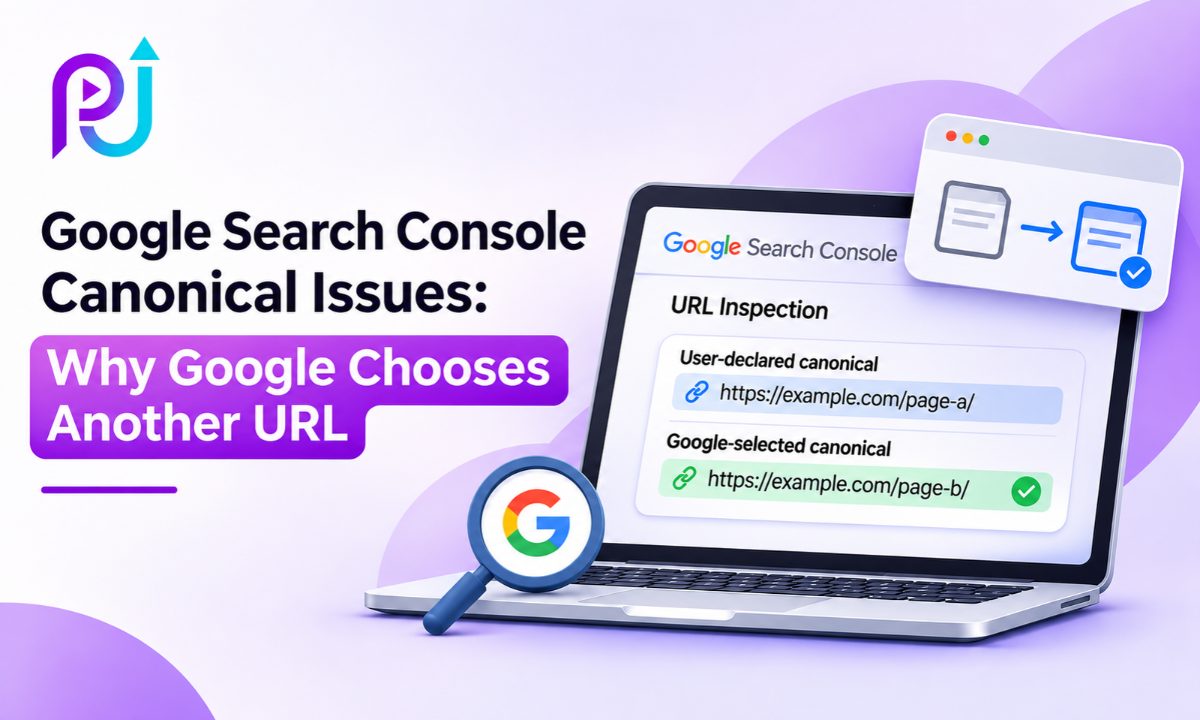
User-Declared Canonical vs Google-Selected Canonical
Google Search Console provides two important pieces of information.
User-declared canonical: The preferred URL specified by your website through a canonical annotation.
Google-selected canonical: The URL that Google has chosen as the representative version of the content.
When these values match, Google is following your stated preference.
When they differ, Google has selected another URL.
But that doesn't always mean something is broken.
What Does "Duplicate, Google Chose Different Canonical Than User" Mean?
This status means Google considers the inspected URL part of a group of duplicate or very similar pages but has selected a different canonical URL from the one you declared.
For example:
Your preferred URL: https://example.com/seo-services/
Google-selected canonical: https://example.com/digital-marketing/
Google may believe these pages provide similar enough main content that one should represent the other.
The inspected URL is generally not treated as the primary indexed version.
However, the canonical URL chosen by Google may still be indexed and eligible to appear in search results.
In some situations, Google can also show an alternate URL when it better suits a user's context, such as a regional version.
Is This a Google Search Console Error?
Not necessarily.
Google Search Console groups several indexing statuses under pages that aren't indexed.
Some are technical problems.
Others describe normal decisions made by Google's indexing system.
For example, tracking parameter URLs often don't need separate indexing.
If Google selects the clean version of the page, that may be the desired outcome.
The issue becomes important when Google selects the wrong URL for a page that should have its own search visibility.
Why Does Google Choose a Different Canonical URL?
Google considers multiple signals when selecting a canonical page.
The canonical tag is an important signal, but it is not the only one.
Redirects, internal links, sitemap entries, content similarity, and website configuration can all influence the decision.
Here are ten situations worth investigating.
1. Your Pages Have Very Similar Content
One of the most common causes of canonical conflicts is content similarity.
Imagine a business creates separate pages for:
- SEO Services
- Organic Search Marketing
- Search Engine Optimization Services
Each page has a different title and URL.
But the main text, service descriptions, and customer benefits are nearly identical.
Google may decide that these pages serve the same purpose.
It can then choose one canonical URL rather than treating all three as separate search results.
How to Fix It
First, determine whether the pages genuinely need to exist separately.
If they target the same audience and search intent, consider combining them into a stronger page.
If each page serves a distinct purpose, make those differences clear.
Add relevant service details, examples, pricing information where appropriate, and answers to questions specific to that page.
Changing a few keywords or headings isn't enough if the main content remains substantially the same.
A meaningful Technical SEO review should examine content similarity alongside the website's structure.
2. Your Canonical Tags Point to the Wrong URLs
Sometimes the problem is a simple implementation mistake.
A website may have canonical tags that point to old URLs, incorrect pages, or the homepage.
For example:
Your page URL is:
https://example.com/google-ads/
But the canonical tag points to:
https://example.com/
This tells Google that the homepage is your preferred version of the Google Ads page.
If the two pages serve different purposes, the canonical declaration is inappropriate.
Google may ignore it or make another selection.
How to Fix It
Inspect the HTML source of the affected page.
Find the rel="canonical" element.
Confirm that it points to the intended canonical URL.
For a unique, indexable service page, a self-referencing canonical is often appropriate.
Example:
<link rel="canonical" href="https://example.com/google-ads/" />
Also check whether your SEO plugin, website theme, or custom code generates conflicting canonical tags.
Avoid having multiple canonical declarations pointing to different destinations.
3. Your Internal Links Support Another URL
Internal links help Google understand your website's structure.
Imagine your preferred canonical URL is:
https://example.com/seo/
But your navigation, footer, and blog articles repeatedly link to:
https://example.com/seo-services/
If both URLs display similar content, the internal linking pattern may conflict with your canonical preference.
Google can take these signals into account.
How to Fix It
Review your website's navigation, breadcrumbs, service pages, and blog links.
Make sure they point to the preferred canonical URL.
Pay particular attention to links added through templates or reusable components.
For large websites, an SEO crawler can identify where internal links point to duplicate URLs.
Consistent Internal Linking makes it easier for Google to understand which URLs your website treats as primary.
4. URL Parameters Create Duplicate Versions
Many websites generate extra URLs through filters, sorting options, tracking parameters, and other functions.
For example:
https://example.com/products/
https://example.com/products/?sort=price
https://example.com/products/?utm_source=email
These URLs may show the same or substantially similar content.
Google can group them together and select a canonical.
How to Fix It
Identify which URLs deserve separate indexing.
Tracking parameters generally don't need their own search listings.
In these situations, the clean URL can be the preferred canonical.
However, some filtered pages provide different content and answer distinct search needs.
For example, a filtered product category for a specific product type may deserve its own indexable landing page.
Don't automatically canonicalize every filtered URL to its parent category without reviewing its content and purpose.
Avoid using robots.txt as a substitute for canonicalization.
Blocking crawling can prevent Google from seeing the canonical annotations on a page.
5. Your XML Sitemap Contains Non-Canonical URLs
An XML sitemap helps Google discover important URLs.
It also provides a signal about which URLs your website considers canonical.
Problems can occur when your sitemap includes URLs that differ from those declared in canonical tags.
For example, your sitemap might include:
https://example.com/services-old/
But the preferred page is:
https://example.com/services/
If both remain accessible and canonical signals disagree, Google receives inconsistent information.
How to Fix It
Review the XML sitemap.
Check whether it includes old URLs, redirected pages, parameter variations, or non-canonical pages.
For a standard sitemap intended for Google indexing, include your preferred canonical URLs.
Make sure those URLs are accessible and suitable for indexing.
Then resubmit the updated sitemap in Search Console if needed.
Remember that sitemap inclusion is a weaker canonical signal than redirects or canonical annotations.
A sitemap alone cannot force Google to select a specific URL.
6. Your Redirects Conflict With Canonical Tags
Redirects are another important canonicalization signal.
Imagine a page declares:
https://example.com/old-service/
as its canonical.
But that URL redirects to:
https://example.com/new-service/
The canonical annotation and redirect behavior disagree.
Google may prefer the final destination rather than the URL declared in the tag.
How to Fix It
Check whether the preferred canonical URL returns a successful HTTP response.
Review redirect chains and destinations.
If you've permanently moved a page, use a permanent redirect such as HTTP 301 or 308 to the appropriate replacement.
Update internal links and sitemap entries to point to the final destination.
Do not redirect unrelated pages simply to eliminate indexing warnings.
Redirects should preserve a meaningful relationship between the old and new content.
7. Your Multilingual or Regional Pages Send Conflicting Signals
Canonical issues are common on websites that serve different languages or countries.
For example:
https://example.com/en-us/
https://example.com/en-gb/
https://example.com/en-ca/
These pages may contain similar English-language content.
Google may group them together.
However, each page could serve a different region with localized information.
How to Fix It
Review canonical tags alongside hreflang annotations.
Use appropriate regional or language annotations for pages intended for different audiences.
Make sure reciprocal hreflang links are valid.
Where language versions contain distinct main content, they should generally remain separate, with appropriate canonical declarations.
For same-language regional variants, Google may still cluster similar pages.
Hreflang helps Google understand which regional URL may be suitable for a particular user.
Avoid directing every language version to one default canonical URL without considering the content and localization strategy.
8. JavaScript Changes Your Canonical Tags
Modern websites sometimes generate canonical tags through JavaScript.
This can create problems when the canonical value changes between the initial HTML and the rendered page.
For example, a React website may initially serve one canonical URL but replace it after the page loads.
Google can process JavaScript, but inconsistent canonical declarations can create uncertainty.
How to Fix It
Compare the initial HTML source with the rendered HTML.
Inspect the canonical tag in both versions.
Ensure your website does not declare conflicting canonical URLs.
For JavaScript-heavy websites, Google's preferred approach is to place a clear canonical tag in the original HTML when possible and avoid changing it through JavaScript.
This is particularly relevant for websites built using client-side rendering or custom routing systems.
9. Your Canonical Destination Isn't a Suitable Indexable Page
A declared canonical URL should be an appropriate representative of the content.
Problems can arise when it:
- Returns a 404 or 5xx error.
- Redirects unexpectedly.
- Contains a noindex directive.
- Is blocked from crawling.
- Displays unrelated content.
For example, imagine several product pages point canonically to a discontinued product that now returns a 404.
Google may choose another accessible URL instead.
How to Fix It
Inspect the declared canonical destination.
Check its HTTP status, indexing directives, and content.
Confirm that the destination is accessible and closely related to the duplicate pages.
Avoid using noindex as a general solution for choosing a canonical within your own website.
The noindex directive tells Google not to index the page. It doesn't instruct Google to consolidate that page's signals into your preferred URL.
Canonical tags and noindex directives solve different problems.
10. Google Detects Different Content Than You Expect
A more serious canonical issue occurs when Google sees unexpected content.
For example, Search Console might report an unrelated external domain as the selected canonical.
Possible causes include server misconfiguration, unusual duplicate responses, or malicious changes to website files.
Some compromised sites return different content or redirects to Googlebot than they show to regular visitors.
However, an unexpected external canonical does not automatically prove that a website has been hacked.
How to Fix It
Compare the page content with the Google-selected canonical.
Inspect the rendered page and check the HTML response.
Review canonical HTTP headers, redirects, and recent website changes.
Check whether plugins, themes, or third-party scripts have introduced unexpected code.
If the selected canonical points to a suspicious external website, investigate the security and server configuration promptly.
A proper SEO Audit should identify whether the cause is technical, content-related, or potentially malicious.
How to Find Canonical Issues in Google Search Console
Google Search Console provides the information needed to begin investigating canonical conflicts.
Follow these steps.
Step 1: Open the Page Indexing Report
Sign in to Google Search Console.
Select your website property.
Open Indexing → Pages.
Step 2: Find the Affected Status
Under "Why pages aren't indexed," look for:
Duplicate, Google chose different canonical than user
Open the report.
Review the affected URLs.
Step 3: Inspect a URL
Copy one of the affected URLs.
Paste it into the URL Inspection tool.
Open the page indexing details.
Step 4: Compare Canonical Values
Find these fields:
User-declared canonical
Google-selected canonical
Note the difference between them.
Step 5: Compare Both Pages
Open the affected URL and Google's chosen URL.
Review their main content, purpose, internal links, and technical settings.
Ask a simple question:
Do these pages genuinely provide different value, or are they two versions of the same content?
The answer will help determine whether a change is necessary.
Which Canonical Issues Should You Fix First?
Not every canonical status deserves equal attention.
| Situation | Recommended Action | Priority |
|---|---|---|
| Tracking parameter version excluded | Usually no action if correct URL is selected | Low |
| HTTP version consolidated into HTTPS | Confirm preferred HTTPS version works | Low |
| Important service page excluded | Compare content and canonical signals | High |
| Wrong regional page selected | Review hreflang, content, and links | High |
| Old URL selected after migration | Check redirects and canonical tags | High |
| Unrelated external domain selected | Review server and security configuration | High |
| Similar blog articles consolidated | Review search intent and content overlap | Medium |
The highest priority should be pages where the canonical selection affects important search visibility or creates an incorrect user experience.
Example: Google Chooses the Wrong Canonical for Two Service Pages
Imagine a digital marketing company has these pages:
https://example.com/google-ads-management/
https://example.com/ppc-management/
Both pages contain nearly identical service descriptions.
The company wants Google to index each page independently.
However, Search Console shows that Google selected the PPC page as canonical for the Google Ads page.
What Should the Business Do?
First, review whether the two pages serve different search intent.
If they describe the same service, combining the information into one strong page may be the better option.
If they serve distinct purposes, clarify those differences through the main content.
For example, one page could focus on Google Ads campaign management, while the other explains broader PPC management across relevant advertising platforms.
Each page should contain information suited to its specific service.
Then review canonical tags, internal links, and sitemap entries.
The business should not simply add a self-referencing canonical and assume Google will index both pages.
This is an illustrative example, not a real client case study.
Canonical Tags vs 301 Redirects vs Noindex
These methods are sometimes confused, but each serves a different purpose.
| Method | Main Purpose | Typical Use |
|---|---|---|
| Canonical Tag | Indicates the preferred version of duplicate or similar content | Several accessible URLs represent similar content |
| Permanent Redirect | Moves visitors and crawlers to another URL | An old URL has been replaced |
| Noindex | Tells search engines not to index a page | A page should remain accessible but not appear in search results |
| Robots.txt Disallow | Restricts crawling | Certain URL paths or resources should not be crawled |
For example, an online store might use canonical annotations for appropriate duplicate product URLs.
If a product page has moved permanently to a new URL, a redirect may be more suitable.
If a private utility page should not appear in search results, noindex may be appropriate, provided Google can crawl the page and observe the directive.
These methods should not be used interchangeably.
Can Canonical Issues Affect SEO Rankings and Organic Traffic?
Yes, canonical selection can affect which URL receives visibility in Google Search.
However, the impact depends on the situation.
If Google selects the correct primary URL for several duplicate versions, the website may experience no meaningful loss.
If Google chooses an unrelated or unsuitable URL instead of an important service page, visibility may suffer.
In international SEO, Google may also select or display a different regional version than the website owner expects.
This can create problems with localized pricing, language, or customer information.
Before assuming the page has disappeared from Google, review search results, organic traffic data, and the selected canonical.
It is also important to distinguish between a canonical reporting status and a confirmed decline in business performance.
How Long Does Google Take to Update Canonical Selection?
Canonical changes are not always reflected immediately.
Google needs to crawl the relevant pages, process their content, and reconsider the relationship between them.
Google's canonicalization troubleshooting guidance notes that pages may remain grouped together for up to two weeks after certain content changes.
However, this is not a guaranteed resolution period.
Some changes may take longer, depending on crawling and indexing.
What Should You Do After Fixing the Issue?
Use the URL Inspection tool to check the affected URL.
If the page is important, request indexing after making meaningful changes.
Review the Google-selected canonical again after Google has processed the page.
Monitor organic visibility and indexing trends.
Avoid repeatedly submitting the same unchanged URL.
Requesting indexing does not guarantee that Google will select your preferred canonical.
How to Prevent Canonical URL Problems
Canonical problems are easier to manage when your website sends consistent signals.
Use a clear URL structure.
Keep internal links pointed toward preferred canonical URLs.
Ensure sitemap entries agree with your canonical preferences.
Check redirects after migrations and URL changes.
Avoid creating unnecessary duplicate service or location pages.
Review canonical output after CMS updates or major technical changes.
For multilingual websites, maintain accurate hreflang annotations.
For JavaScript websites, verify that canonical declarations remain consistent after rendering.
Regular reviews of Search Engine Optimization and website structure can help identify these conflicts before they affect important pages.
When Should You Consider a Technical SEO Audit?
A technical SEO audit can be useful when important pages repeatedly appear under unexpected canonical statuses.
It can also help when canonical issues affect many pages following a website migration, redesign, or CMS update.
An audit should examine canonical annotations, redirects, sitemap entries, internal links, indexing directives, and rendered content.
The goal is to understand why Google prefers another URL, not simply force a tag onto every page.
For examples of digital marketing and optimization work, you can explore the SEO Portfolio.
About Prem Jasuja
Prem Jasuja is a freelance digital marketing professional working across SEO, Google Ads, Meta Ads, website optimization, and conversion tracking.
His SEO work includes reviewing technical website issues, improving page structure, analyzing search visibility, and identifying problems that can affect indexing.
Canonical troubleshooting requires examining the complete relationship between URLs rather than focusing only on one HTML tag.
You can learn more about his professional background on the About Prem Jasuja page.
Final Thoughts
Seeing "Duplicate, Google chose different canonical than user" in Search Console does not automatically mean your website has an SEO penalty or serious indexing problem.
Google may be consolidating duplicate pages exactly as intended.
The issue matters when an important page is being grouped with the wrong URL or when conflicting technical signals create unwanted search behavior.
Start by comparing your declared canonical with Google's selected URL.
Then review the content, internal links, sitemap, redirects, and indexing settings.
If the pages should be separate, make their purpose and main content meaningfully distinct.
If they are true duplicates, choose a suitable primary version and keep your canonical signals consistent.
The most effective way to resolve Google Search Console Canonical Issues is to make the correct URL choice clear through both content and technical signals.
Frequently Asked Questions
What Does "Duplicate, Google Chose Different Canonical Than User" Mean?
It means Google identified the inspected page as a duplicate or near-duplicate and selected a different canonical URL from the one declared by the website. This does not automatically indicate a penalty or technical failure.
Why Is Google Ignoring My Canonical Tag?
Google may choose another URL when content similarity, internal links, redirects, sitemap entries, or other technical signals support a different canonical. Canonical tags are strong signals, but they are not mandatory instructions.
How Do I Fix Canonical Issues in Google Search Console?
Inspect the affected URL and compare the user-declared and Google-selected canonicals. Review page content, canonical tags, internal links, redirects, sitemap entries, and indexing settings. Fix the conflicting signals that matter for your intended URL.
Does a Different Google-Selected Canonical Hurt SEO?
Not always. Google may select the correct primary version of duplicate pages. Problems can arise when an important page is consolidated with an unsuitable URL or when the selected version causes a loss of relevant visibility.
Should Every Website Page Have a Self-Referencing Canonical Tag?
A self-referencing canonical is a useful practice for many unique, indexable pages. However, pages intended to consolidate into another canonical URL should point to the appropriate preferred version instead.
Can Duplicate Content Cause Google to Choose Another Canonical URL?
Yes. When several URLs contain identical or substantially similar main content, Google may group them together and select one representative URL. Different page titles alone do not guarantee separate indexing.
Can I Use a 301 Redirect to Fix a Canonical Issue?
A permanent redirect can help when one URL has been replaced by another or a duplicate page is being retired. However, don't redirect pages that need to remain separate and serve distinct purposes.
How Long Does Google Take to Fix Canonical Issues?
Google must recrawl and reprocess affected URLs. Some duplicate clusters may take up to two weeks to be reconsidered after content changes, while others take longer. Requesting indexing does not guarantee a specific outcome.
Should I Use Noindex or Robots.txt to Resolve Canonical Problems?
Generally, no. Noindex excludes a page from search, while robots.txt controls crawling. Neither is a direct substitute for canonicalization. Use canonical tags or appropriate redirects when managing duplicate URLs.
Why Is Google Choosing an External Website as My Canonical URL?
Google may select an external URL if it considers the content substantially similar or receives misleading technical signals. Check the rendered content, redirects, canonical tags, server settings, and website security, especially if the external domain is unrelated.