You launch a Facebook Ads campaign, and everything looks ready.
Your advertisements are approved, your audience is selected, and your budget is active.
But when you open Meta Ads Manager, you notice something confusing.
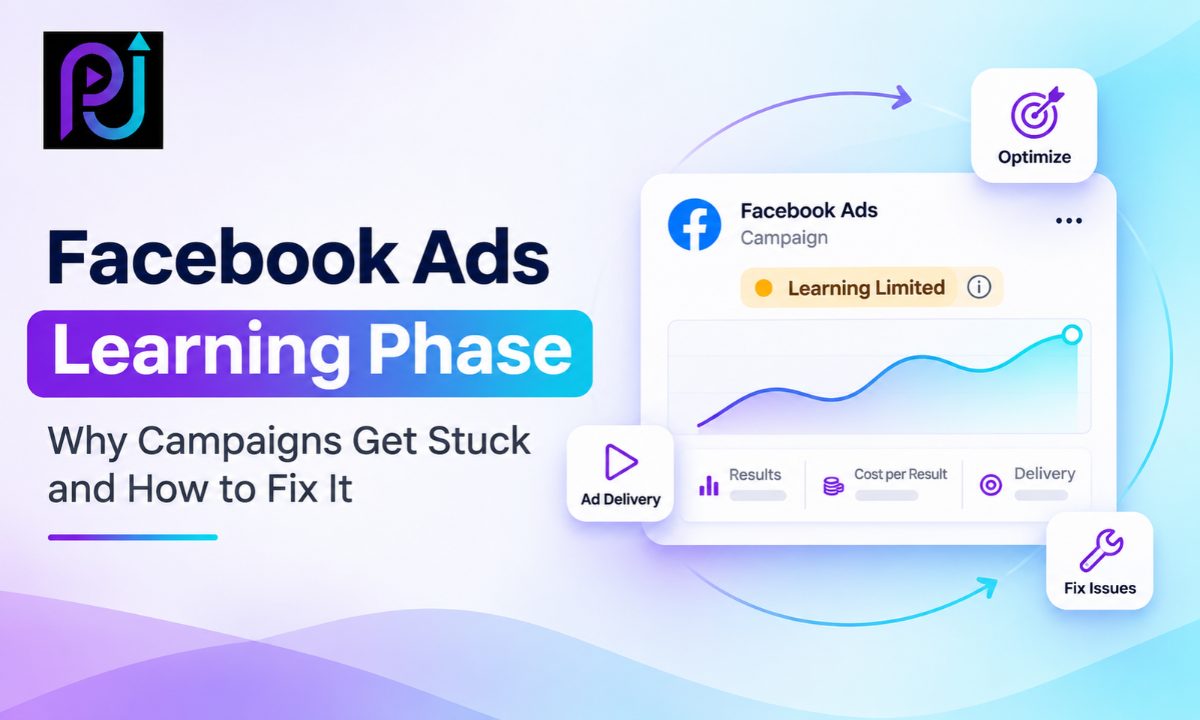
Your ad set still shows "Learning."
A few days pass. The cost per result changes, conversions arrive at an uneven pace, and the campaign has not moved into stable delivery.
Should you increase the budget? Change the audience? Replace the creative? Or leave everything alone?
The answer depends on why the campaign is struggling.
The Facebook Ads Learning Phase is a normal part of Meta's advertising system. It helps the platform understand how to deliver an ad set to people who may complete your chosen action.
However, an ad set can remain in learning longer than expected when it does not generate enough results or undergoes repeated significant changes.
Understanding the difference between normal learning and a genuine delivery problem can save time and unnecessary campaign changes.
In this guide, you will learn how the learning phase works, why campaigns get stuck, what Learning Limited means, and how to fix common problems without making your advertising performance worse.
What Is the Facebook Ads Learning Phase?
The Facebook Ads Learning Phase is the period when Meta's advertising delivery system explores how to deliver a new or significantly edited ad set.
During this period, Meta evaluates opportunities to show your advertisements to people who may complete the selected optimization action.
That action could be a purchase, lead submission, or another supported result.
The learning phase starts when you create a new ad or ad set. It can also start again after significant changes to an existing campaign setup.
During this time, Meta Ads Manager may display Learning in the Delivery column.
The platform is gathering information to improve its delivery predictions.
For example, imagine an online store running an advertisement for running shoes.
Meta needs to understand which eligible users are most likely to complete the chosen purchase action.
As the ad set receives results, the system gathers more information about which delivery opportunities work.
This process does not mean your campaign is broken.
However, performance during learning can be less stable, and the average cost per result may be higher than after delivery stabilizes.
How Long Does the Facebook Ads Learning Phase Last?
Meta explains that an ad set usually exits the learning phase after approximately 50 results in the week following its last significant edit.
The important phrase is "usually."
This is not a strict guarantee that every ad set exits learning on its 50th result.
Meta's delivery system can stabilize earlier or take longer, depending on the circumstances.
It is also not a rule that every campaign must wait exactly seven days.
The learning phase depends on the ad set's ability to collect enough relevant results and deliver consistently.
For example, an ad set receiving many qualified results may stabilize sooner than one generating only a few results each week.
An ad set that receives repeated significant edits may return to learning even after previously achieving stable delivery.
For Shops ads, Meta identifies separate purchase requirements involving website and Meta purchases.
The key point is that the learning phase is connected to results and delivery stability, not just the number of days your advertisement has been running.
Facebook Ads Learning vs Learning Limited vs Preparing
These delivery statuses describe different situations.
| Delivery Status | What It Means | What to Check |
|---|---|---|
| Preparing | The advertisement is being prepared for delivery | Publishing, review, setup and initial delivery |
| Learning | Meta is gathering information to stabilize ad set delivery | Results and last significant edit |
| Learning Limited | The ad set is unlikely to get enough optimization results to exit learning | Budget, results, targeting and campaign structure |
| Active | The advertisement is delivering without the Learning status | Cost, lead quality and ongoing performance |
Is Learning Limited the Same as a Campaign Being Stuck?
Not exactly.
Learning Limited is a specific delivery status indicating that Meta expects the ad set may not receive enough optimization results to exit learning.
An ad set can still deliver advertisements and generate conversions while showing this status.
It does not automatically mean the campaign is unprofitable or should be paused.
The correct decision depends on actual results, cost, and business value.
What If Meta Ads Are Stuck in Preparing?
Preparing is different from learning.
If an advertisement remains in Preparing or shows no spend, check whether it has completed review, whether the ad set is published, whether its start date has arrived, and whether any account or payment restrictions exist.
Also review bid settings and delivery errors.
Do not assume that an advertisement with zero impressions needs seven days of learning.
If the advertisement is not entering delivery, investigate the setup before treating it as a learning-volume problem.
Why Do Facebook Ads Get Stuck in the Learning Phase?
Several factors can prevent an ad set from reaching stable delivery.
The most common causes involve insufficient results, repeated significant edits, fragmented campaign structures, narrow targeting, and restrictions that limit delivery.
Let's examine each problem and its practical solution.
1. Your Ad Set Is Not Generating Enough Results
Low optimization result volume is one of the main reasons an ad set may stay in learning.
Imagine a business running a campaign optimized for purchases.
The ad set generates only five purchases per week.
Meta has limited information about the people completing that action.
As a result, it may struggle to establish stable delivery.
How to Fix It
First, check how many results your ad set receives.
In Meta Ads Manager, review the Results column and the Last Significant Edit column.
Compare the results with the period following the most recent significant change.
Next, check whether the selected optimization action is realistic for your campaign.
If your business receives few purchases or qualified inquiries, a low-frequency event may not generate enough data.
However, do not immediately switch to a less valuable event.
For example, optimizing for Add to Cart rather than Purchase may increase optimization event volume, but it could also encourage Meta to find people who add products without buying them.
Choose an event that balances sufficient volume with genuine business value.
A campaign that stays in Learning Limited but generates profitable sales may still be worth keeping.
2. Your Facebook Ads Budget Is Too Low for Your Target Results
A small budget can limit the number of optimization events an ad set receives.
This becomes more important when your chosen action is expensive.
For example, suppose your average cost per lead is $30.
If your ad set spends $30 per day, it may generate roughly one lead per day at that average cost.
That would produce about seven leads per week, assuming performance remains consistent.
This is below Meta's commonly cited level of around 50 results.
How to Estimate Your Weekly Results
You can use a simple planning formula:
Estimated Weekly Results = Weekly Budget ÷ Expected Cost Per Result
Consider this hypothetical example:
| Metric | Example |
|---|---|
| Daily Budget | $60 |
| Weekly Budget | $420 |
| Average Cost Per Lead | $30 |
| Estimated Weekly Leads | 14 |
| Approximate Results for 50 Leads | $1,500 Weekly |
These figures are illustrative. They are not Meta's mandatory minimum budgets or a forecast of actual campaign performance.
The calculation helps you understand whether your budget and expected cost per result support the desired volume.
How to Fix It
Review your actual cost per result and weekly conversion volume.
If the business can profitably support more advertising spending, you may consider increasing the budget.
If a higher budget is not practical, review whether several similar ad sets are dividing the available spend.
You may be able to simplify the structure instead.
Do not increase spending simply to remove a Learning Limited label.
A budget increase should make financial sense based on customer value and campaign performance.
3. You Are Making Too Many Changes to Your Campaign
Repeated significant edits can prevent an ad set from gathering consistent learning data.
For example, an advertiser launches a campaign and then changes the audience, replaces an advertisement, and adjusts the bidding settings over the next few days.
These changes may cause the ad set to re-enter learning.
What Changes Can Reset the Facebook Ads Learning Phase?
Significant edits may include changes to:
- The optimization event
- Audience targeting
- Advertising creative
- Bid strategy
- Adding new ads to an ad set
- Budget or bid controls, depending on the scale of the change
- Certain pause and restart situations
Not every adjustment has the same effect.
For budget changes, Meta considers the magnitude of the modification.
The common recommendation to keep changes below 20% is a practitioner guideline, not a guaranteed safe threshold published by Meta.
How to Fix It
Review the Last Significant Edit column.
If the ad set recently returned to learning, check which change may have caused it.
Avoid adjusting several settings at once without a clear reason.
Instead, use an organized review process.
Identify the actual problem, make the necessary change, and evaluate the resulting performance.
If an advertisement contains a broken link, incorrect offer, or major setup error, correct it.
Protecting learning status should never take priority over preventing clearly unsuitable advertising.
4. Too Many Ad Sets Are Dividing Your Budget
Campaign fragmentation occurs when advertisers create many ad sets that target similar people or serve the same business objective.
For example, a local service company may create separate ad sets for several closely related interests.
Each ad set receives a small portion of the overall budget.
Because the results are divided, individual ad sets may struggle to collect sufficient optimization events.
Example of a Fragmented Campaign
Imagine a company spending $150 per day across five ad sets.
Each ad set receives approximately $30 per day.
If the expected cost per lead is $25, each ad set may generate only a small number of weekly leads.
Combining suitable ad sets could give the delivery system more concentrated learning opportunities.
However, consolidation should reflect your actual targeting and campaign objectives.
How to Fix It
Review the active ad sets in each campaign.
Identify groups that use similar targeting, offers, and optimization goals.
Consider combining ad sets that do not need to remain separate.
Keep separate ad sets when there is a genuine business requirement, such as distinct geographic markets, different conversion objectives, or controlled testing.
Meta also recommends avoiding unnecessarily high volumes of ads and ad sets because too many separate delivery groups can divide learning.
There is no universal rule that every campaign must use exactly two or three ad sets.
The right structure depends on the account.
5. Your Audience Targeting Is Too Narrow
A narrow audience can restrict the number of people Meta can reach.
This may reduce opportunities to generate the selected optimization result.
For example, imagine a business that targets people in a small service area and then adds several detailed interest restrictions.
The final audience may become too limited to support stable delivery.
How to Fix It
Review your audience restrictions.
Look for unnecessary interest combinations, narrow age ranges, or other settings that reduce potential reach without a clear business reason.
Consider testing broader targeting or available Advantage+ audience options where appropriate.
However, essential restrictions should remain in place.
A local business should not remove service-area boundaries simply to increase audience size.
Likewise, regulated advertising categories may have specific targeting requirements.
The objective is to remove unnecessary restrictions, not reach people your business cannot serve.
Also remember that no fixed audience size guarantees an ad set will exit learning.
The required scale depends on the market, conversion rate, budget, and campaign objective.
6. Your Bid Cap or Cost Control Is Restricting Delivery
Bid controls can influence how aggressively Meta competes for advertising opportunities.
These settings may be useful in some campaigns.
However, an unrealistic control can limit delivery and reduce the number of results an ad set receives.
Imagine a business whose typical cost per purchase is $45.
If it applies a very restrictive cost control, Meta may struggle to find enough eligible opportunities that meet that condition.
The ad set may spend less and generate fewer results.
How to Fix It
Review the selected bid strategy and any active bid or cost controls.
Compare the settings with actual historical performance.
If delivery is limited, investigate whether those controls are realistic.
Where appropriate, test a less restrictive strategy.
Do not remove important cost controls without considering profitability.
The right choice depends on whether the business values additional conversion volume more than strict cost limits.
7. Your Optimization Event Is Too Rare
The optimization event tells Meta what action you want the delivery system to prioritize.
For an eCommerce store, this might be Purchase.
For a service business, it might be Lead.
For a SaaS company, it could be a completed registration or another meaningful action.
However, some events happen too rarely to provide consistent optimization feedback.
How to Fix It
Review your event data and campaign results.
Confirm that the chosen event occurs often enough to support the campaign's objectives.
If you are considering a higher-frequency event, evaluate its relationship with eventual business results.
For example, a business might compare leads, qualified leads, appointments, and customers.
A more frequent event is not always a better event.
If you optimize toward low-quality submissions, you may increase lead volume without improving customer acquisition.
For businesses running Meta Ads lead-generation campaigns, accurate Conversion Tracking and GA4 Setup can help identify the gap between form submissions and meaningful customer actions.
8. Your Meta Pixel or Conversions API Tracking Is Incorrect
Sometimes the issue is not the campaign structure.
The selected optimization events may be missing, duplicated, or recorded incorrectly.
For example, a customer purchases a product, but the Purchase event never reaches Meta.
Alternatively, the same purchase might be sent through the browser Pixel and Conversions API without suitable deduplication.
These problems can affect reporting and the conversion data available for optimization.
How to Fix It
Open Meta Events Manager and inspect the relevant data source.
Review whether your key events are being received.
Test genuine conversions through the website.
Confirm that the right event fires after a successful business action.
If you use both Pixel and Conversions API, review the event names and event IDs used for deduplication.
Compare website or CRM records with Meta reporting while accounting for attribution differences.
Also check diagnostics and event matching information.
Avoid sending sensitive or unnecessary personal information. Follow applicable consent requirements and Meta's policies when configuring customer information parameters.
Tracking improvements may support more reliable optimization, but they do not guarantee that an ad set will exit learning.
9. Your Creative Is Not Generating Enough Response
Advertising creative can influence the number of results your ad set generates.
If the advertisement does not communicate a clear offer or attract relevant attention, fewer people may complete the desired action.
This can contribute to limited optimization volume.
For example, an advertisement with vague messaging may attract impressions but few qualified inquiries.
The problem is not necessarily that Meta needs more time.
The advertisement may need a stronger offer or clearer messaging.
How to Fix It
Review the creative's results alongside CTR, frequency, conversion rate, and cost per result.
Consider whether your message matches the audience's actual needs.
New creative can be tested when there is evidence that the current advertisement is ineffective.
However, adding or changing ads can trigger learning again.
Plan meaningful creative tests instead of replacing advertisements every day.
Creative fatigue and the learning phase are related but separate concepts.
You can read more in the blog on Facebook Ads Creative Fatigue before deciding whether a creative refresh is necessary.
How to Check the Learning Phase in Meta Ads Manager
Before making changes, use this diagnostic process.
Step 1: Open the Ad Set
Go to Meta Ads Manager and select the campaign you want to inspect.
Open the ad set level.
Step 2: Check the Delivery Status
Identify whether the ad set shows Learning, Learning Limited, Active, or another delivery status.
Step 3: Review the Last Significant Edit
Add the Last Significant Edit column if it is not visible.
Check whether the ad set recently restarted learning after a change.
Step 4: Check Results
Review the number of results generated since the last significant edit.
Compare this with your expected result volume.
Step 5: Review Cost Per Result and Spend
Check how much the ad set has spent and whether the selected result is occurring at a sustainable cost.
Step 6: Inspect the Campaign Structure
Review the number of ad sets, audience restrictions, budgets, and bidding controls.
Step 7: Verify Conversion Tracking
Check that the selected optimization event is being recorded as intended.
Step 8: Make One Clear Decision
Decide whether the ad set needs more time, a structural adjustment, a tracking correction, or no change.
Avoid changing several unrelated settings in response to a single delivery label.
Facebook Ads Learning Phase Troubleshooting Checklist
| Problem | What to Investigate | Possible Action |
|---|---|---|
| Learning continues | Results since last significant edit | Check event volume and allow suitable observation time |
| Learning Limited | Budget, event frequency and structure | Consolidate or adjust where justified |
| Frequent learning resets | Edit history | Reduce unnecessary significant changes |
| Low delivery volume | Audience and bidding restrictions | Review restrictive settings |
| High cost per result | Creative, audience and offer | Investigate business performance |
| Missing conversions | Pixel and Conversions API | Test event collection and deduplication |
| Preparing with no spend | Publishing, review, payment and setup | Troubleshoot delivery eligibility |
| Stable results with Learning Limited | Actual CPL, CPA or ROAS | Consider maintaining the campaign |
The most useful troubleshooting approach starts with the symptom and evidence, not the delivery status alone.
Example: A Local Service Business Stuck in Learning Limited
Imagine a local home improvement company running Meta Ads.
The business spends $80 per day and has four ad sets targeting similar audiences.
Each ad set receives approximately $20 per day.
Its average cost per qualified inquiry is $40.
The account generates some inquiries, but each ad set receives limited optimization data.
The campaign begins showing Learning Limited.
What Could the Business Do?
First, the advertiser checks whether all four ad sets serve distinct purposes.
Two may have almost identical targeting.
The business could test combining those ad sets to concentrate delivery and learning.
It could also review audience restrictions and confirm that its selected lead event works correctly.
However, the business should not automatically increase its total budget.
If the company is already generating qualified inquiries at a profitable cost, maintaining the existing campaign may be reasonable.
This is a hypothetical example, not actual client performance data.
The objective is to improve campaign economics, not simply change the status shown in Ads Manager.
Should You Increase Your Meta Ads Budget to Exit Learning?
Increasing the budget can sometimes help an ad set generate more optimization events.
But it is not always the best solution.
Before increasing spending, review your target CPA, expected weekly result volume, lead quality, and business profitability.
A useful planning calculation is:
Estimated Weekly Results = (Daily Budget × 7) ÷ Expected CPA
This helps assess potential volume, but the outcome is not guaranteed.
Advertising costs and conversion rates can change as spending increases.
Also remember that a sufficiently large budget modification may itself trigger learning again.
Plan increases around business needs and campaign results rather than a universal percentage rule.
Can a Facebook Ad Perform Well While Learning Limited?
Yes.
Learning Limited does not automatically mean the advertisement has failed.
A niche B2B business may generate a small number of highly valuable leads.
A local service company may operate in a limited geographic area.
A premium product may naturally have a longer purchase cycle.
In these situations, reaching approximately 50 optimization results per ad set each week may be unrealistic or uneconomical.
For example, an ad set generating ten qualified leads at a profitable cost might still serve the business well.
Increasing the budget simply to collect more results could create unnecessary spending.
Evaluate qualified leads, customers, revenue, and acquisition cost alongside the learning status.
Stable business value matters more than forcing a specific label to disappear.
How to Prevent Facebook Ads From Getting Stuck in Learning
A thoughtful campaign setup can reduce unnecessary learning problems.
Choose a Meaningful Optimization Event
Use an event that reflects your advertising objective and can be tracked reliably.
Keep the Campaign Structure Focused
Avoid creating multiple nearly identical ad sets without a clear purpose.
Set Realistic Budgets
Review expected conversion costs and result volume before launching.
Prepare Your Creative Before Launch
Make sure advertising copy, images, videos, offers, and landing pages are ready.
Avoid Unnecessary Edits
Give the ad set a reasonable opportunity to collect results before making nonessential changes.
Review Performance at the Right Level
Evaluate campaign results, ad set delivery, creative performance, and business outcomes.
Keep Tracking Accurate
Verify that Meta Pixel and Conversions API events represent genuine conversions.
Maintain a Change Log
Record campaign changes and review whether significant edits affect delivery.
These steps cannot guarantee that an ad set will exit learning, but they can help prevent avoidable problems.
When Should You Request a Professional Meta Ads Audit?
A professional audit may help when campaigns repeatedly enter learning, show limited delivery, or generate results that do not match business expectations.
An audit can examine campaign structure, bidding settings, audience targeting, creative performance, conversion events, and lead quality.
It can also help determine whether a learning status represents a real problem or an acceptable limitation of the business model.
Prem Jasuja provides digital advertising and conversion measurement support for lead-generation and sales-focused campaigns.
You can explore relevant work in the Digital Marketing Portfolio.
Why Work With Prem Jasuja for Meta Ads Optimization?
Prem Jasuja is a freelance digital marketing professional with experience across Meta Ads, Google Ads, conversion tracking, and landing page optimization.
His work includes SaaS companies, local service providers, B2B businesses, and eCommerce brands.
Each business requires a different advertising approach.
An eCommerce campaign may focus on purchases and ROAS.
A local service business may prioritize qualified inquiries and appointments.
A SaaS campaign may measure trial registrations and paid subscriptions.
Meta's learning phase should be evaluated within the context of those goals.
The process involves reviewing campaign structure, result volume, advertising spend, and the quality of conversion data.
Learn more about Prem's background on the About Prem Jasuja page.
Final Thoughts
The Facebook Ads Learning Phase is a normal part of Meta's advertising delivery system.
It allows the platform to gather information and improve how an ad set is delivered.
However, some ad sets remain in learning because they do not receive enough optimization results, experience repeated significant edits, or operate under restrictive campaign settings.
Common solutions include reviewing budget feasibility, simplifying overlapping ad sets, checking conversion tracking, and removing unnecessary targeting restrictions.
But not every campaign needs every fix.
An ad set that displays Learning Limited can still produce profitable results.
Likewise, increasing your budget or changing the optimization event does not automatically lead to stronger performance.
The best approach is to investigate the cause, make justified changes, and measure the effect on actual business outcomes.
Do not optimize your advertising account only to exit the learning phase. Optimize it to generate valuable customers at a sustainable cost.
Need Help With Facebook Ads Stuck in Learning?
If your Meta Ads campaigns remain in Learning or Learning Limited and you are unsure what needs to change, a campaign audit can help identify the issue.
Prem Jasuja provides support with Meta Ads campaign structure, audience targeting, conversion tracking, and performance optimization.
Explore Meta Ads Management Services to learn more.
Frequently Asked Questions
What Is the Facebook Ads Learning Phase?
The Facebook Ads Learning Phase is the period when Meta's delivery system explores how to deliver a new or significantly edited ad set. During this period, performance may be less stable as the platform gathers information about the selected optimization result.
How Long Does the Facebook Ads Learning Phase Last?
Meta says ad sets usually exit learning after approximately 50 results in the week following their last significant edit. However, this is not a guaranteed threshold or fixed seven-day waiting period. The duration depends on results and delivery stability.
Why Are My Facebook Ads Stuck in Learning?
An ad set may remain in learning because it receives too few optimization results, undergoes repeated significant edits, has restrictive targeting or bidding settings, or uses a fragmented campaign structure. Review the actual delivery status and performance before making changes.
What Does Learning Limited Mean in Meta Ads?
Learning Limited indicates that Meta expects an ad set may not receive enough optimization results to stabilize delivery. The ad set may continue generating leads or sales, so the status should be evaluated alongside actual business performance.
How Many Conversions Are Needed to Exit the Facebook Ads Learning Phase?
Meta commonly refers to approximately 50 optimization results in the week after the last significant edit. These are results for the selected optimization event, not necessarily purchases. It is a general guideline rather than an automatic exit rule.
Does Increasing the Facebook Ads Budget Reset Learning?
A budget change may trigger learning again depending on its magnitude. Meta does not guarantee that every change below a particular percentage is safe. Review the potential effect of a budget adjustment before making it.
Should I Pause Facebook Ads That Show Learning Limited?
Not automatically. An ad set can remain profitable while showing Learning Limited. Review cost per result, qualified leads, purchases, and business value before deciding whether to pause or restructure it.
Can Narrow Audience Targeting Affect the Learning Phase?
Yes. Restrictive targeting can reduce delivery opportunities and make it harder for an ad set to generate enough optimization results. Broader targeting may help in some cases, but essential business and location restrictions should remain.
Can Meta Pixel or Conversions API Issues Affect Learning?
Yes. Missing, inaccurate, or duplicate optimization events can affect the information available for campaign optimization. Test event collection, confirm that conversions represent genuine actions, and review deduplication when using Pixel and Conversions API together.
What Is the Best Way to Fix Facebook Ads Stuck in Learning?
Start by reviewing the delivery status, results since the last significant edit, campaign budget, targeting, optimization event, and tracking setup. Make changes based on the specific problem rather than applying every possible fix at once.